400-188-1518
Enterprise Project Management Software 2026: 8 Platforms Compared for Large-Scale Delivery
Enterprise teams managing complex, multi-stakeholder initiatives need more than task lists and basic collaboration. The right platform becomes the central nervous system of how work flows across departments, geographies, and methodologies.
This guide examines eight enterprise project management solutions tested across real deployment scenarios: ONES, Jira, Asana, Monday.com, Wrike, Smartsheet, ClickUp, and Linear. Each was evaluated through hands-on project execution with distributed teams, not vendor demonstrations.
How Evaluation Was Conducted
Testing spanned 2–4 weeks per platform with active project workloads. Criteria included core functionality depth, enterprise governance capabilities, integration breadth, performance at scale, onboarding friction, total cost structure, and support quality. API rate limits, mobile functionality, and custom field behavior were verified directly.
At-a-Glance Comparison
| Platform | Primary Strength | Entry Price | User Model | Rating |
|---|---|---|---|---|
| ONES | Unified R&D lifecycle governance | Custom enterprise | Unlimited | 4.5/5 |
| Jira | Agile software development | $10/user/month | Unlimited | 4.5/5 |
| Asana | Cross-functional alignment | $11/user/month (annual) | Unlimited | 4.4/5 |
| Monday.com | Visual workflow design | $8/seat/month | 20+ minimum | 4.5/5 |
| Wrike | Marketing and creative operations | $24/user/month (annual) | Unlimited | 4.4/5 |
| Smartsheet | PMO and dependency-heavy planning | $50/user/month (annual) | Unlimited | 4.3/5 |
| ClickUp | Feature density and value | $7/user/month | Unlimited | 4.4/5 |
| Linear | Developer velocity and speed | $10/member/month | Unlimited | 4.6/5 |
Detailed Platform Assessments
1. ONES — Enterprise R&D Management and Delivery Governance
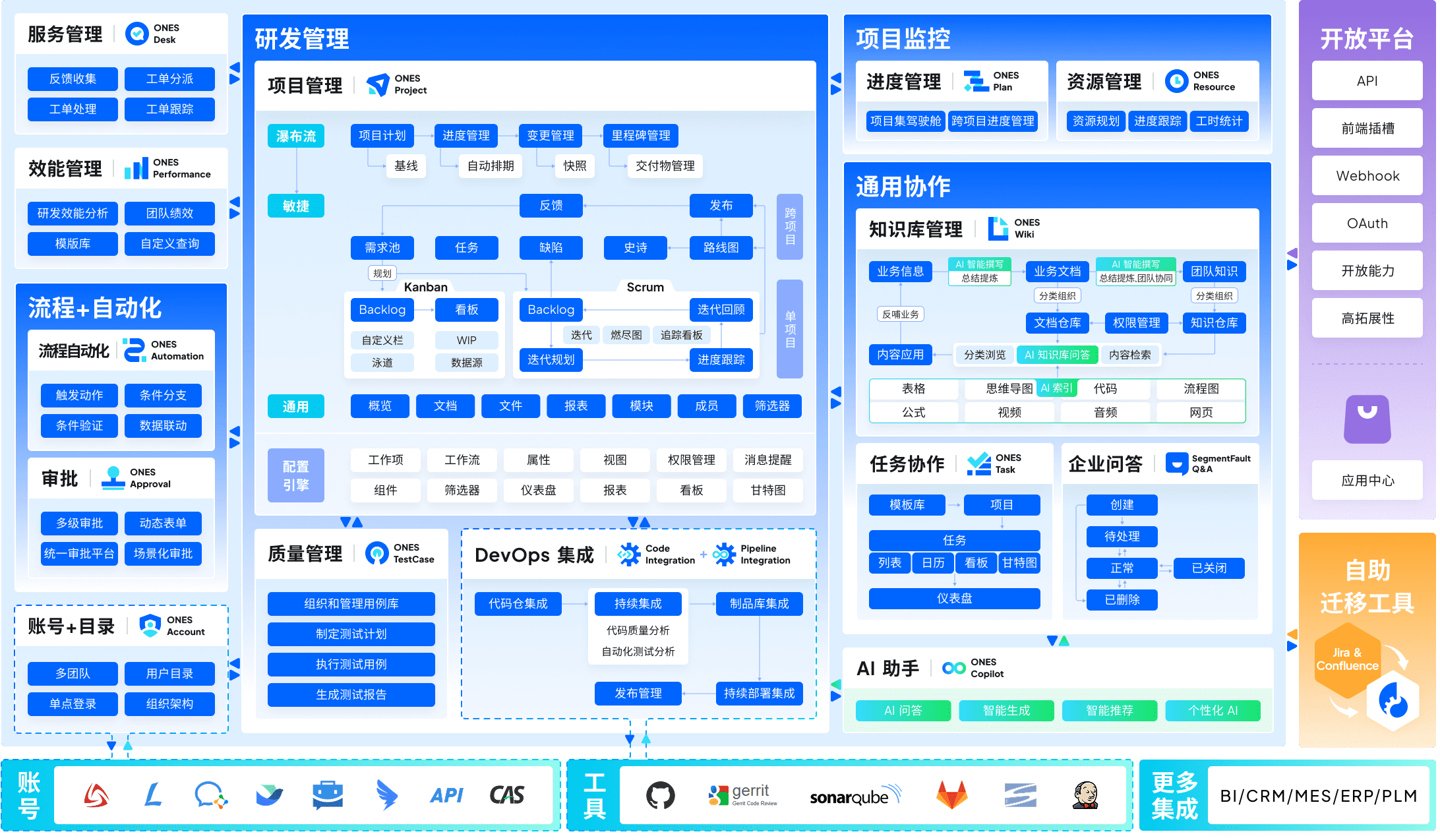
ONES occupies a distinctive position among enterprise platforms by addressing a persistent fragmentation problem: engineering organizations typically stitch together six to ten separate tools for requirements, projects, documentation, testing, deployment, and code management. ONES consolidates these into a single architecture.
The platform’s design centers on three enterprise priorities. First, unified lifecycle coverage eliminates the data loss and sync delays that occur when requirements live in one system, test cases in another, and deployment status in a third. Second, governance infrastructure supports sophisticated permission models, workflow enforcement, and cross-functional visibility required by organizations with hundreds of contributors. Third, built-in measurement capabilities translate activity data into actionable indicators of delivery efficiency and quality trends.
For technology executives managing portfolios of interdependent products, this integration depth reduces the architectural overhead of maintaining point-to-point connections between specialized tools. The trade-off is implementation scope: realizing full value requires organizational commitment to standardizing on the platform rather than retaining peripheral tools.
Notable capabilities:
- End-to-end traceability from requirements through testing to release
- Configurable workflow engines with granular permission controls
- Cross-team dependency visualization and portfolio dashboards
- Integrated knowledge management and technical documentation
- Continuous integration pipeline orchestration and artifact tracking
- Delivery metrics and quality analytics with trend analysis
Pricing structure: Enterprise-tier licensing with custom quotation based on scale and module configuration.
Considerations: Implementation investment is substantial; best suited for organizations with 200+ technical staff seeking to reduce tool proliferation. Smaller teams may find the capability set exceeds immediate requirements.
2. Jira — Established Standard for Agile Engineering
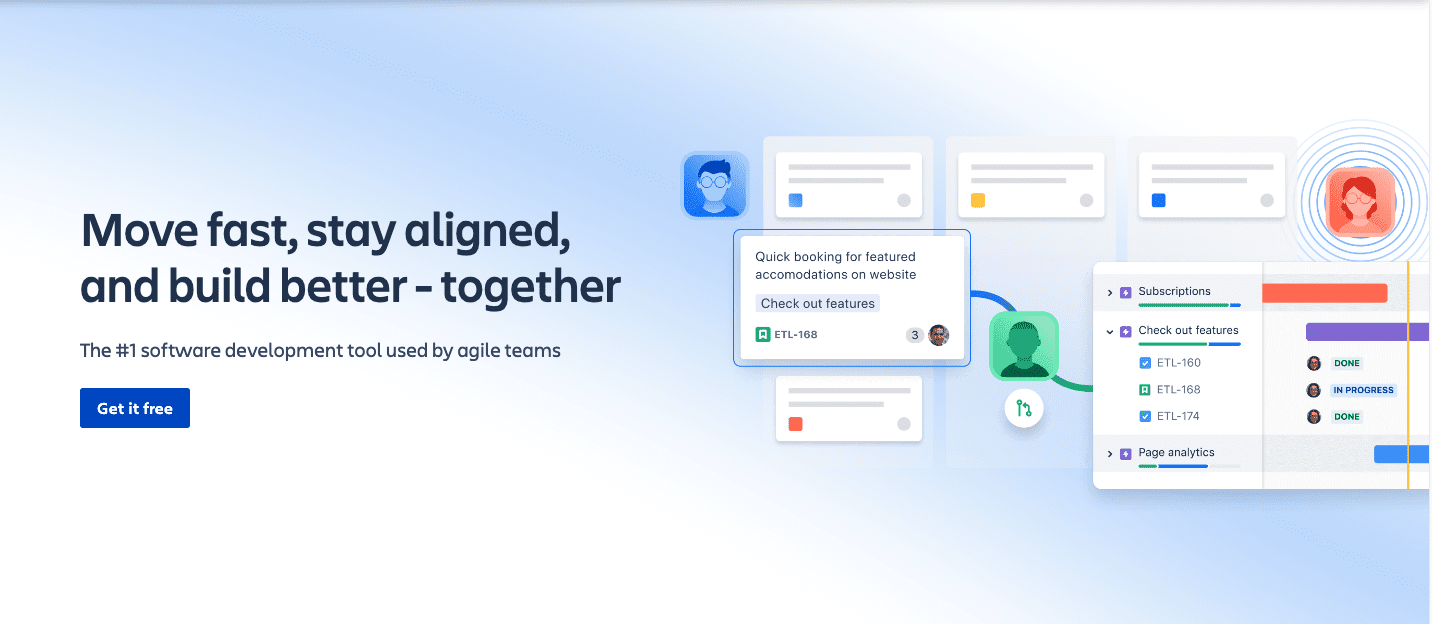
Atlassian’s platform remains the reference implementation for Scrum and Kanban at scale. Its workflow engine permits precise mapping to organizational process requirements, with validators, conditions, and post-functions that enforce business rules automatically.
Enterprise deployments benefit from hierarchical permission controls spanning projects, issues, and individual fields. For organizations with 200+ developers distributed across multiple teams, this granularity prevents information exposure while maintaining necessary visibility.
The Atlassian ecosystem—Confluence for documentation, Bitbucket for version control, Opsgenie for incident response—creates compounding value when fully adopted. However, this strength becomes constraint for teams using competing tools in these categories.
Primary capabilities:
- Scrum and Kanban boards with sprint instrumentation
- Custom workflow design with automation rules
- Epic and story hierarchy with dependency mapping
- JQL for complex query and reporting construction
- CI/CD integration via Bitbucket, GitHub, GitLab
- Atlassian Intelligence for pattern detection
Cost framework: Cloud Standard at $8.75/user/month; Premium at $17.50/user/month; Data Center from $31,500 annually for 300 users.
Assessment: Unmatched depth for formal Agile practice. Significant training investment required. Interface conventions show age relative to newer alternatives. Risk of over-configuration for teams below 50 members.
3. Asana — Balanced Capability with Reduced Friction
Asana succeeds in a difficult middle ground: sufficient sophistication for enterprise complexity without the implementation burden of specialized platforms. A 300-person organization can coordinate product launches, engineering cycles, and company-wide programs simultaneously without dedicated administration staff.
The timeline implementation presents dependencies visually, with immediate propagation of schedule changes. Portfolio views distill executive signal from operational noise. Goal tracking integrates OKR methodology without requiring separate tooling.
The platform’s breadth generates occasional uncertainty about optimal configuration. Teams may question whether specialized tools would outperform Asana in specific domains. The answer is typically marginal improvement insufficient to justify additional tooling overhead.
Key functionality:
- Multiple view modalities: list, board, timeline, calendar
- Portfolio aggregation for executive visibility
- Goal and objective tracking with progress indicators
- Workload distribution and capacity visualization
- Automation builder with custom field triggers
- 250+ native integrations and webhook API
Investment level: Premium at $11.99/user/month (annual); Business at $24.99/user/month; Enterprise custom pricing typically exceeding $30/user/month.
Evaluation: Rapid team productivity with minimal onboarding. Performance degradation observed beyond 50,000 tasks in single workspace. Free tier limited to 15 members, creating early conversion pressure.
4. Monday.com — Accessible Visual Operations
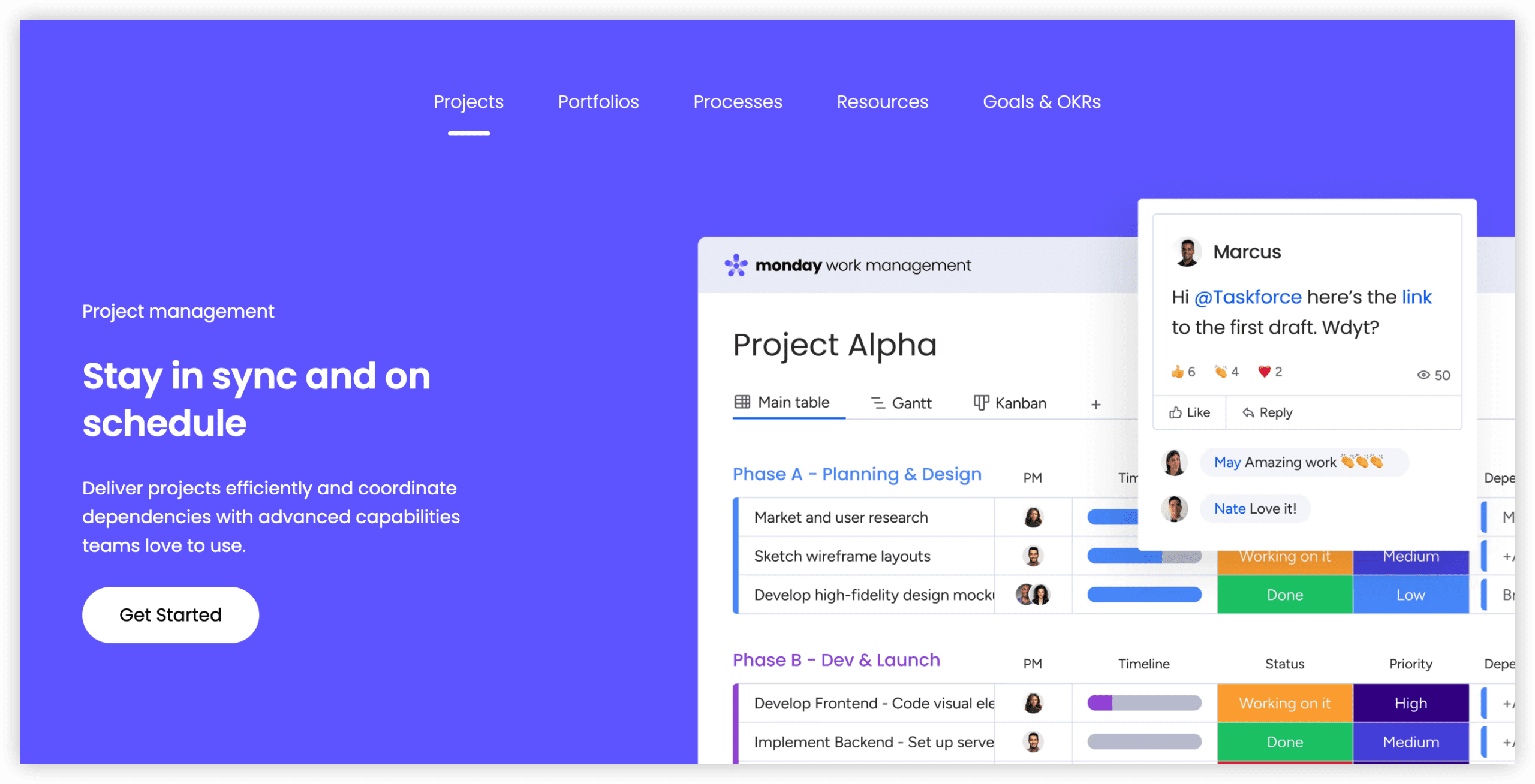
The platform’s evolution from colorful kanban boards to full enterprise capability retains its core visual philosophy. Custom workflow construction proceeds rapidly—teams achieve productive use within hours rather than days.
No-code automation enables non-technical users to implement conditional notifications, status updates, and cross-item dependencies without formula construction. This accessibility democratizes workflow optimization beyond technical specialists.
Performance characteristics warrant attention: boards exceeding 30,000 tasks exhibit measurable latency. Organizations consolidating extensive operations into single workspaces should validate against actual data volumes.
Capability highlights:
- Highly configurable board and list presentations
- Timeline and Gantt views with dependency logic
- Recipe-based automation templates
- Budget and resource tracking via modular extensions
- 200+ integrations including Zapier connectivity
- Full-featured mobile editing
Price points: Basic $8/seat/month; Standard $10; Pro $16; Enterprise custom from $20/seat/month. Minimum three seats per workspace.
Analysis: Exceptional setup velocity. Visual engagement sustains team adoption. Per-seat model generates significant cost at 200+ users. Automation depth inferior to dedicated integration platforms for complex scenarios.
5. Wrike — Structured Marketing and Creative Operations
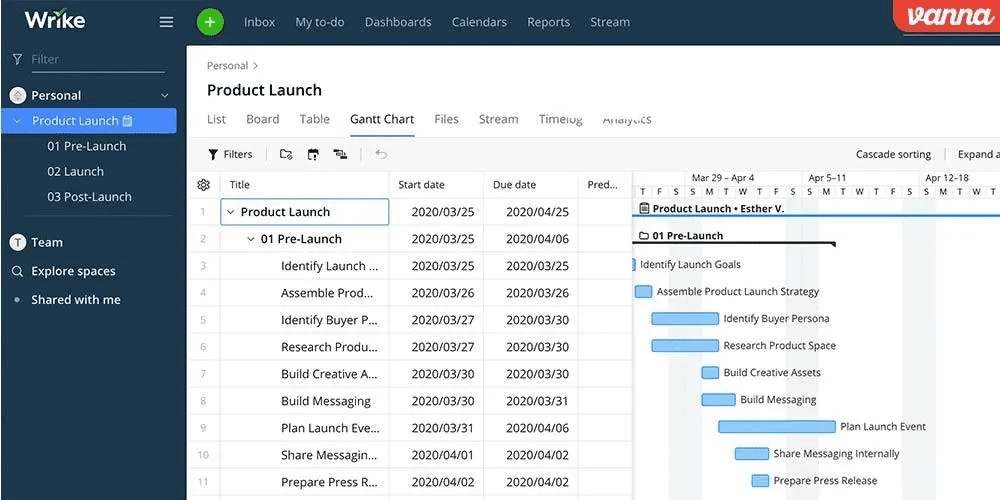
Wrike’s positioning between flexible work management and engineering-focused platforms serves creative departments particularly well. Pre-constructed templates for campaign workflows, content calendars, and product launches eliminate blank-page initiation friction.
The portfolio dashboard distinguishes Wrike for leadership visibility. A single interface presents 50+ projects with status, budget consumption, and resource allocation without requiring drill-down navigation.
Resource allocation implements intuitive drag-and-drop assignment across projects, with availability indicators preventing overallocation. This capability proves essential for agencies and creative departments managing concurrent client commitments.
Functional strengths:
- Industry-specific template library
- Portfolio management with executive reporting
- Time tracking and project profitability analysis
- Gantt scheduling with automated adjustment
- Collaboration hub for centralized communication
- Offline-capable mobile application
Cost structure: Team tier $24/user/month (annual); Business $48/user/month; Enterprise custom for 500+ users.
Review: Template quality accelerates deployment. Resource management exceeds generalist platforms. Aggressive per-user pricing—100 users generates $4,800 monthly expenditure. Collaboration hub supplements rather than replaces dedicated communication tools.
6. Smartsheet — PMO Discipline for Complex Dependencies
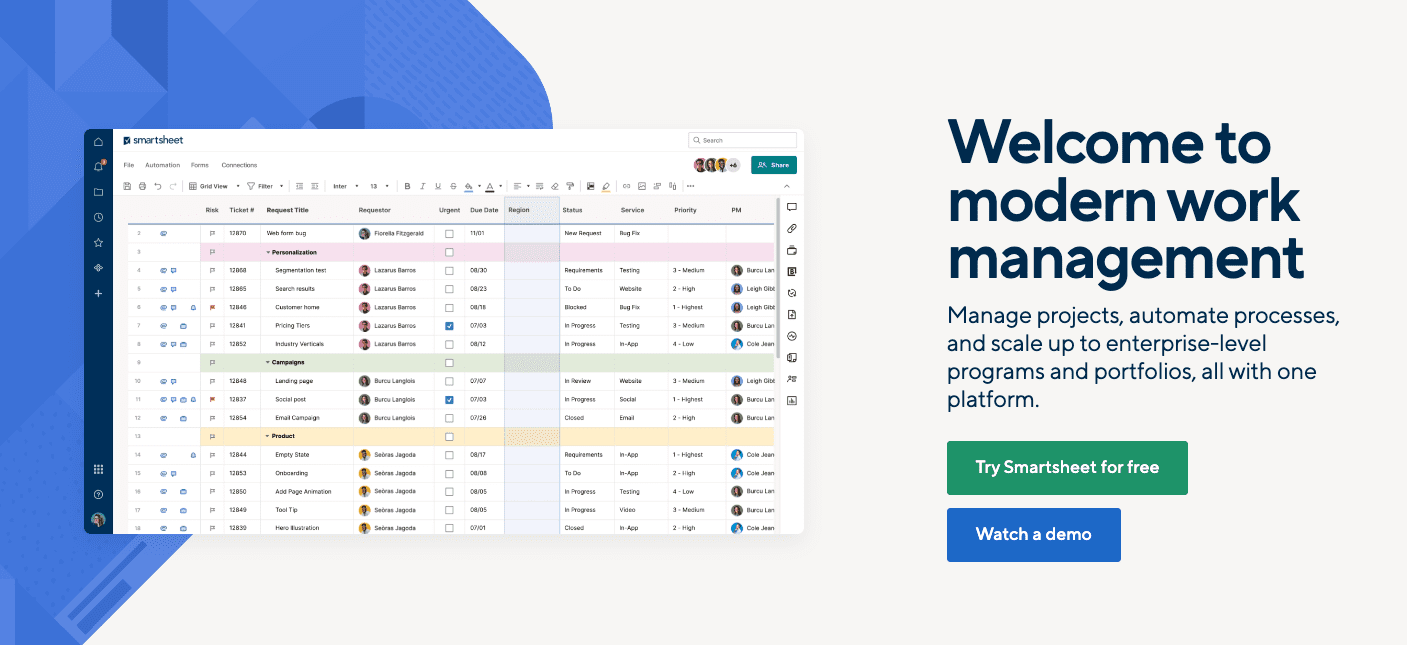
Smartsheet’s architectural foundation in spreadsheet paradigms delivers particular value for organizations managing intricate, interdependent initiative portfolios. Construction, facilities, and enterprise PMO use cases benefit from rigorous critical path analysis and automatic schedule recalculation.
The Gantt implementation responds intelligently to change: task movement propagates through dependency chains instantly. Progress percentage updates recalculate timeline projections without manual intervention. This computational reliability matters when managing high-stakes, capital-intensive programs.
The interface trade-off is familiar to Excel practitioners but constrains visual expression compared to contemporary alternatives. For structured, repeatable project categories, this limitation is acceptable; for exploratory or creative work, it may inhibit.
Core capabilities:
- Advanced Gantt with dependency logic and critical path
- Portfolio oversight across 100+ concurrent projects
- Resource capacity planning and leveling algorithms
- Integrated time and expense capture
- Audit trails and version history for compliance
- Extensible reporting and dashboard construction
Investment: Pro and Business tiers at $50/user/month (annual); Enterprise custom from $100/user/month at scale.
Determination: Superior Gantt and dependency management. Highest cost profile in this assessment. Corporate interface aesthetic. Mobile functionality adequate but not distinguished.
7. ClickUp — Comprehensive Feature Economics
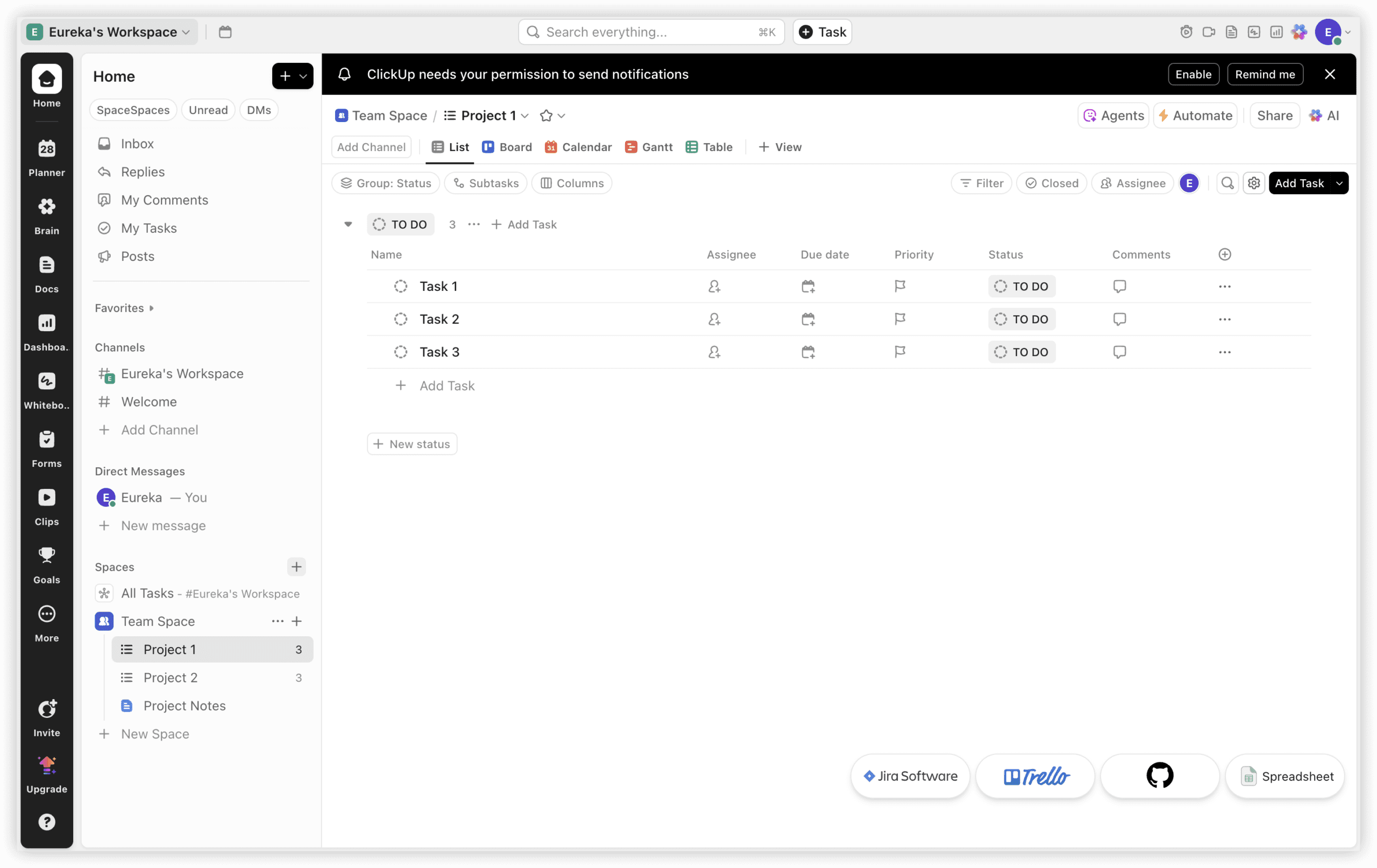
ClickUp’s value proposition centers on functional breadth at aggressive pricing. The platform encompasses task management, documentation, time tracking, portfolio oversight, and automation at price points substantially below category averages.
Release velocity is remarkable—fifteen updates in a recent monthly period indicates continuous capability expansion. This pace sustains competitive position but introduces stability considerations for risk-averse enterprises.
The density of features and configuration options creates genuine cognitive load. Teams may discover capabilities weeks into usage that would have informed initial setup decisions. This characteristic demands either exploratory onboarding or acceptance of iterative refinement.
Capability inventory:
- Multiple view types: list, kanban, timeline, calendar, table
- Sprint planning instruments for Agile teams
- Native time tracking and productivity measurement
- Portfolio and workspace hierarchy management
- Custom fields, statuses, and automation rules
- Integrated documentation and knowledge features
Pricing: Free tier with unlimited tasks; Unlimited $7/user/month; Business $12; Enterprise $19. Annual commitment yields 20–30% reduction.
Conclusion: Exceptional features-per-dollar ratio. Customization depth approaches Jira. Interface complexity requires dedicated onboarding investment. Performance inconsistency at very high task volumes.
8. Linear — Velocity-Optimized Engineering Workflow
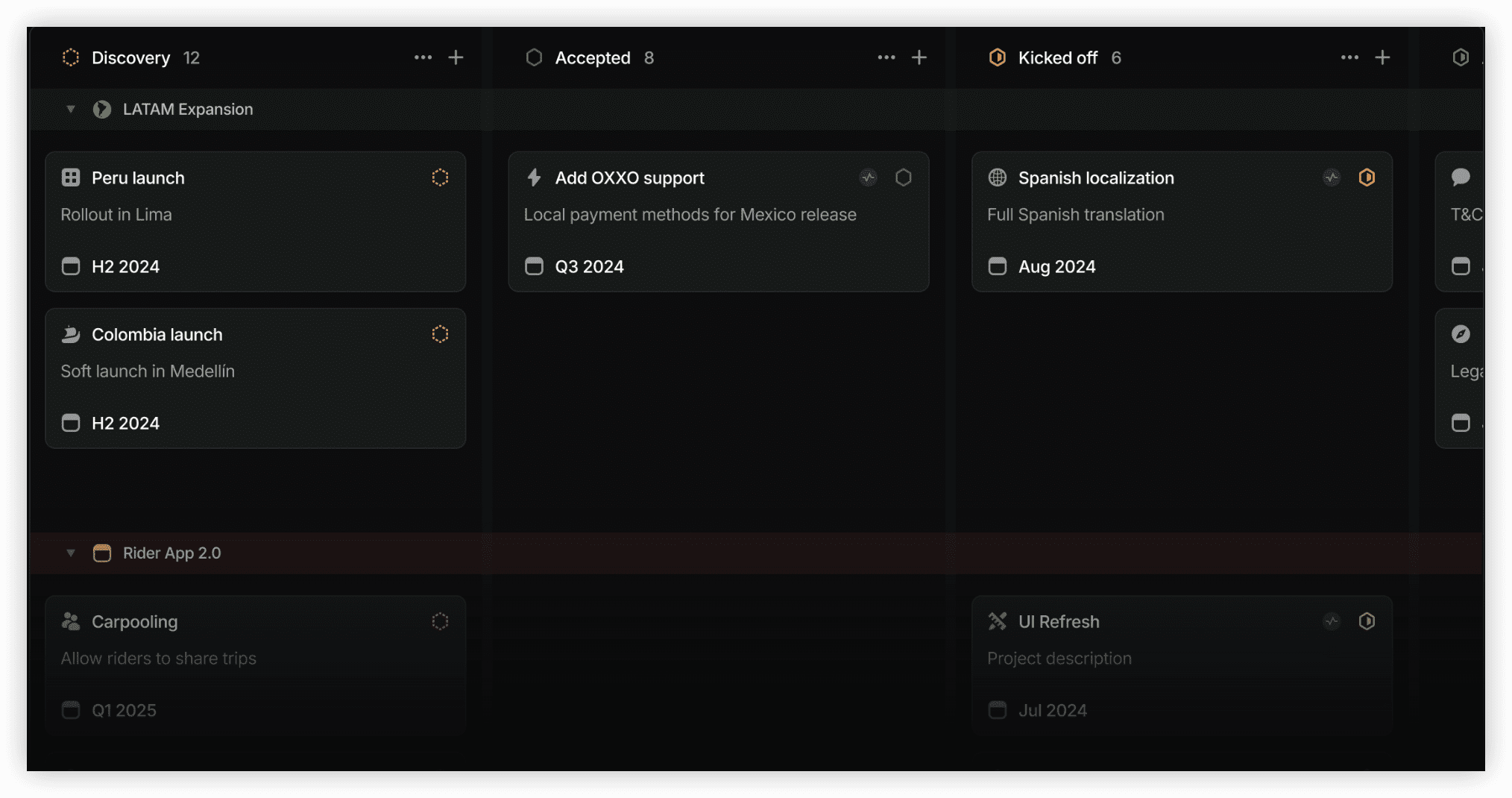
Linear’s emergence since 2019 reflects developer dissatisfaction with incumbent tooling performance. The platform prioritizes responsiveness: issue creation loads in sub-second times, keyboard navigation eliminates pointer dependency, and GitHub pull request linkage occurs automatically.
The architectural minimalism serves specific use cases exceptionally well while excluding broader project management requirements. Resource allocation, portfolio oversight, and cross-functional workflow support are absent by design.
Teams adopting Linear typically report sustained satisfaction with core issue tracking but maintain supplementary tools for program-level coordination. This specialization is intentional rather than deficient.
Differentiating features:
- Performance-optimized issue creation and retrieval
- Automatic GitHub pull request association
- Cycles for lightweight sprint-like planning
- Roadmap and project visualization
- Keyboard-driven power user workflows
- Streamlined Slack integration
Cost: Free for up to 10 members; Pro $10/member/month (annual). Scale pricing available for 50+ members.
Appraisal: Fastest issue tracking experience available. Deliberately narrow scope. Inadequate for non-engineering teams or complex program management. Smaller integration marketplace than established alternatives.
Capability Matrix
| Dimension | ONES | Jira | Asana | Monday | Wrike | Smartsheet | ClickUp | Linear |
|---|---|---|---|---|---|---|---|---|
| Task Management | Excellent | Excellent | Excellent | Excellent | Excellent | Good | Excellent | Good |
| Gantt/Timeline | Good | Good | Good | Good | Excellent | Best-in-class | Good | Basic |
| Kanban | Good | Excellent | Good | Excellent | Good | N/A | Excellent | Good |
| Resource Planning | Excellent | Good | Good | Moderate | Excellent | Excellent | Good | N/A |
| Time Tracking | Integrated | Basic | Add-on | Add-on | Integrated | Integrated | Integrated | N/A |
| Automation | Excellent | Excellent | Moderate | Excellent | Good | Good | Excellent | Moderate |
| Reporting | Excellent | Excellent | Good | Good | Excellent | Excellent | Good | Moderate |
| Mobile | Good | Good | Excellent | Excellent | Good | Basic | Moderate | N/A |
| API | Excellent | Excellent | Good | Good | Good | Good | Excellent | Good |
| Learning Curve | Moderate | Steep | Moderate | Moderate | Moderate | Steep | Steep | Shallow |
| Enterprise Security | Excellent | Excellent | Excellent | Good | Excellent | Excellent | Moderate | Good |
Selection Framework by Organizational Profile
Technology Organizations with Integrated Delivery Requirements
ONES suits enterprises seeking to consolidate requirements, projects, testing, and deployment into unified governance. The reduction in tool fragmentation and integration maintenance justifies implementation investment for organizations with substantial engineering investment.
Jira remains appropriate for teams committed to formal Scrum or Kanban with extensive workflow customization needs and existing Atlassian ecosystem adoption.
Linear serves smaller engineering groups prioritizing velocity over ceremony, where issue tracking speed outweighs program management requirements.
Marketing and Creative Functions
Wrike provides template-driven workflow acceleration and resource allocation across high project volumes with executive portfolio visibility.
Asana enables cross-functional campaign coordination involving product, design, and marketing stakeholders with timeline dependency clarity.
Monday.com offers visual engagement for teams under 100 members where interface appeal sustains adoption.
Enterprise PMO and Program Offices
Smartsheet dominates for 100+ interdependent projects requiring critical path analysis and schedule optimization with compliance documentation.
Wrike provides portfolio management with reduced spreadsheet dependency for organizations seeking more contemporary interaction patterns.
Value-Conscious and Small Team Contexts
ClickUp delivers maximum capability per expenditure for teams accepting interface complexity as trade-off.
Teamwork offers flat-rate pricing ($29–39/month unlimited users) for straightforward project management without specialized methodology requirements.
Annual Cost Projection: 100-User Deployment
| Platform | 100 Users | 500 Users | Cost Characteristic |
|---|---|---|---|
| ONES | Custom | Custom | Enterprise negotiation |
| ClickUp | $8,400–$13,440 | $42,000–$67,200 | Best feature economics |
| Monday.com | $9,600–$19,200 | $48,000–$96,000 | Tier-dependent variation |
| Linear | $12,000 | $60,000 | Linear per-member scaling |
| Asana | $14,388 | $71,940 | Moderate scaling |
| Jira Cloud | $10,500 | $52,500 | Data Center alternative available |
| Wrike | $28,800 | $144,000 | Aggressive per-user escalation |
| Smartsheet | $60,000 | $300,000+ | Premium positioning |
Scenario-Optimized Recommendations
| Scenario | Selection | Rationale |
|---|---|---|
| Unified R&D governance | ONES | Lifecycle integration, metrics, enterprise scale |
| Formal Agile at scale | Jira | Workflow depth, ecosystem maturity |
| Cross-functional coordination | Asana | Balanced capability with reduced friction |
| Visual operations, rapid deployment | Monday.com | Interface engagement, setup velocity |
| Creative resource management | Wrike | Template quality, portfolio visibility |
| Complex dependency programs | Smartsheet | Gantt sophistication, PMO alignment |
| Maximum features, minimum cost | ClickUp | Density and pricing advantage |
| Developer velocity priority | Linear | Performance optimization, minimal overhead |
Frequently Asked Questions
Are free tiers viable for enterprise evaluation?
Limited applicability. Asana’s free offering supports 15 members; ClickUp provides unlimited tasks with storage constraints. Production enterprise use requires SSO, audit logging, SLA commitments, and administrative controls absent from no-cost tiers. Budget $5,000–$10,000 annually as minimum viable investment for 100-user organizational deployment.
Which platforms offer native Slack integration quality?
All assessed platforms connect to Slack, with meaningful differentiation in depth. Jira enables issue creation and rich notifications within Slack channels. Asana and ClickUp provide substantial bidirectional functionality. Linear’s integration is more constrained by design philosophy. Organizations with Slack-centric operations should prioritize Jira or Asana.
What migration complexity should be anticipated?
Data extraction typically produces CSV or JSON output with loss of custom field configurations, formatting, and relationship structures. Planning horizon should assume 2–3 year commitment to selected platform. Asana and Monday.com provide import assistants reducing transition friction from competing tools. Migration effort is rarely decisive in platform selection—functional fit predominates.
Is supplementary time tracking tooling necessary?
ClickUp, Wrike, Smartsheet, and Teamwork incorporate native time capture. Jira offers basic functionality. Asana and Monday.com require Toggl, Harvest, or equivalent integration. For billing or capacity planning dependencies, native integration eliminates synchronization overhead and reduces total cost.
How do portfolios differ from projects in operational practice?
Projects represent discrete initiatives (e.g., “Mobile Application Redesign”). Portfolios aggregate related projects for executive oversight (e.g., “Digital Transformation Portfolio” encompassing website, infrastructure, and mobile initiatives). Organizations managing ten or more concurrent projects benefit substantially from portfolio-level visibility. Smartsheet, Wrike, and Asana deliver strongest portfolio instrumentation.
Can hybrid methodologies coexist on single platform?
All platforms accommodate methodological diversity to varying degrees. Jira and ClickUp maximize flexibility for simultaneous Agile and Waterfall execution. Asana and Monday.com support both without specialized sprint tooling. Linear constrains to simplified cycles. Smartsheet optimizes for traditional project management. Platform selection should reflect dominant methodology with tolerance for secondary approaches.
Concluding Assessment
Platform selection ultimately reduces to organizational context rather than abstract capability ranking. The eight solutions evaluated all deliver competent project management; differentiation emerges in how their specific strengths align with operational requirements.
Enterprises with substantial engineering investment and tool consolidation objectives should evaluate ONES for unified lifecycle governance. Organizations with established Atlassian infrastructure will find Jira’s depth difficult to abandon. Teams prioritizing rapid adoption and cross-functional accessibility converge toward Asana. Cost-optimized implementations with tolerance for complexity gravitate to ClickUp. Developer-centric groups valuing performance over comprehensiveness increasingly prefer Linear.
The critical success factor is not initial selection but organizational commitment to implementation. Productivity degradation in weeks one and two is normal; measurable improvement typically manifests by week four. By week eight, operational dependency on structured workflow becomes evident.
Thirty-day evaluation periods with actual project workloads, not synthetic demonstrations, generate the most reliable selection data. Involve representative users from each affected function. The platform your team consistently selects for voluntary use—despite mandated alternatives—indicates authentic fit.