
 400-188-1518
10 Best Jira Alternatives in 2026: Enterprise & Team Tools Compared
Looking for a Jira alternative that better fits your team structure, budget, or workflow complexity? After evaluating platforms across six criteria—ease of use, feature depth, total cost of ownership, integrations, mobile experience, and scalability—we identified 10 viable replacements for 2026. Here is the complete list:
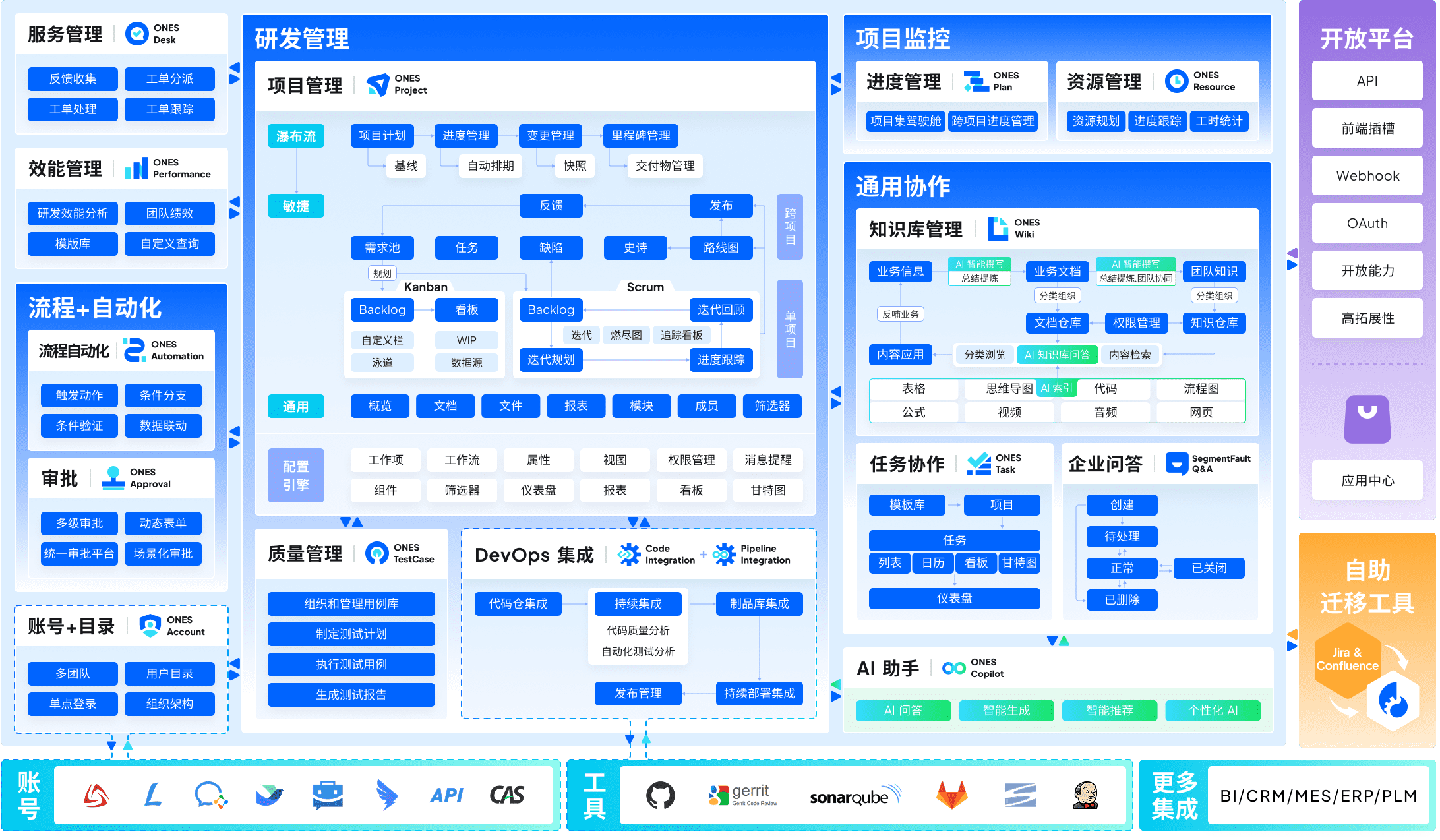
- ONES — Best for enterprise R&D management and cross-functional governance
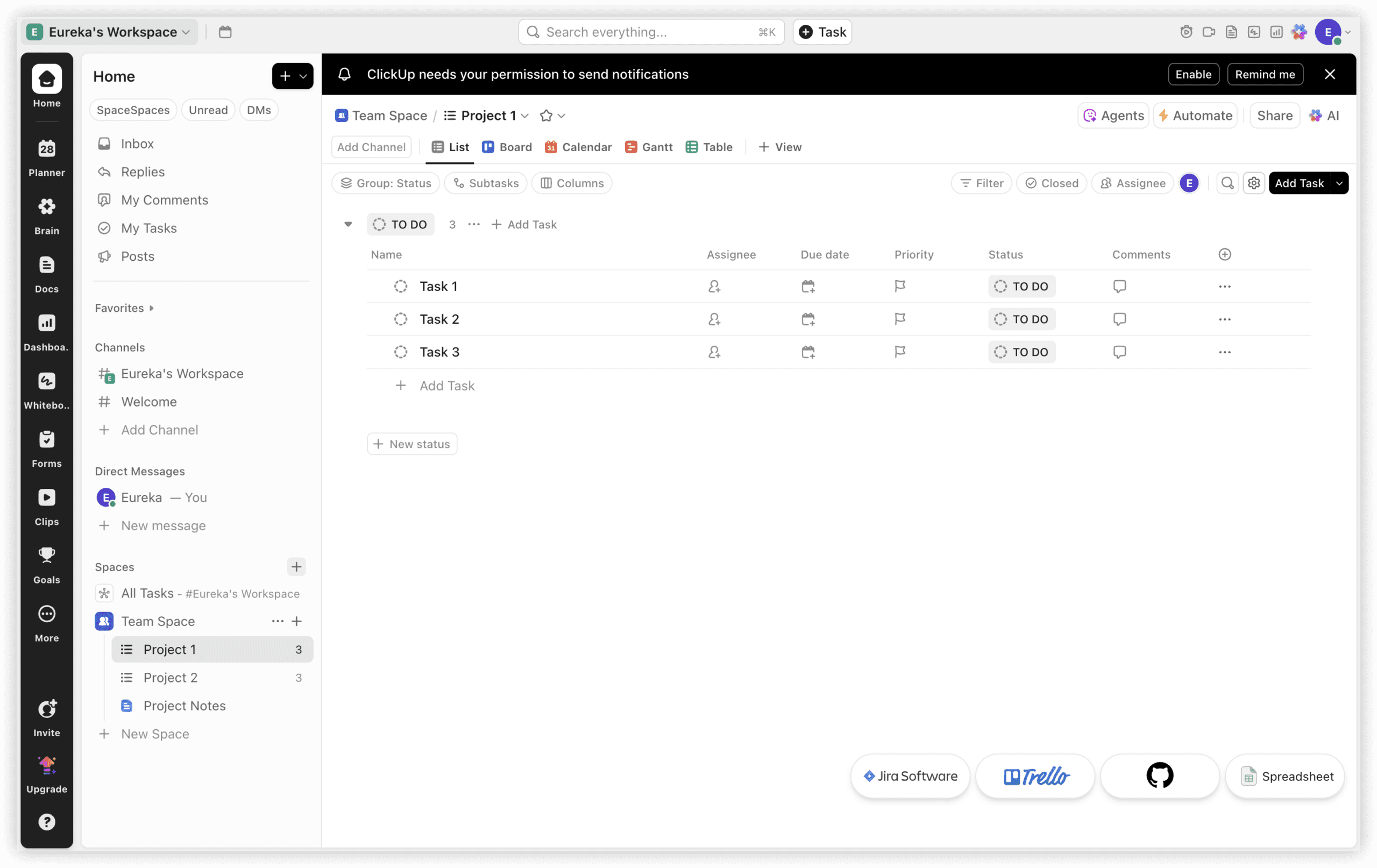
- ClickUp — Best all-in-one workspace at low per-user cost
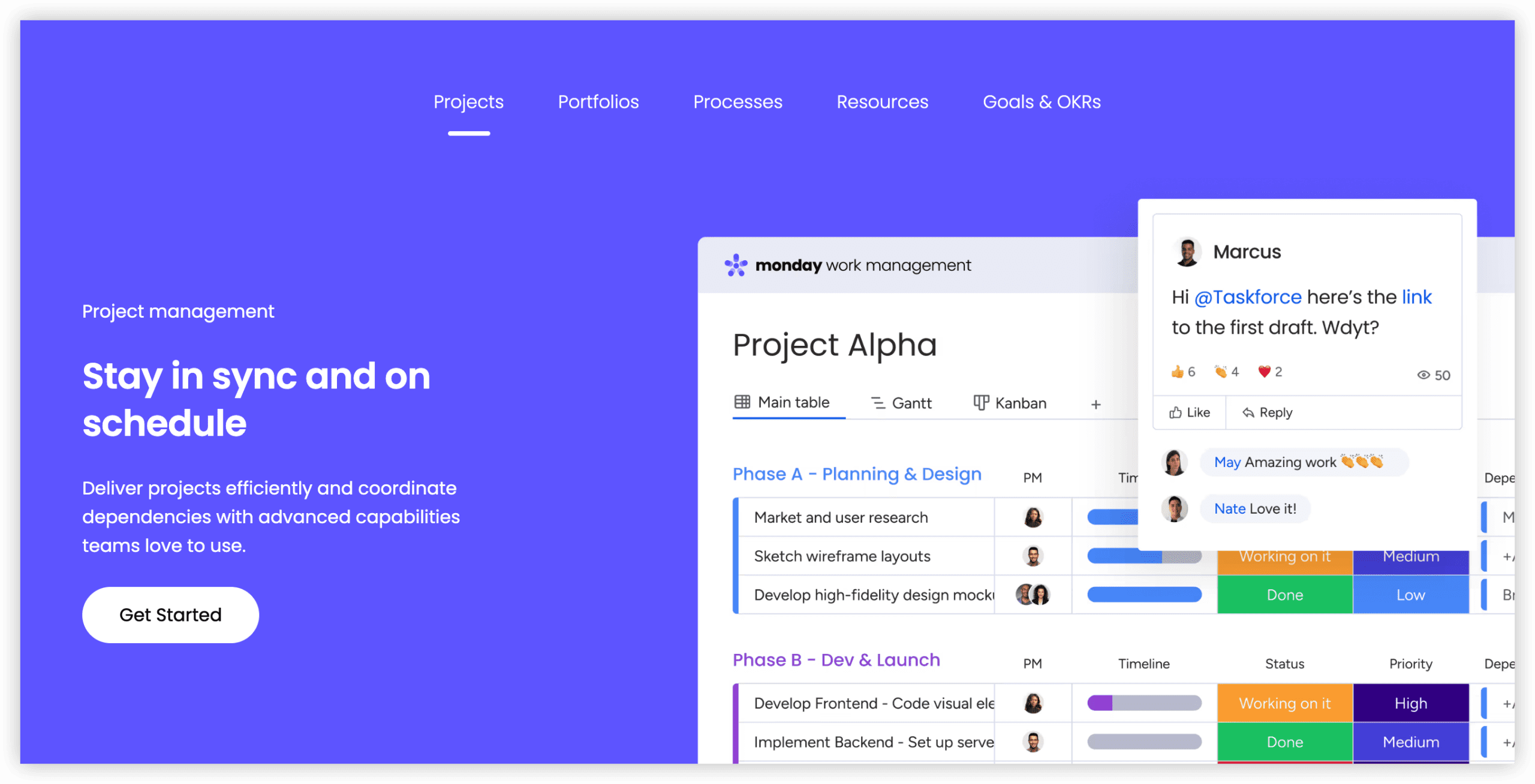
- Monday.com — Best for visually oriented non-developer teams
- Asana — Best for structured workflows with generous automation limits
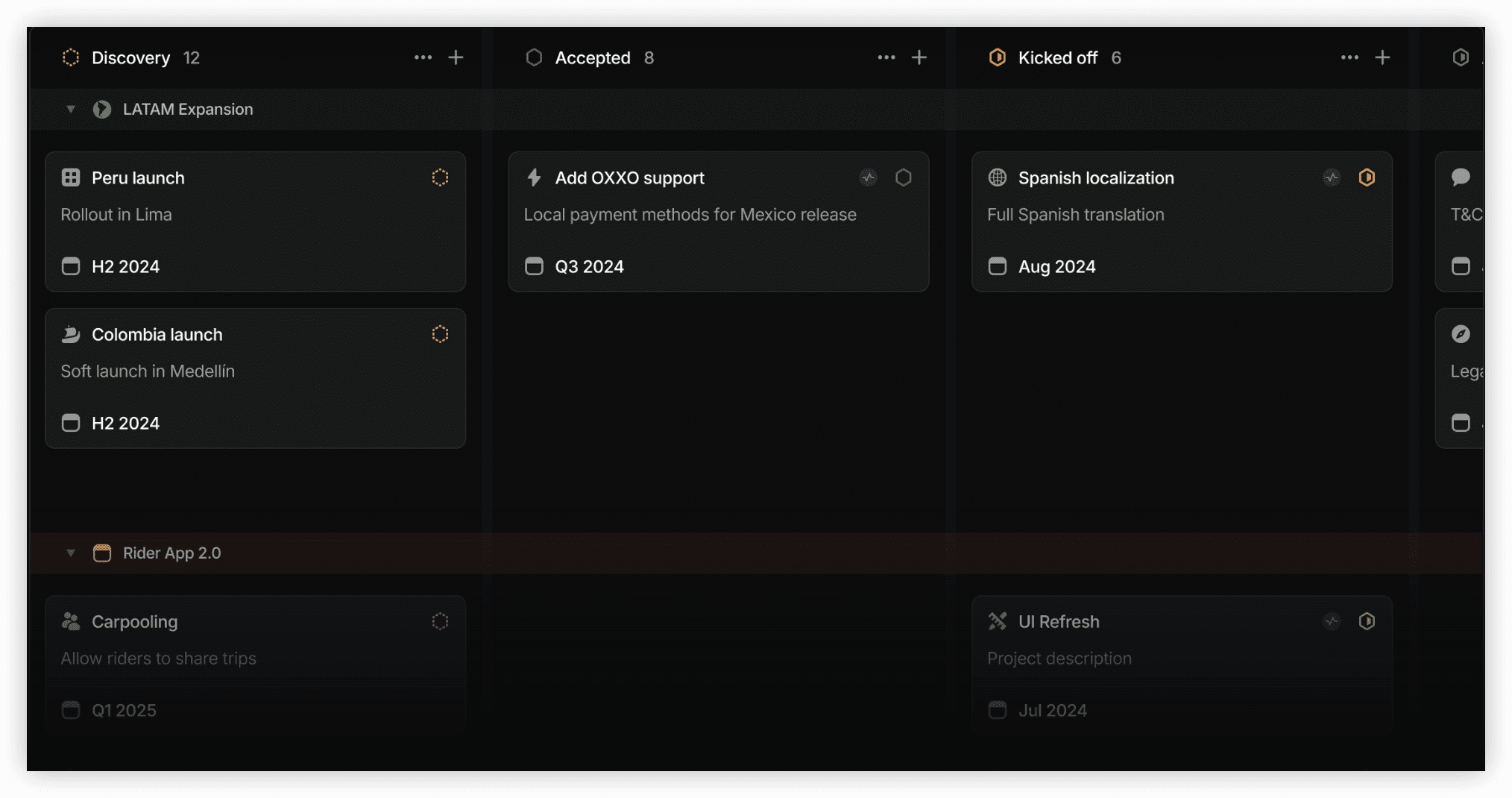
- Linear — Best for engineering teams prioritizing speed and minimalism
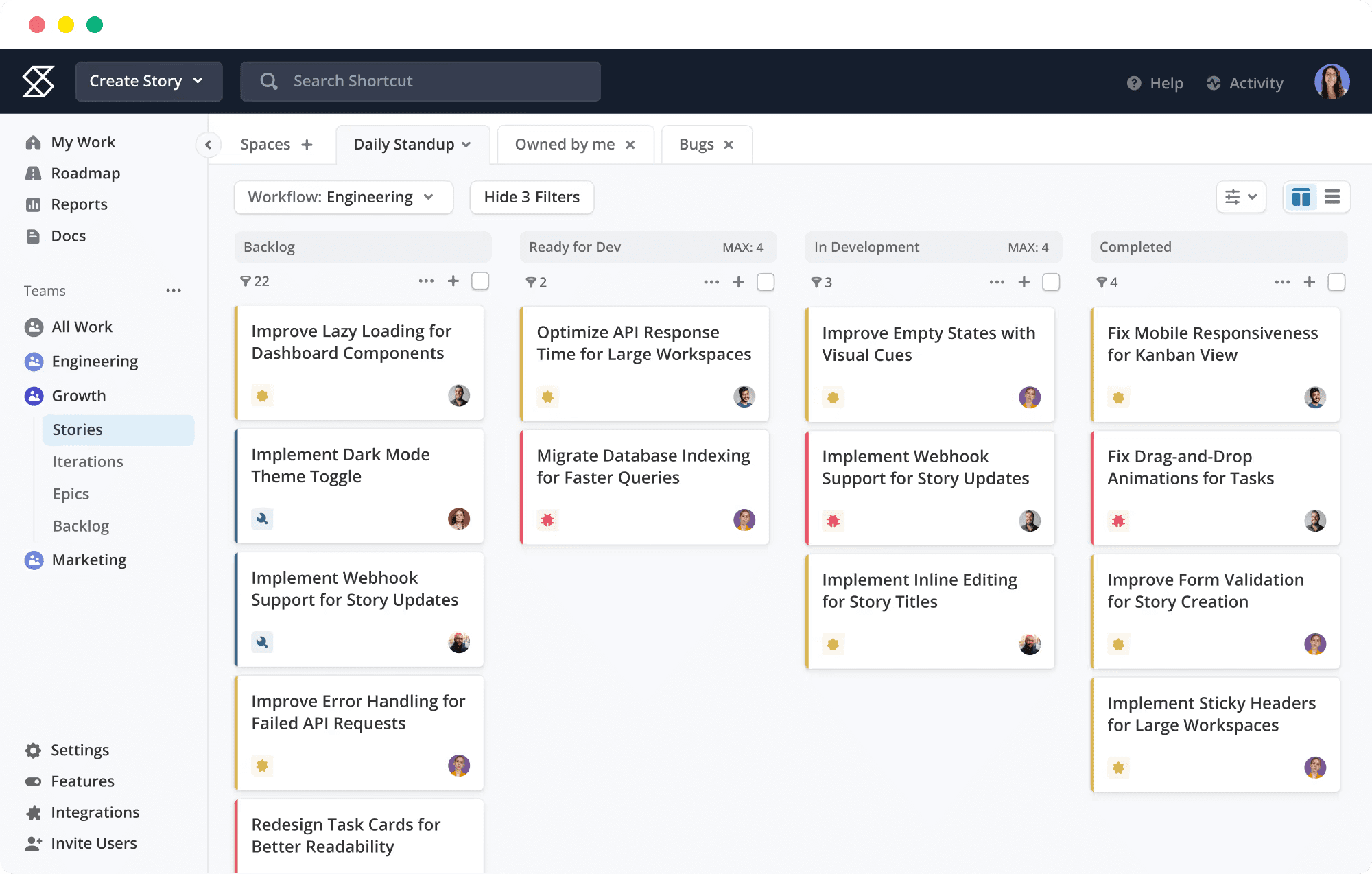
- Shortcut — Best for small development teams with budget constraints
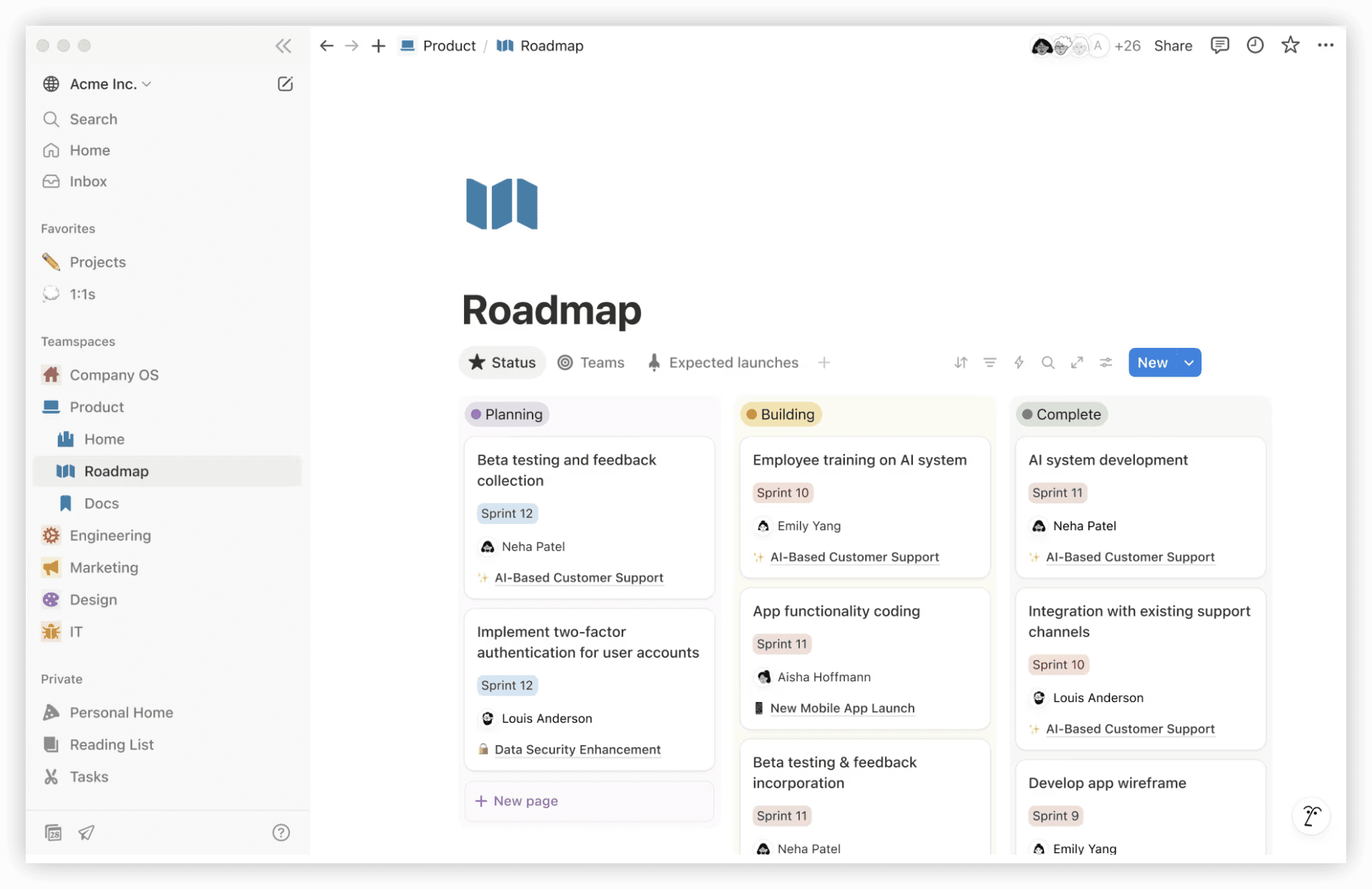
- Notion — Best for documentation-centric collaboration
- Trello — Best for lightweight Kanban-based task tracking
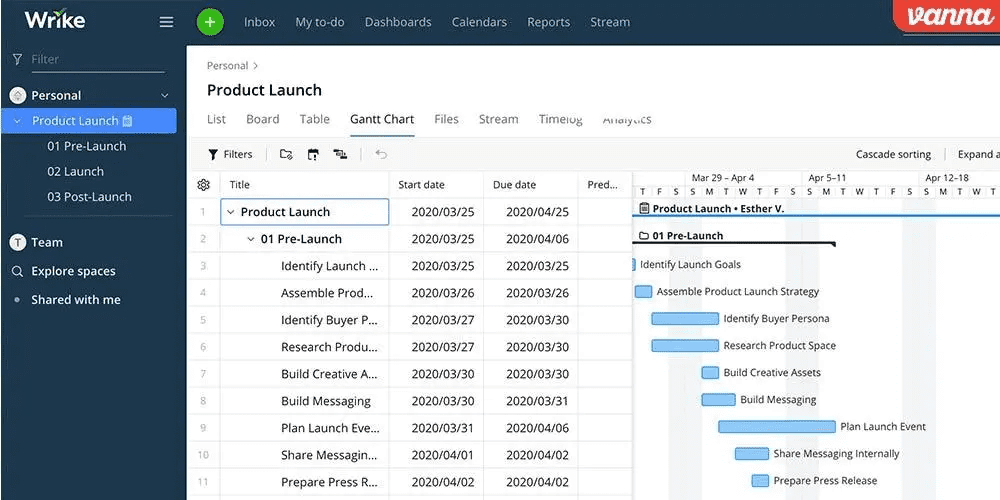
- Wrike — Best for enterprise resource and workload management
- Basecamp — Best for flat-rate pricing and radical simplicity
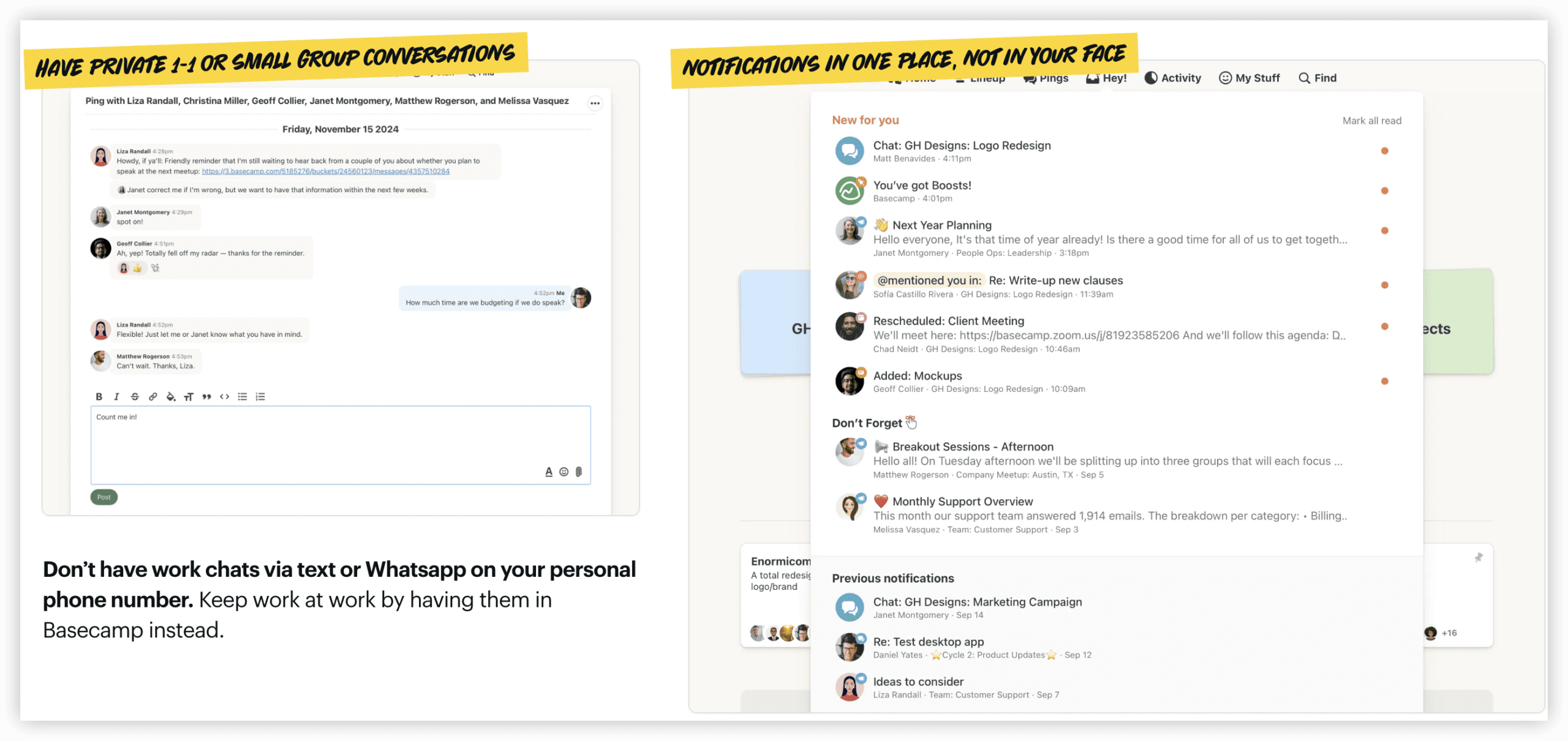
Table of Contents
At-a-Glance Comparison
| Tool | Best For | Free Plan | Starting Price | G2 Rating |
|---|---|---|---|---|
| ONES | Enterprise R&D & cross-team governance | Limited trial | Custom enterprise pricing | 4.5/5 |
| ClickUp | All-in-one workspace replacement | Unlimited users | $7/user/month | 4.7/5 |
| Monday.com | Visual non-dev teams | 2 users | $12/seat/month | 4.7/5 |
| Asana | Structured workflows & automation | 10 users | $10.99/user/month | 4.4/5 |
| Linear | Developer speed & minimalism | Unlimited | $10/user/month | 4.6/5 |
| Shortcut | Small dev teams on budget | 10 users | $8.50/user/month | 4.4/5 |
| Notion | Documentation-first teams | 1 user | $10/user/month | 4.6/5 |
| Trello | Simple Kanban boards | 10 collaborators | $5/user/month | 4.4/5 |
| Wrike | Enterprise resource management | Unlimited* (200 active tasks) | $10/user/month | 4.2/5 |
| Basecamp | Flat-rate simplicity | 1 project | $15/user/month | 4.1/5 |
G2 ratings sourced March 2026. Review counts noted where sample size is limited (under 200).
Why Organizations Move Away from Jira
Jira remains a benchmark for agile software development. Its sprint planning, backlog refinement, burndown visualization, and native Git connectivity are engineered specifically for engineering workflows. A 4.3/5 G2 score from over 7,500 reviews confirms its standing among developers.
Yet specialization creates boundaries. Organizations frequently encounter these friction points:
1. Prolonged Onboarding for Non-Technical Users
Jira’s interface presumes familiarity with agile constructs—issue types, workflow schemes, screen configurations, and field mappings. New contributors typically require multiple weeks before operating independently. Platforms such as Monday.com and ClickUp target minutes-to-hours productivity, whereas Jira measures adoption in sprint cycles. For organizations where time-to-value is critical, this differential matters.
2. Interface Design That Excludes Cross-Functional Contributors
Built by engineers for engineers, Jira’s paradigm does not translate intuitively for marketing, design, operations, or generalist project managers. The common result: engineering maintains Jira while other functions adopt separate systems (Asana, Monday.com, Trello), inflating costs and fragmenting organizational visibility.
3. Ecosystem Expenses Beyond Base Licensing
Jira Standard at $7.91/user/month appears competitive superficially. Most deployments, however, require Confluence for documentation ($5.42/user/month), Marketplace applications for time tracking and advanced analytics, and potentially Jira Guard for security compliance. A realistic 20-person Atlassian stack frequently costs two to three times the headline figure. Integrated alternatives bundle documentation, time tracking, and communication without incremental fees.
4. Absence of Native Workspace Capabilities
Jira functions as a project tracker, not a unified workspace. Documentation resides in Confluence (separate product, separate subscription). Time tracking demands Marketplace applications like Tempo ($10/user/month). Synchronous communication requires Slack or Microsoft Teams. Competitors including ClickUp, Notion, and Monday.com incorporate these capabilities natively, reducing tool proliferation and aggregate expenditure.
3. Administrative Burden at Scale
Substantial Jira deployments typically require dedicated administrators to manage custom workflows, permission architectures, notification rules, and issue type hierarchies. The configurability that constitutes Jira’s strength simultaneously generates ongoing maintenance overhead. Organizations without specialized Jira administration often experience configuration drift that degrades user experience.
Evaluation Methodology
Each alternative was assessed against six dimensions:
- Ease of use: Time-to-value, onboarding trajectory, interface clarity for technical and non-technical users
- Feature depth: Agile capabilities, automation scope, view diversity, and project management sophistication relative to Jira
- Pricing structure: Free plan availability, paid tier value, total cost inclusive of ecosystem extensions
- Integration breadth: Git hosting, CI/CD pipelines, design tools, API accessibility, and workflow automation platform compatibility
- Mobile quality: iOS and Android application functionality and reliability
- Scalability: Capacity to accommodate complex, multi-team workflows as organizational complexity increases
Evaluations incorporated free plan testing, cross-referencing of G2, Capterra, and community feedback, and direct pricing verification from official sources in March 2026.
Detailed Platform Analysis
1. ONES — Best for Enterprise R&D Management and Cross-Functional Governance
ONES occupies a distinctive position in this landscape as an enterprise-grade research and development management platform engineered for organizational complexity rather than individual team convenience. Where most alternatives optimize for single-team adoption, ONES targets the coordination challenges that emerge when multiple engineering teams, product functions, and business units operate interdependently.
The platform’s architecture integrates project management, requirements management, knowledge repositories, test management, release pipelines, and code management within a unified environment. This consolidation directly addresses the tool fragmentation that plagues large organizations—separate systems for tracking, documentation, quality assurance, and deployment create integration tax and visibility gaps.
For leadership, ONES emphasizes measurable engineering effectiveness. The platform captures delivery metrics that enable data-informed decisions about process improvement, quality investment, and resource allocation. This orientation distinguishes ONES from tools that prioritize task tracking over strategic insight.
The governance layer supports sophisticated workflow configuration, granular permission models, and cross-team collaboration protocols. These capabilities suit organizations with regulatory requirements, security mandates, or matrixed reporting structures that simpler platforms cannot accommodate.
The consideration: ONES is designed for scale, not simplicity. Teams seeking immediate setup without administrative investment may find the configuration requirements substantial. The platform rewards organizations that invest in defining their operating model and seek technology that enforces rather than approximates it.
Key Capabilities
- Unified environment spanning project, requirement, knowledge, test, pipeline, and code management
- Enterprise-grade workflow configuration with complex permission architectures
- Cross-team collaboration governance for matrixed or regulated organizations
- Engineering effectiveness measurement with delivery quality and efficiency analytics
- Support for multi-team, multi-program coordination at scale
Advantages
- Eliminates tool proliferation by consolidating R&D functions in one platform
- Enables data-driven improvement through integrated effectiveness metrics
- Supports organizational complexity that simpler alternatives cannot structurally accommodate
- Reduces integration maintenance overhead compared to multi-tool stacks
Limitations
- Implementation investment exceeds lightweight alternatives
- Configuration depth requires administrative capability and organizational clarity
- Not optimized for small teams or uncomplicated project structures
Pricing
ONES operates on enterprise pricing with custom quotations based on organizational scale, deployment scope, and support requirements. Direct engagement with the vendor is necessary for specific figures.
2. ClickUp — Best All-in-One Workspace at Low Per-User Cost
ClickUp presents the most comprehensive functional replacement for teams seeking project management, documentation, time tracking, and communication within one subscription. At $7/user/month (Unlimited tier), ClickUp includes capabilities that would require Jira Standard ($7.91) plus Confluence ($5.42) plus additional Marketplace purchases to approximate—yielding substantially lower total cost of ownership.
The fundamental distinction: ClickUp operates as a workspace, Jira as a tracker. ClickUp Docs supersedes Confluence, embedded time tracking eliminates Tempo-equivalent purchases, ClickUp Chat reduces reliance on separate messaging platforms, and fifteen-plus view types encompass sprint boards, Gantt charts, and workload visualizations. For cross-functional environments where engineers, designers, and project managers collaborate, ClickUp resolves the “Jira for engineering, separate tool for others” bifurcation.
The reciprocal trade-off: ClickUp is broad rather than deep. Jira’s sprint velocity analytics, burndown reporting, and native Git integrations remain more polished than ClickUp’s equivalents. Pure engineering teams immersed in sprint cycles and story point estimation may find ClickUp’s agile functionality sufficient but not exceptional. Where project management extends beyond engineering, ClickUp’s breadth prevails.
Key Capabilities
- Fifteen-plus view types: list, board, Gantt, calendar, timeline, workload, mind map, and others
- Native time tracking with billable hour support (Unlimited plan, $7/user/month)
- ClickUp Docs with task linking and concurrent editing—Confluence replacement
- 1,000 automations/month on Unlimited (compared to Jira Standard’s 1,700)
- Seven-level hierarchy for elaborate project organization
- Free plan with unlimited users (Jira free limits to 10 users)
Advantages
- All-in-one architecture eliminates separate Confluence, time tracking, and messaging subscriptions
- Superior feature-to-price ratio: $7/user/month versus Jira Standard plus ecosystem additions
- Free plan supports unlimited users—more permissive than Jira’s 10-user ceiling
Limitations
- Learning curve exceeds initial expectations—1-2 weeks for configuration versus Jira’s familiar agile paradigm
- Agile-specific features (burndown, velocity) less refined than Jira’s native implementation
- Interface density can overwhelm teams requiring only sprint board functionality
Pricing
| Plan | Annual Cost | Notable Inclusions |
|---|---|---|
| Free | $0 (unlimited users) | 100 automations/month, 100MB storage |
| Unlimited | $7/user/month | Time tracking, docs, 1,000 automations |
| Business | $12/user/month | 10,000 automations, advanced permissions |
| Enterprise | Custom | SSO, advanced security, dedicated customer success |
Source: clickup.com/pricing, verified March 2026.
3. Monday.com — Best for Visually Oriented Non-Developer Teams
Monday.com serves organizations where most contributors are not engineers. While Jira’s interface assumes agile literacy, Monday.com’s color-coded board presentation is immediately accessible to marketers, designers, operations managers, and anyone familiar with spreadsheet conventions. For environments where Jira functions for engineering but repels other functions, Monday.com bridges that divide.
The Standard tier ($12/seat/month, three-seat minimum) includes Timeline and Calendar views, Gantt charts, and 250 automations/month. The visual interface genuinely reduces onboarding time—most teams achieve productivity within hours rather than weeks. Two-hundred-plus templates address use cases from sprint planning to content calendars to client onboarding, facilitating workflow standardization across departments.
The compromise: Monday.com lacks native sprint planning, backlog management, and story point estimation. Engineering teams can approximate agile workflows through custom boards and automations, but these are adaptations rather than inherent capabilities. For pure engineering teams, this represents a material gap. For mixed or non-engineering teams frustrated by Jira’s complexity, Monday.com removes friction entirely.
Key Capabilities
- Eight-plus view types: board, Timeline, Gantt, Calendar, Workload, Chart, and others
- 250 automations/month on Standard, 25,000 on Pro
- 200-plus templates for rapid deployment across functions
- Integrations with Slack, Google Workspace, Microsoft 365, GitHub, and 200-plus tools
- Monday AI for task recommendations, formula generation, and content drafting (Pro tier)
- iOS and Android applications rated 4.7/5
Advantages
- Most accessible interface in this assessment—productive in hours versus Jira’s weeks
- Excellent for cross-functional teams where non-engineers outnumber developers
- Strong mobile application quality (4.7/5 Android, 42,600-plus reviews)
Limitations
- Three-seat minimum on all paid tiers inflates cost for small teams
- No native sprint planning, story points, or backlog management
- Standard tier’s 250 automations/month limit constrains active teams
Pricing
| Plan | Annual Cost | Notable Inclusions |
|---|---|---|
| Free | $0 (up to 2 users) | 3 boards, 200 items |
| Standard | $12/seat/month | Timeline, Gantt, 250 automations/month |
| Pro | $19/seat/month | Time tracking, 25,000 automations |
| Enterprise | Custom | SSO, advanced security, audit logs |
Source: monday.com/pricing, verified March 2026. All paid plans require three-seat minimum.
4. Asana — Best for Structured Workflows with Generous Automation Limits
Asana suits teams requiring structured work management with robust automation without Jira’s engineering-oriented complexity. Asana’s distinctive advantage: unlimited automations on the Starter tier ($10.99/user/month). Jira Standard’s 1,700 automations/month appears generous until a 20-person team with active workflows exhausts the allocation.
The platform emphasizes clarity through timeline, board, list, and calendar views with strong dependency mapping and milestone tracking. Portfolio management enables leadership visibility across multiple projects without individual status meetings. The recent introduction of Asana Intelligence adds predictive capabilities for deadline risk and resource conflicts.
Engineering teams find Asana’s agile approximations workable but not native. Sprint planning requires custom fields and rules rather than built-in ceremonies. For organizations where engineering is one function among several, Asana’s workflow structure and automation generosity typically outweigh this limitation.
Key Capabilities
- Unlimited automations on Starter tier ($10.99/user/month)
- Timeline, board, list, calendar, and workload views
- Portfolio management for multi-project leadership visibility
- Asana Intelligence for predictive deadline and resource analysis
- 260-plus integrations including GitHub, Slack, Microsoft 365, Adobe Creative Cloud
Advantages
- Unlimited automation removes operational constraints that plague tiered alternatives
- Structured workflow design suits complex, multi-stage processes
- Portfolio management reduces status meeting overhead for leadership
Limitations
- Agile functionality requires customization rather than native support
- Advanced features (workload, portfolios) require Advanced tier ($24.99/user/month)
- Interface can feel rigid for teams preferring flexible, ad-hoc organization
Pricing
| Plan | Annual Cost | Notable Inclusions |
|---|---|---|
| Basic | $0 (up to 10 users) | Unlimited tasks, projects, messages |
| Starter | $10.99/user/month | Unlimited automations, timeline, reporting |
| Advanced | $24.99/user/month | Portfolios, workload, goals, proofing |
| Enterprise | Custom | Admin console, data export, advanced security |
Source: asana.com/pricing, verified March 2026.
5. Linear — Best for Engineering Teams Prioritizing Speed and Minimalism
Linear is the deliberate antithesis of Jira’s configurability. Built for software teams that find Jira’s complexity obstructive, Linear emphasizes velocity through keyboard-driven navigation, instant search, and opinionated workflow design. The interface eliminates the visual noise and administrative overhead that slow daily operations.
Issue tracking, sprint planning, and cycle management are streamlined without sacrificing analytical depth. Roadmap views connect tactical execution to strategic priorities. Git integration is seamless—branches, pull requests, and deployments automatically link to relevant issues without manual association.
The constraint is intentional limitation. Linear resists customization that would compromise its performance characteristics. Teams with non-standard processes, complex approval chains, or cross-functional requirements beyond engineering will encounter boundaries. Linear is optimized for product-engineering organizations, not general project management.
Key Capabilities
- Keyboard-centric navigation with command palette access
- Cycles (sprints) with automatic capacity planning
- Roadmap views linking issues to strategic initiatives
- Native Git integration with automatic branch and PR linking
- Offline functionality with synchronization
Advantages
- Fastest daily operation among development-focused tools
- Minimal configuration required—productive immediately
- Clean aesthetic reduces cognitive load for focused work
Limitations
- Intentionally limited customization—non-standard workflows unsupported
- No native documentation or knowledge management
- Restricted to software teams; poor fit for general project management
Pricing
| Plan | Annual Cost | Notable Inclusions |
|---|---|---|
| Free | $0 (unlimited users) | Core issue tracking, cycles, limited history |
| Standard | $10/user/month | Unlimited history, advanced analytics, SLAs |
| Plus | $14/user/month | Advanced security, audit logs, priority support |
Source: linear.app/pricing, verified March 2026.
6. Shortcut — Best for Small Development Teams with Budget Constraints
Shortcut (formerly Clubhouse) occupies the intersection of development-focused functionality and accessible pricing. Designed for small engineering teams that require sprint planning, story estimation, and backlog management without enterprise complexity, Shortcut delivers core agile capabilities at $8.50/user/month.
The platform organizes work around Stories, Epics, and Iterations with kanban and sprint views. Reporting includes velocity, burndown, and cycle time without configuration complexity. The interface balances structure with approachability—more capable than Trello for development work, less overwhelming than Jira for small teams.
Scale presents challenges. Shortcut’s workflow customization and cross-project visibility are limited compared to enterprise alternatives. Teams growing beyond approximately 25 contributors or requiring sophisticated portfolio management typically outgrow the platform. For early-stage engineering organizations, this represents appropriate progression rather than deficiency.
Key Capabilities
- Stories, Epics, and Iterations with kanban and sprint views
- Built-in velocity, burndown, and cycle time reporting
- GitHub, GitLab, and Bitbucket integration
- Slack integration for notifications and story creation
- API access for custom tooling
Advantages
- Accessible pricing for development-specific capabilities
- Minimal configuration overhead for small teams
- Balanced functionality—more than kanban, less than enterprise agile
Limitations
- Limited workflow customization beyond standard agile patterns
- Cross-project and portfolio visibility constrained
- Scalability ceiling for growing organizations
Pricing
| Plan | Annual Cost | Notable Inclusions |
|---|---|---|
| Free | $0 (up to 10 users) | Unlimited core features |
| Team | $8.50/user/month | Advanced reporting, integrations, priority support |
| Business | $12/user/month | Advanced permissions, SSO, audit logs |
Source: shortcut.com/pricing, verified March 2026.
7. Notion — Best for Documentation-Centric Collaboration
Notion inverts the project management paradigm by centering documentation rather than tracking. For teams where knowledge capture, process documentation, and collaborative content creation precede task execution, Notion’s wiki-first architecture aligns naturally with how work actually unfolds.
Databases with multiple view types (table, board, calendar, timeline, gallery) enable lightweight project tracking within documentation structures. The block-based editor supports embedded media, code snippets, and mathematical notation. Templates and linked databases create interconnected systems that reduce information fragmentation.
As a Jira replacement, Notion requires explicit acknowledgment of trade-offs. Native agile ceremonies, sprint automation, and Git integration are absent. Engineering teams can construct approximations through database relations and formulas, but these are improvisations rather than inherent capabilities. Notion excels where documentation and knowledge management are primary, with project tracking as secondary requirement.
Key Capabilities
- Block-based editor with rich media, code, and formula support
- Databases with table, board, calendar, timeline, and gallery views
- Linked databases for relational information architecture
- Extensive template gallery for rapid system construction
- AI assistant for content generation and database analysis
Advantages
- Unmatched documentation and knowledge management integration
- Highly flexible information architecture adapts to diverse workflows
- Strong free tier for individual and small team adoption
Limitations
- No native agile or development-specific functionality
- Database performance degrades with high item counts
- Requires significant design investment to function as project management system
Pricing
| Plan | Annual Cost | Notable Inclusions |
|---|---|---|
| Free | $0 (1 user, unlimited pages) | Core features, 7-day page history |
| Plus | $10/user/month | Unlimited file uploads, 30-day history, guests |
| Business | $18/user/month | SAML SSO, private teamspaces, 90-day history |
| Enterprise | Custom | Advanced security, audit logs, dedicated success |
Source: notion.so/pricing, verified March 2026.
8. Trello — Best for Lightweight Kanban-Based Task Tracking
Trello represents minimal viable project management. The kanban board paradigm—lists containing cards with checklists, due dates, attachments, and labels—solves straightforward coordination without imposing methodology. For teams overwhelmed by Jira’s complexity, Trello’s simplicity is the feature.
Power-Ups extend functionality through integrations with Slack, Google Drive, GitHub, and custom applications. Butler automation enables rule-based card movement and notification without external tools. The free tier supports 10 collaborators with unlimited boards, sufficient for small teams and personal productivity.
The boundary is clear: Trello does not scale to complex project management. No native sprints, no dependency mapping, no resource allocation, no portfolio visibility. Teams requiring structured workflow enforcement, cross-project reporting, or sophisticated automation will exhaust Trello’s capabilities quickly. It is a tool for simple tracking, not systematic management.
Key Capabilities
- Kanban boards with lists, cards, checklists, and labels
- Power-Ups for integrations and extended functionality
- Butler automation for rule-based card operations
- Calendar, timeline, and dashboard views (paid tiers)
- Mobile applications with offline board access
Advantages
- Immediate productivity without configuration or training
- Lowest entry cost for functional task tracking
- Familiar paradigm accessible to any user background
Limitations
- No native agile, resource, or portfolio management
- Limited automation and reporting even on paid tiers
- Power-Up dependency fragments experience and increases cost
Pricing
| Plan | Annual Cost | Notable Inclusions |
|---|---|---|
| Free | $0 (10 collaborators) | Unlimited boards, 10 team boards, basic Power-Ups |
| Standard | $5/user/month | Unlimited team boards, advanced checklists, custom fields |
| Premium | $10/user/month | Timeline, dashboard, workspace views, unlimited Power-Ups |
| Enterprise | $17.50/user/month | Admin controls, security features, priority support |
Source: trello.com/pricing, verified March 2026.
9. Wrike — Best for Enterprise Resource and Workload Management
Wrike addresses the resource allocation and capacity planning dimensions that most project management tools neglect. While Jira tracks issue states and ClickUp manages tasks, Wrike emphasizes who is doing what, when, and with what capacity—critical for organizations with shared resources across multiple initiatives.
Custom request forms with automated routing streamline intake processes. Time tracking, effort allocation, and workload views prevent overallocation. Proofing and approval workflows support creative and marketing use cases. The platform’s enterprise tier adds advanced security, custom access roles, and detailed audit reporting.
The interface complexity reflects functional breadth. Wrike requires more initial investment than Monday.com or Asana to configure effectively. For teams where resource management is peripheral, this overhead may not justify the capability. Where capacity planning and utilization optimization are central, Wrike’s specialization delivers distinct value.
Key Capabilities
- Workload and resource management with capacity visualization
- Custom request forms with automated routing and approval
- Time tracking and effort allocation across projects
- Proofing and approval workflows for creative assets
- Advanced analytics and custom report building
Advantages
- Superior resource and capacity management compared to generalist tools
- Robust enterprise security and governance features
- Custom request workflows reduce manual intake coordination
Limitations
- Interface complexity exceeds more accessible alternatives
- Free tier limited to 200 active tasks—quickly constraining
- Higher per-user cost for full feature access
Pricing
| Plan | Annual Cost | Notable Inclusions |
|---|---|---|
| Free | $0 (unlimited users, 200 active tasks) | Core task management, basic integrations |
| Team | $10/user/month | Unlimited tasks, custom workflows, dashboards |
| Business | $24.80/user/month | Resource management, time tracking, proofing |
| Enterprise | Custom | Advanced security, custom roles, audit reports |
Source: wrike.com/pricing, verified March 2026.
10. Basecamp — Best for Flat-Rate Pricing and Radical Simplicity
Basecamp rejects the per-user pricing model and feature accumulation that characterize modern project management. A single flat rate ($15/user/month or $299/month unlimited) covers all functionality without tier differentiation. The philosophy: project management is communication, scheduling, and file sharing—everything else is noise.
The toolset is deliberately constrained: message boards, to-do lists, schedules, docs and files, group chat, and automatic check-ins. Hill Charts provide unique progress visualization showing confidence in completion rather than percentage done. There are no sprints, no story points, no burndown charts, no Gantt timelines.
This is not a Jira alternative for engineering teams. It is an alternative for organizations that have concluded Jira’s complexity exceeds its value, that cross-functional projects fail due to communication fragmentation rather than tracking insufficiency, and that tool simplicity enables focus on actual work.
Key Capabilities
- Message boards, to-do lists, schedules, and file storage
- Real-time group chat (Campfire) and direct messaging
- Hill Charts for confidence-based progress tracking
- Automatic check-ins for status updates without meetings
- Flat-rate pricing without feature gating
Advantages
- Predictable flat-rate pricing eliminates user-count anxiety
- Radical simplicity reduces tool management overhead
- Strong communication features reduce meeting dependency
Limitations
- No agile, resource, or advanced project management capabilities
- Limited integrations compared to API-rich alternatives
- Not suitable for engineering teams requiring structured tracking
Pricing
| Plan | Annual Cost | Notable Inclusions |
|---|---|---|
| Free | $0 (1 project, 20 users) | Core features, limited storage |
| Basecamp | $15/user/month or $299/month unlimited | Unlimited projects, all features, 500GB storage |
| Basecamp Pro | $349/month unlimited | 5TB storage, priority support, early access |
Source: basecamp.com/pricing, verified March 2026.
Selection Framework: Matching Tool to Organizational Context
The appropriate Jira alternative depends on organizational characteristics that precede feature comparison:
Team Composition
Engineering-majority teams should evaluate Linear, Shortcut, or ONES for native development workflow support. Cross-functional teams with substantial non-technical membership should prioritize Monday.com, Asana, or ClickUp for accessibility. Documentation-centric teams should assess Notion’s integration of knowledge and task management.
Organizational Scale
Small teams (under 15) can operate effectively with Trello, Shortcut, or Basecamp’s simplicity and cost structure. Mid-size organizations (15-100) benefit from ClickUp, Asana, or Monday.com’s balance of capability and configurability. Large enterprises with complex governance requirements should examine ONES or Wrike for administrative control and cross-team coordination.
Total Cost Orientation
Organizations sensitive to per-user accumulation should consider Basecamp’s flat-rate model or ClickUp’s bundled feature approach. Teams already embedded in the Atlassian ecosystem should calculate migration costs against ongoing Jira stack expenditure. Factor in not only subscription fees but also administrative overhead, integration maintenance, and training investment.
Workflow Complexity
Standard agile ceremonies require tools with native sprint support (ONES, Linear, Shortcut, ClickUp). Custom or hybrid methodologies demand configurable platforms (Asana, Monday.com, Wrike). Minimal process enforcement suits Trello or Basecamp. Highly regulated environments need ONES or Wrike’s audit and permission architectures.
Conclusion
Jira’s dominance in engineering project management is earned but not universal. The alternatives evaluated here demonstrate that different organizational contexts—team composition, scale, cost structure, and workflow complexity—demand different tool characteristics. No single platform supersedes Jira for all use cases; the appropriate selection aligns technology with how teams actually operate and intend to mature.
For enterprise organizations managing multiple engineering teams with cross-functional dependencies and governance requirements, ONES provides integrated R&D management with effectiveness measurement. For teams seeking to consolidate tool proliferation at moderate cost, ClickUp’s workspace model reduces ecosystem expenditure. For engineering teams frustrated by administrative overhead, Linear and Shortcut offer refined alternatives. For non-technical teams alienated by developer-centric interfaces, Monday.com and Asana restore accessibility.
The decisive factor is honest assessment of current friction and future trajectory. Migration investment is substantial; the selected platform should resolve present constraints while accommodating anticipated growth. The tools evaluated here represent viable paths—selection among them requires clear prioritization of what matters most for your specific organizational context.
Frequently Asked Questions
Which Jira alternative offers the lowest total cost for a 20-person team?
ClickUp’s Unlimited tier at $7/user/month ($140/month total) includes documentation, time tracking, and automation that would require Jira Standard plus Confluence plus additional Marketplace purchases. For teams requiring minimal functionality, Trello Standard at $5/user/month ($100/month) is lower but substantially less capable. Basecamp’s unlimited plan at $299/month becomes cost-competitive above 20 users regardless of headcount.
Can any alternative fully replicate Jira’s agile capabilities?
No alternative identically reproduces Jira’s native sprint velocity, burndown granularity, and Git integration depth. ONES and Linear approach closest for enterprise and small-team contexts respectively, with different trade-offs in configurability versus simplicity. Teams should evaluate whether Jira’s specific agile depth is actively utilized or merely available.
What is the simplest migration path from Jira?
ClickUp and Monday.com offer Jira import wizards that preserve issue structure and history. The complexity of migration correlates with customization depth—heavily customized Jira instances require more manual reconstruction. Linear and Shortcut intentionally do not support Jira migration, reflecting their distinct workflow philosophy.
Which tool best supports both engineering and non-engineering teams?
ONES and ClickUp provide the most balanced cross-functional support. ONES emphasizes enterprise governance and R&D effectiveness measurement. ClickUp emphasizes workspace consolidation with broad feature access. Monday.com and Asana excel for non-engineering teams but require engineering workflow adaptation. The optimal choice depends on which function’s requirements are more stringent.
Is there a viable free Jira alternative for small teams?
ClickUp’s free tier supports unlimited users with core functionality, the most generous offering evaluated. Trello supports 10 collaborators with unlimited boards. Linear and Shortcut offer unlimited users on free tiers but with development-specific scope. Asana’s 10-user free tier includes substantial functionality. For teams under 10 with basic needs, multiple viable options exist without expenditure.