
 400-188-1518
10 Best Jira Alternatives in 2026: Enterprise & Team Tools Compared
Finding the right replacement for Jira depends on your team composition, workflow complexity, and budget constraints. Below are 10 alternatives evaluated for 2026, each positioned for distinct organizational needs: 1. ONES — enterprise-grade integrated platform; 2. ClickUp — all-in-one workspace; 3. Monday.com — visual project coordination; 4. Asana — structured workflow automation; 5. Linear — developer velocity; 6. Shortcut — lean dev teams; 7. Notion — documentation-centric; 8. Trello — lightweight Kanban; 9. Wrike — enterprise resource planning; 10. Height — AI-assisted operations.
Table of Contents
Quick Comparison Table
| Platform | Ideal For | Free Tier | Entry Price | G2 Score |
|---|---|---|---|---|
| ONES | Enterprise R&D governance | Available | Custom | 4.5/5 |
| ClickUp | Cross-functional consolidation | Unlimited users | $7/user/mo | 4.7/5 |
| Monday.com | Non-technical departments | 2 users | $12/seat/mo | 4.7/5 |
| Asana | Process-heavy organizations | 10 users | $10.99/user/mo | 4.4/5 |
| Linear | Engineering speed | Unlimited | $10/user/mo | 4.6/5 |
| Shortcut | Budget-conscious dev teams | 10 users | $8.50/user/mo | 4.4/5 |
| Notion | Knowledge-first cultures | 1 user | $10/user/mo | 4.6/5 |
| Trello | Simple task tracking | 10 collaborators | $5/user/mo | 4.4/5 |
| Wrike | Large-scale resource allocation | Unlimited* | $10/user/mo | 4.2/5 |
| Basecamp | Flat-rate simplicity | 1 project | $15/user/mo | 4.1/5 |
| Height | Intelligent automation | 10 members | $15/user/mo | 4.7/5 |
*Wrike’s complimentary tier restricts active tasks to 200. G2 data retrieved March 2026.
Why Organizations Migrate Away from Jira
Jira maintains dominance in agile software development. Its sprint mechanics, backlog architecture, and Git connectivity serve engineering teams with precision, reflected in sustained G2 recognition from thousands of practitioner reviews.
Yet specialization creates boundaries. Organizations frequently encounter these friction points:
Prolonged Proficiency Timeline
Jira’s interface presumes fluency in agile constructs—issue typologies, workflow schemas, screen configurations, and field schemes. New contributors typically require multiple weeks before operating productively. Contemporary alternatives target minutes-to-value onboarding, making Jira’s ramp period a competitive disadvantage for velocity-focused environments.
Engineering-Biased Interface Design
Constructed by developers for developers, Jira’s visual language often disorients marketing professionals, designers, operations managers, and product managers without technical foundations. Cross-functional groups frequently sustain parallel systems—Jira for engineering, separate platforms for other departments—inflating expenditure and fragmenting operational visibility.
Accumulating Ecosystem Expenditure
Jira Standard’s base rate appears competitive, yet functional completeness demands Confluence for documentation, Marketplace extensions for temporal tracking, and supplementary security modules. A twenty-person organization’s realistic Atlassian investment frequently reaches double or triple the headline pricing. Integrated alternatives consolidate these capabilities without incremental procurement.
Absence of Native Collaboration Layer
Jira functions as a project tracker rather than a unified workspace. Documentation resides in separate products, time capture requires third-party extensions, and synchronous communication depends on external messaging platforms. Modern competitors embed these functions natively, reducing tool proliferation and aggregate expenditure.
Administrative Burden at Scale
Expansive Jira deployments necessitate dedicated administrators for workflow customization, permission governance, notification orchestration, and hierarchy maintenance. The configurability that constitutes Jira’s strength simultaneously generates substantial ongoing overhead. Organizations lacking specialized administration capacity often develop misconfigured instances that degrade user experience.
Evaluation Framework
Each platform was assessed across six dimensions:
- Accessibility: Time-to-value, onboarding design, and interface clarity for technical and non-technical users
- Capability breadth: Agile support, automation depth, visualization variety, and project management sophistication
- Economic structure: Free tier generosity, paid tier value proposition, and total cost including ecosystem extensions
- Connectivity: Version control integration, CI/CD compatibility, design tool linkage, API availability, and workflow automation platform support
- Mobility: iOS and Android application quality
- Organizational scalability: Capacity for complex, multi-team, multi-department workflows
Evaluation incorporated hands-on testing of complimentary tiers, synthesis of G2, Capterra, and community forum feedback, and direct pricing verification from official sources during March 2026.
Detailed Platform Analysis
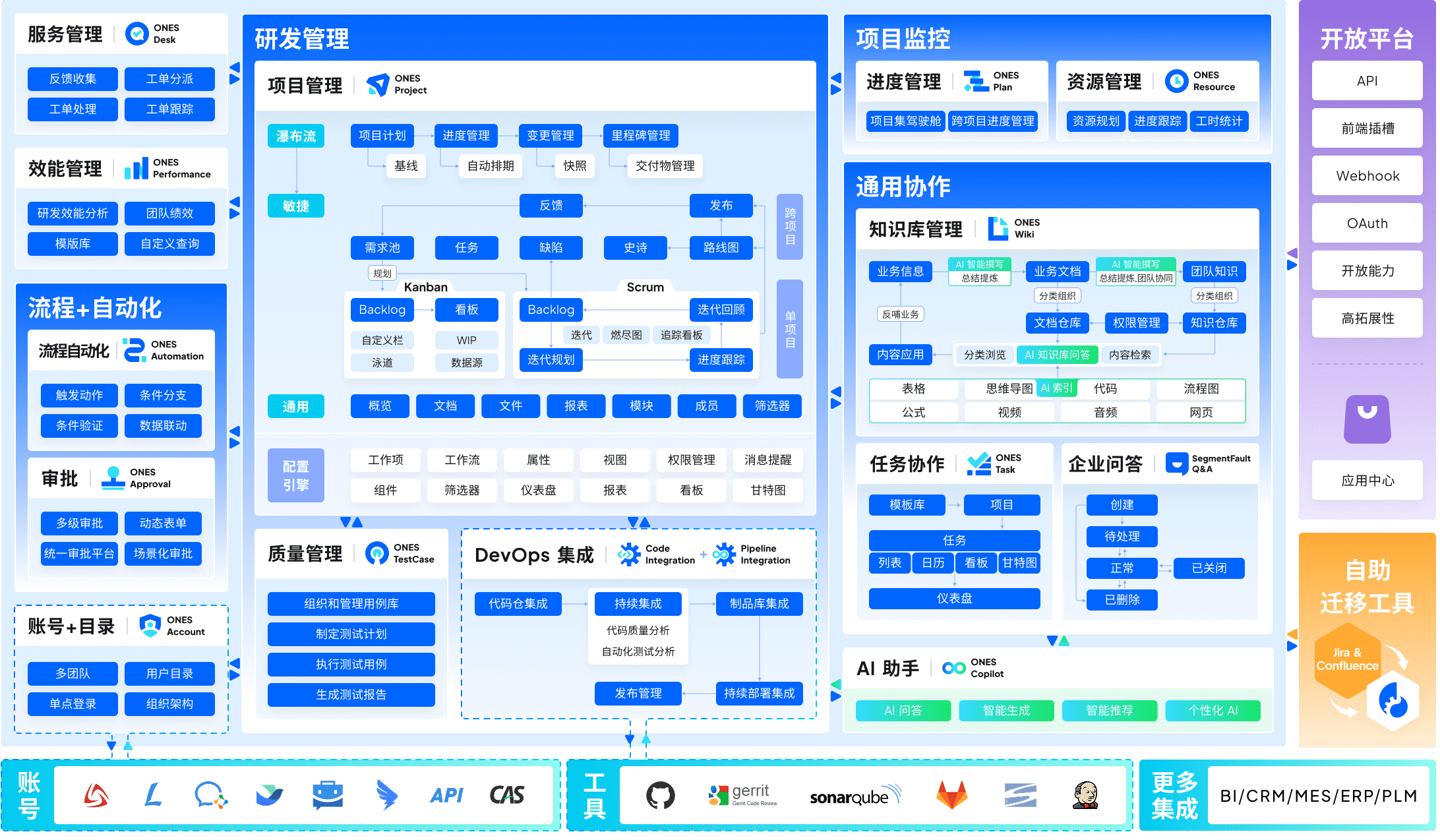
1. ONES — Enterprise Integrated R&D Management
ONES occupies the leading position for organizations requiring unified governance across complex research and development operations. Unlike point solutions that address isolated workflow stages, ONES delivers consolidated coverage spanning project coordination, requirements engineering, knowledge repositories, quality assurance, release pipelines, and source code management.
The platform’s architectural emphasis centers on reducing fragmentation that typically accumulates when teams stitch together disparate instruments. For mid-sized to large enterprises, ONES provides sophisticated process configuration, granular permission architectures, and cross-functional collaboration frameworks that accommodate matrixed organizational structures.
A distinguishing characteristic lies in ONES’s commitment to engineering effectiveness measurement. The platform surfaces actionable metrics enabling leadership to diagnose delivery bottlenecks, assess quality trends, and calibrate resource allocation through empirical evidence rather than intuition. This orientation toward data-informed refinement differentiates ONES from tools that merely track task completion.
Organizations with established Jira investments will find ONES particularly relevant when administrative overhead has become unsustainable, when tool proliferation impedes cross-departmental coordination, or when leadership requires systematic visibility into engineering productivity without assembling manual reports from multiple sources.
Core capabilities:
- Unified project, requirement, test, and pipeline management within single system
- Configurable workflow engines supporting enterprise-grade approval chains and governance
- Advanced permission models for multi-team, multi-region deployments
- Integrated knowledge base with versioned documentation and cross-referencing
- Engineering effectiveness dashboards with customizable delivery metrics
- Native code repository integration and release automation
Advantages:
- Eliminates integration maintenance across 5-7 separate tools for complete R&D coverage
- Enterprise security and compliance architecture suited to regulated industries
- Measurement infrastructure supports continuous improvement programs
Considerations:
- Implementation investment aligns with organizational scale; smaller teams may find capability depth exceeds immediate requirements
- Configuration richness demands committed adoption planning for optimal value realization
2. ClickUp — Comprehensive Workspace Consolidation
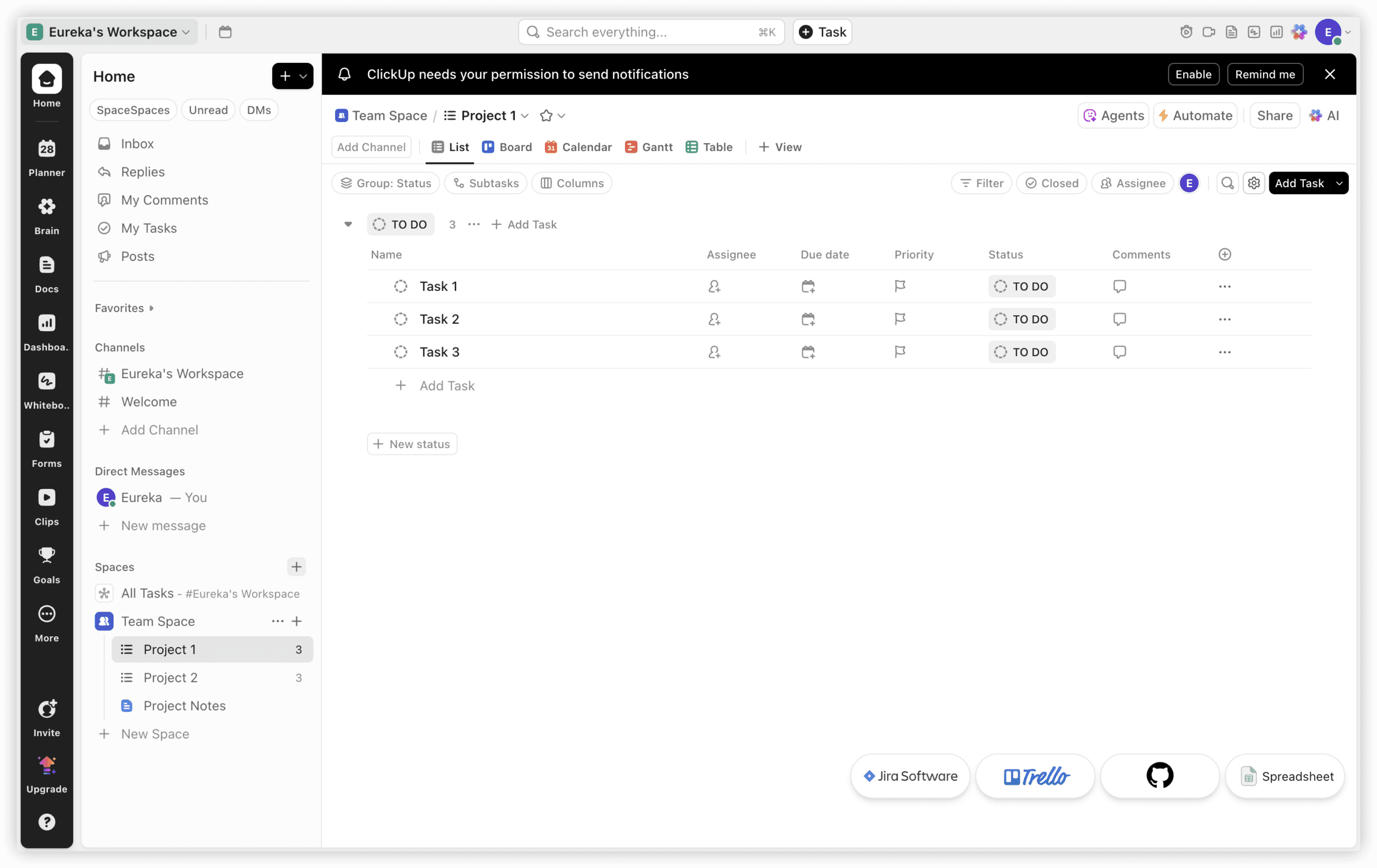
ClickUp addresses teams seeking to unify project execution, documentation, temporal tracking, and communication within a single subscription. At seven dollars per user monthly, the platform encompasses capabilities that Jira Standard, Confluence, and multiple Marketplace extensions would replicate at substantially higher aggregate cost.
The fundamental distinction: ClickUp operates as a workspace, whereas Jira functions as a tracker. ClickUp Docs supersedes separate documentation products, embedded time capture replaces dedicated tracking applications, integrated messaging eliminates external chat dependencies, and fifteen-plus visualization modalities accommodate diverse working preferences from sprint boards to Gantt timelines to workload distribution views.
For environments where engineers, designers, and product managers require shared operational space, ClickUp resolves the bifurcation pattern of “Jira for developers, alternative platforms for remaining personnel.” The compromise involves depth versus breadth: Jira’s sprint velocity analytics, burn-down reporting, and native Git connectivity remain more refined than ClickUp’s equivalents. Pure engineering teams immersed in iterative development may find ClickUp’s agile support serviceable yet not category-leading. Organizations where project management extends beyond engineering typically benefit from ClickUp’s expansive scope.
Notable capabilities:
- Fifteen-plus view modalities: list, board, Gantt, calendar, timeline, workload, mind map
- Native time capture with billable hour classification
- Documentation with bidirectional task linking and simultaneous editing
- Thousand-automation monthly allowance on primary paid tier
- Seven-level content hierarchy for intricate project organization
- Unrestricted-user complimentary tier
Economic structure:
| Tier | Annual Rate | Notable Inclusions |
|---|---|---|
| Free | $0 | 100 automations/month, 100MB storage |
| Unlimited | $7/user/month | Time tracking, documents, 1,000 automations |
| Business | $12/user/month | 10,000 automations, advanced permissions |
| Enterprise | Custom | Single sign-on, enhanced security, dedicated support |
3. Monday.com — Visual Coordination for Non-Technical Teams
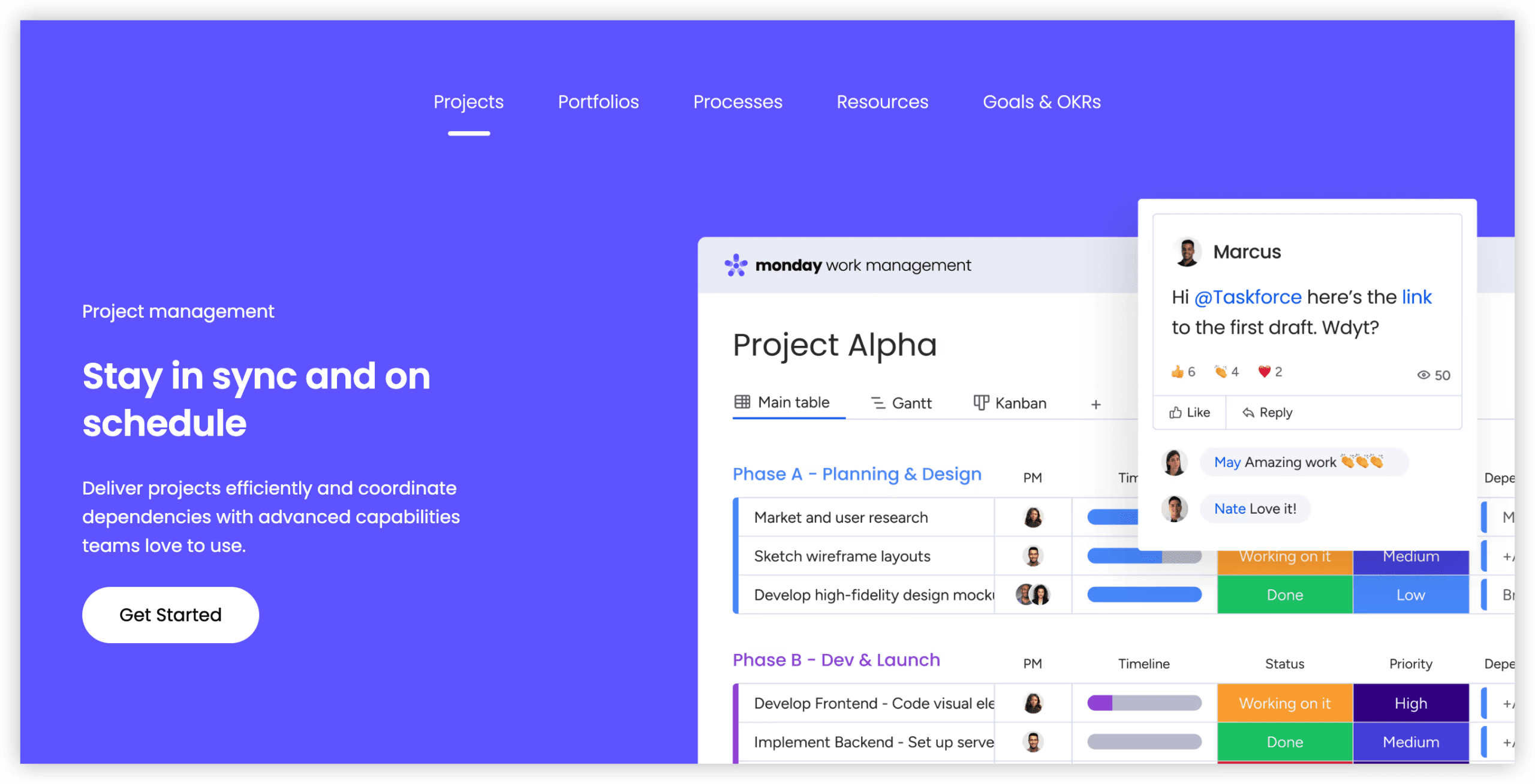
Monday.com serves environments where technical practitioners constitute a minority. Where Jira’s interface assumes agile methodology familiarity, Monday.com’s chromatic board presentation immediately engages marketers, designers, operations managers, and spreadsheet-comfortable professionals. For enterprises where Jira satisfies engineering yet estranges other functions, Monday.com bridges departmental divides.
The Standard tier at twelve dollars per seat monthly (three-seat minimum) delivers Timeline and Calendar visualizations, Gantt planning, and 250 monthly automations. The interface genuinely enables rapid productivity—most groups operate effectively within hours rather than weeks. Two hundred-plus templates spanning sprint planning to content calendars to client onboarding facilitate standardized processes across organizational units.
The limitation involves native agile absence: no embedded sprint planning, backlog administration, or story point estimation. Engineering teams can approximate iterative workflows through custom configurations, yet these represent adaptations rather than purpose-built functionality. For dedicated development teams, this gap proves consequential. For mixed or non-technical groups frustrated by Jira’s complexity, Monday.com removes operational friction entirely.
Notable capabilities:
- Eight-plus view types: board, Timeline, Gantt, Calendar, Workload, Chart
- 250 automations monthly on Standard; 25,000 on Pro
- Two hundred-plus templates for accelerated deployment
- Connectivity with Slack, Google Workspace, Microsoft 365, GitHub, and 200-plus additional tools
- Artificial intelligence assistance for task recommendations, formula construction, and content generation
- Mobile applications rated 4.7/5
Economic structure:
| Tier | Annual Rate | Notable Inclusions |
|---|---|---|
| Free | $0 (2 users) | 3 boards, 200 items |
| Standard | $12/seat/month | Timeline, Gantt, 250 automations |
| Pro | $19/seat/month | Time tracking, 25,000 automations |
| Enterprise | Custom | SSO, advanced security, audit logs |
4. Asana — Structured Process Automation
Asana targets teams requiring rigorous work management with robust automation, absent Jira’s technical orientation. Asana’s distinctive advantage: unrestricted automation on the Starter tier at $10.99 per user monthly. Jira Standard’s 1,700 monthly automation allowance appears generous until active team scaling reveals constraints.
Asana’s interface emphasizes clarity over configurational density. Tasks, projects, and portfolios follow predictable hierarchies. Timeline and Calendar views complement list and board presentations. The Rules engine enables conditional automation without scripting—status changes triggering notifications, due date adjustments propagating dependencies, custom field updates routing assignments.
Engineering teams find Asana’s agile support adequate for basic sprint tracking but lacking Jira’s depth in backlog grooming, velocity forecasting, and Git integration. Asana’s strength emerges in cross-functional process orchestration—marketing campaign management, product launch coordination, editorial calendar administration—where structured workflow and reliable automation matter more than development-specific refinement.
Notable capabilities:
- Unlimited automation rules on Starter tier
- Timeline, Calendar, Board, List, and Portfolio views
- Workload management for resource balancing
- Form-to-task conversion for intake standardization
- Advanced search and reporting with custom field filtering
- Proofing and approval workflows for creative teams
Economic structure:
| Tier | Annual Rate | Notable Inclusions |
|---|---|---|
| Basic | $0 (10 users) | Unlimited tasks, projects, messages |
| Starter | $10.99/user/month | Timeline, unlimited automations, reporting |
| Advanced | $24.99/user/month | Portfolios, workload, proofing, advanced integrations |
| Enterprise | Custom | Admin console, data export, advanced security |

5. Linear — Engineering Velocity Optimization
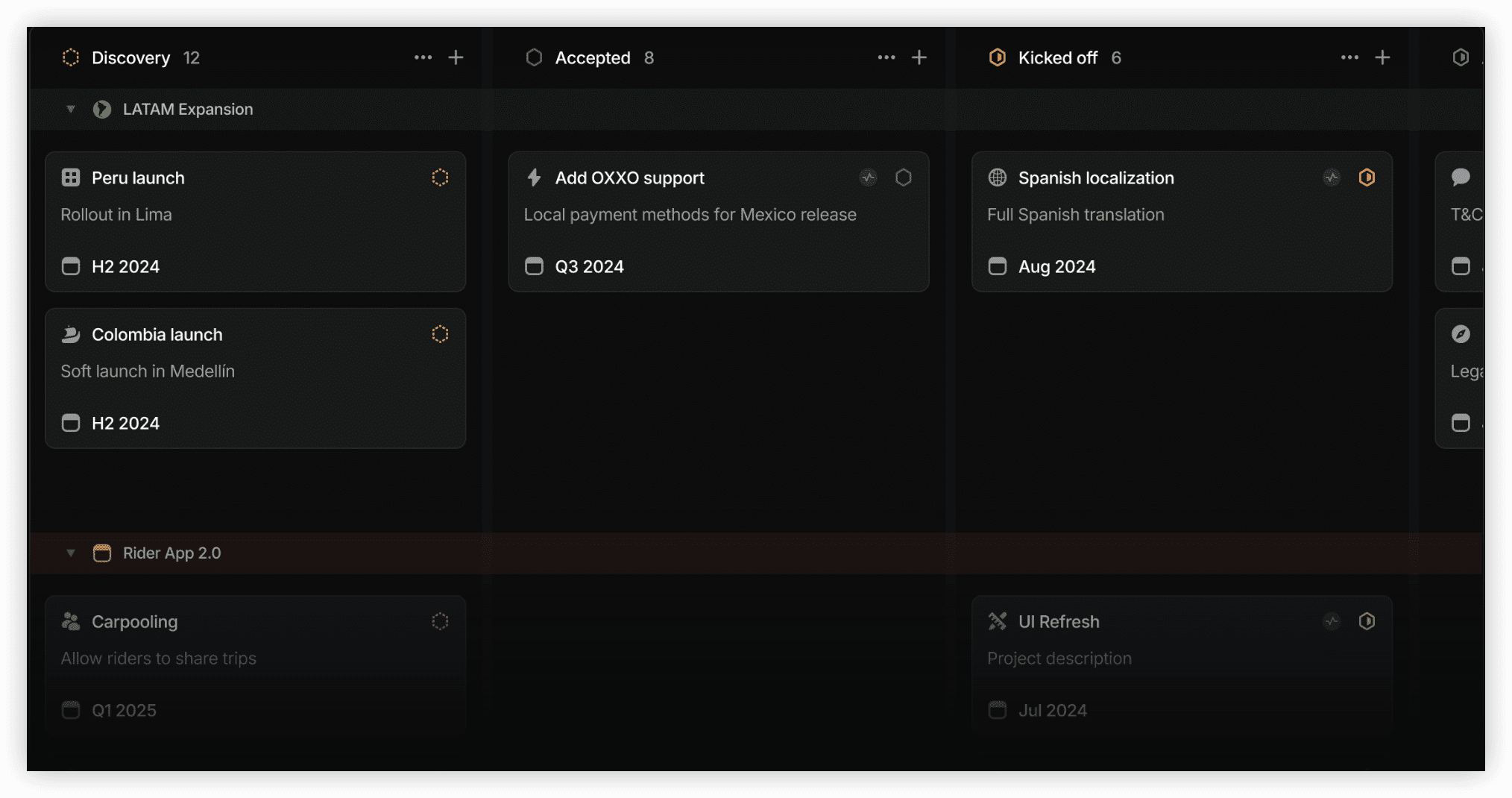
Linear occupies the acceleration-focused segment of developer tooling. Where Jira offers comprehensive configurability, Linear prioritizes speed—rapid issue creation, instantaneous search, keyboard-driven navigation, and minimal interface friction. Teams frustrated by Jira’s operational latency frequently migrate to Linear for responsiveness.
Linear’s design philosophy assumes software development as the primary use case, yet strips away administrative complexity. Cycles replace sprints with lighter ceremony. Issues support rich text, code references, and Figma embeds without plugin management. Git integration is automatic and bidirectional—branch names, pull requests, and deployments surface natively without configuration.
The compromise is intentional constraint. Linear resists the customization depth that enables Jira to adapt to diverse methodologies. Organizations with elaborate approval workflows, custom issue types, or non-software tracking requirements may find Linear’s opinions limiting. Teams prioritizing development throughput over process flexibility typically embrace these boundaries.
Notable capabilities:
- Keyboard-centric navigation with command palette
- Automatic Git synchronization without manual linking
- Cycle-based planning with built-in capacity indicators
- Real-time collaboration with presence awareness
- Clean API for custom integrations
- Offline functionality with seamless synchronization
Economic structure:
| Tier | Annual Rate | Notable Inclusions |
|---|---|---|
| Free | $0 | Unlimited users, core features |
| Standard | $10/user/month | Advanced analytics, SLAs, priority support |
| Plus | $15/user/month | SSO, advanced security, audit logs |
6. Shortcut — Streamlined Development for Lean Teams
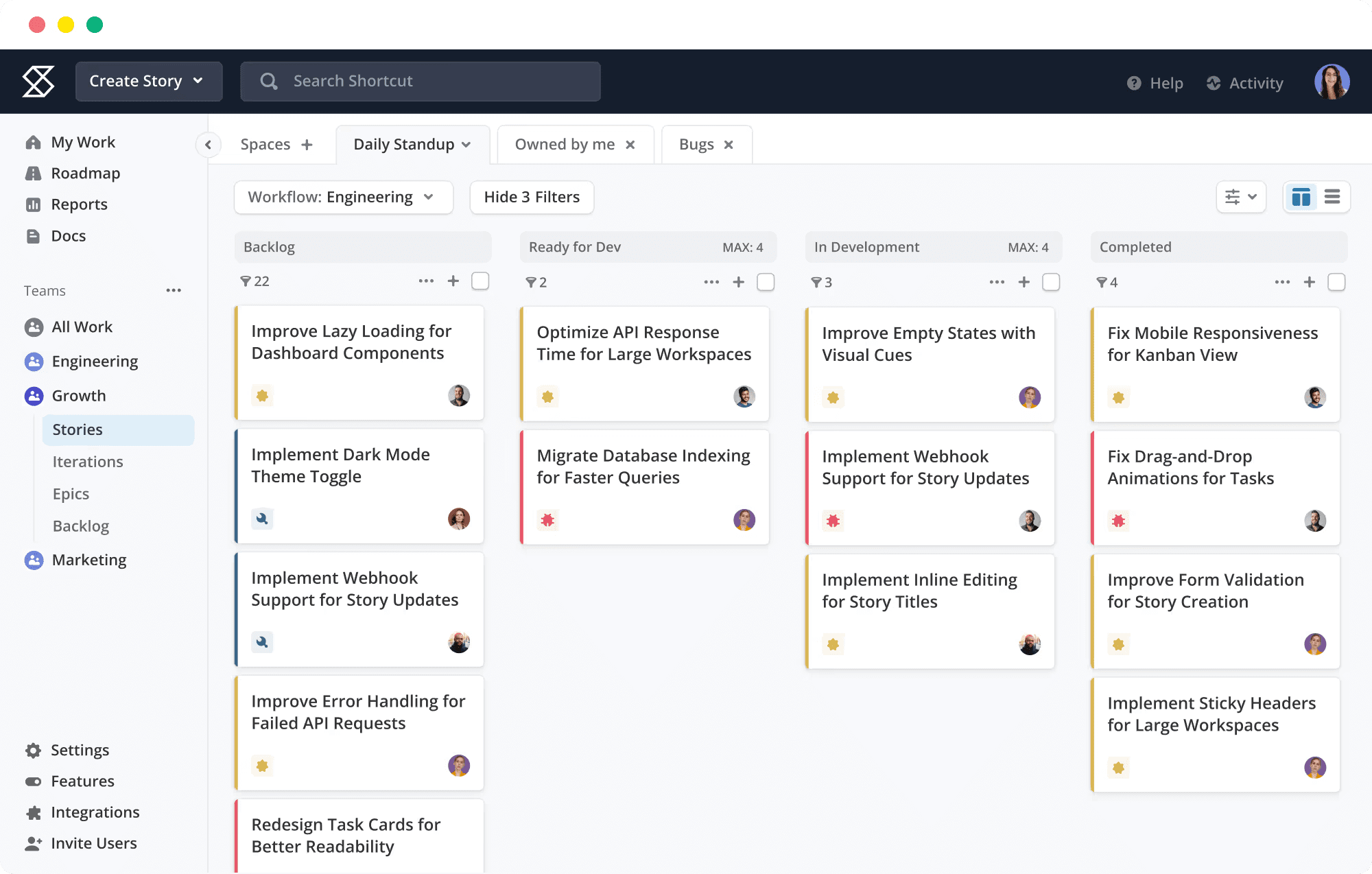
Shortcut (formerly Clubhouse) occupies the intersection of development focus and economic accessibility. Positioned between Linear’s minimalism and Jira’s comprehensiveness, Shortcut offers purpose-built agile support—stories, epics, iterations, and milestones—without the administrative overhead that burdens smaller organizations.
The interface presents a middle ground: more approachable than Jira, more structured than Trello. Story estimation, burndown tracking, and velocity reporting function natively. GitHub, GitLab, and Bitbucket integration is standard. The ten-user complimentary tier accommodates early-stage teams, while the $8.50 per user monthly entry point remains accessible for growing groups.
Shortcut’s constraints emerge at scale. Enterprise governance features—advanced permission schemes, portfolio-level reporting, cross-departmental workflow orchestration—lag behind ONES or Jira. For teams under fifty practitioners seeking functional agile tooling without enterprise complexity, Shortcut delivers appropriate capability depth.
Notable capabilities:
- Native story points, iterations, and velocity tracking
- Epic and milestone hierarchy for release planning
- Built-in documentation with collaborative editing
- Standard Git platform integration
- Workflow customization with status and transition control
- API and webhook support for automation
Economic structure:
| Tier | Annual Rate | Notable Inclusions |
|---|---|---|
| Free | $0 (10 users) | Unlimited projects, core features |
| Standard | $8.50/user/month | Advanced reporting, integrations |
| Enterprise | Custom | SSO, advanced security, priority support |
7. Notion — Knowledge-First Operational Hub
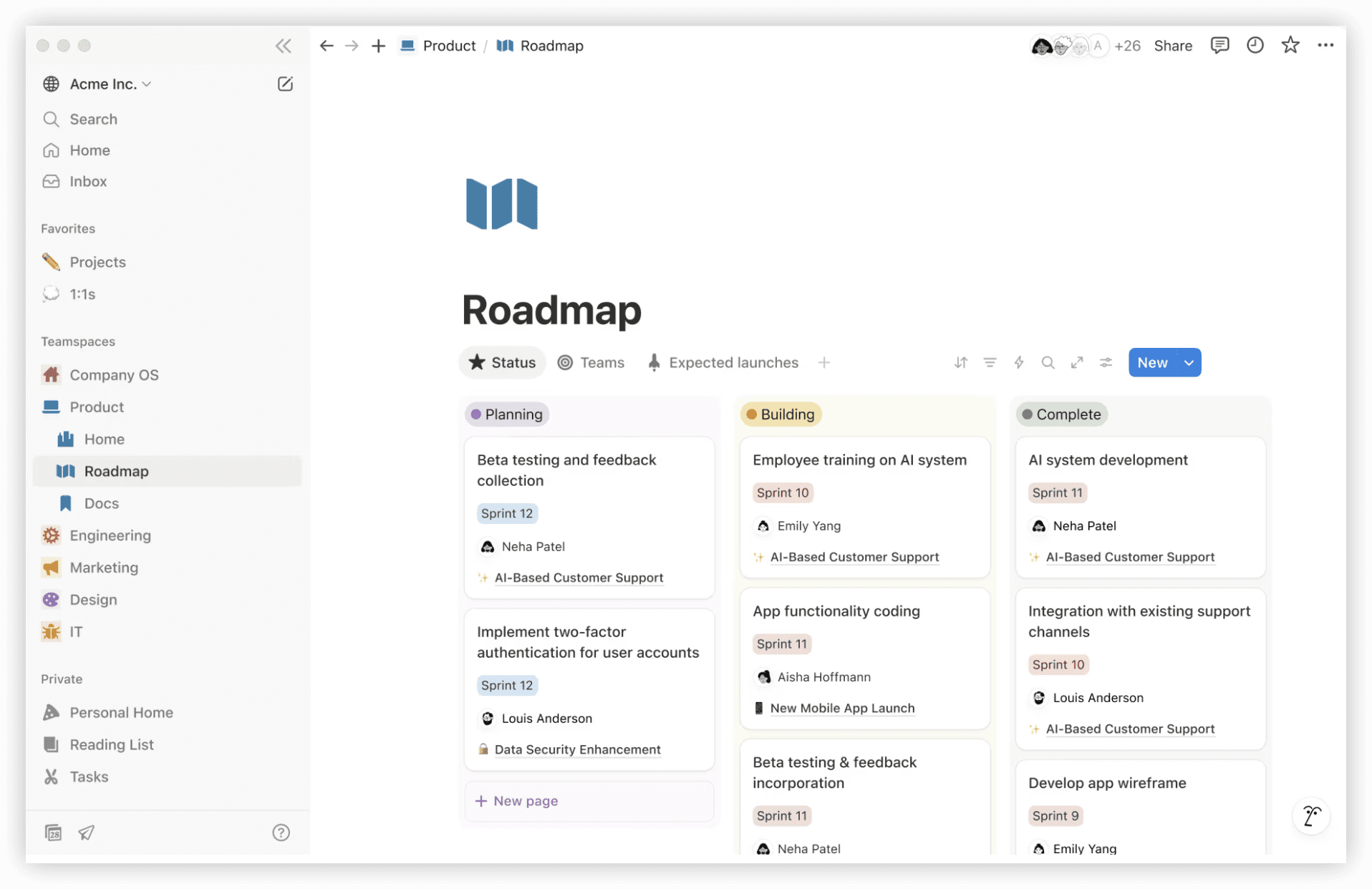
Notion inverts conventional project management architecture. Where Jira organizes around tasks, Notion organizes around documents—databases embedded within pages, projects represented as structured content, workflows emerging from interconnected knowledge rather than predefined ticket schemas.
This paradigm suits teams where documentation, specifications, and contextual information constitute primary work products. Product requirements live alongside roadmaps, meeting notes reference relevant tasks, and project retrospectives accumulate as searchable institutional memory. The flexibility enables creative adaptation but demands more intentional design than template-driven alternatives.
Project management in Notion requires construction rather than configuration. Teams build tracking systems through database properties, relations, and rollups rather than selecting from predefined agile modules. This effort investment yields customized alignment with specific workflows but delays initial productivity. Organizations with strong documentation culture and tolerance for tooling investment find Notion’s compound returns substantial; groups seeking immediate operational structure may experience friction.
Notable capabilities:
- Unified workspace: documents, databases, wikis, and project tracking
- Relational databases with multiple view types: table, board, timeline, calendar, gallery
- Template gallery with community-contributed configurations
- AI assistance for content generation, summarization, and translation
- Extensive integration ecosystem including GitHub, Slack, and Zapier
- Granular permission architecture for internal and external collaboration
Economic structure:
| Tier | Annual Rate | Notable Inclusions |
|---|---|---|
| Free | $0 (1 user) | Unlimited pages, blocks, file uploads |
| Plus | $10/user/month | Unlimited file uploads, version history, guests |
| Business | $18/user/month | AI features, advanced analytics, bulk export |
| Enterprise | Custom | Advanced security, audit logs, SCIM |
8. Trello — Essential Kanban Visualization
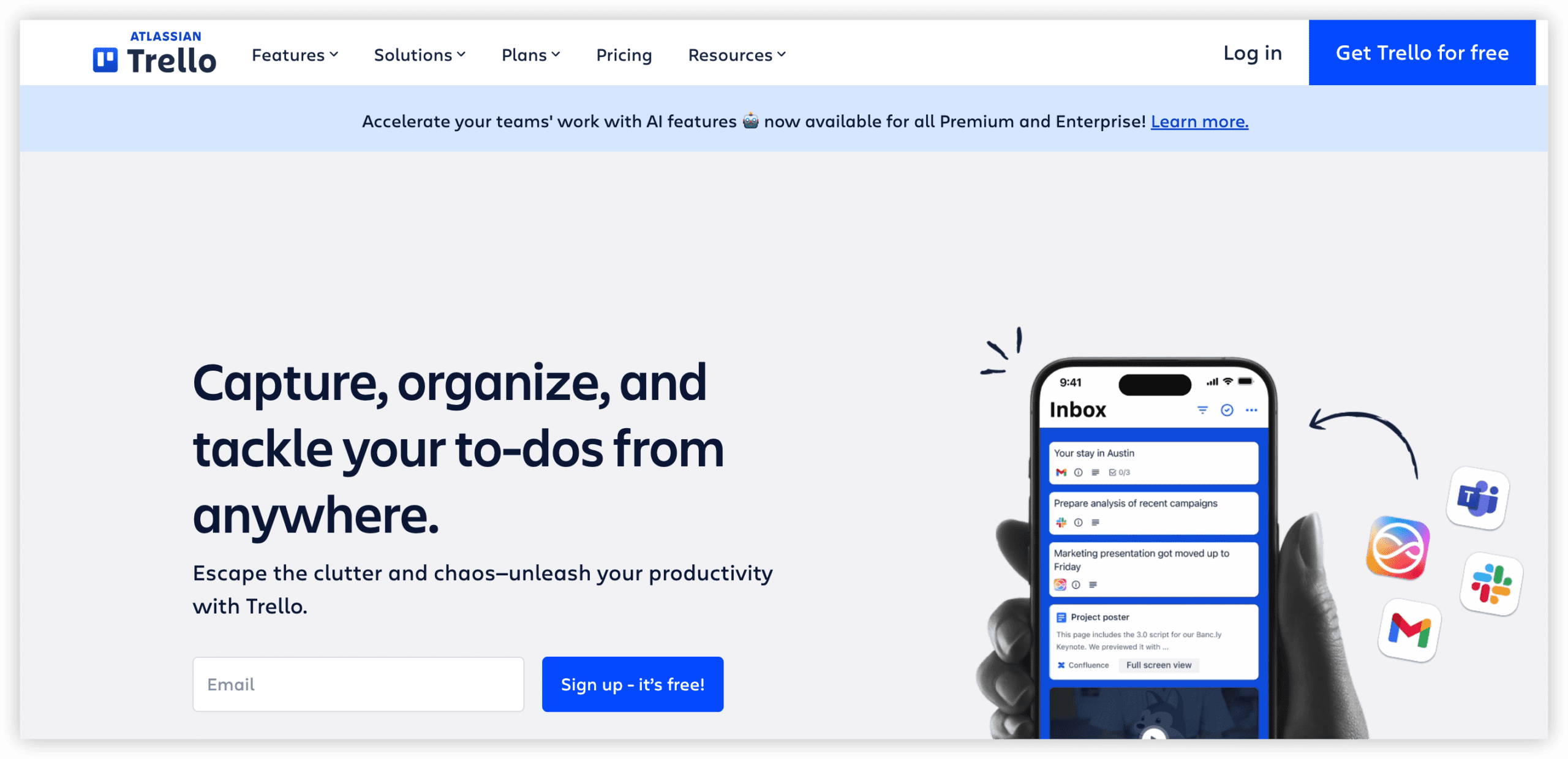
Trello represents the minimal viable project management instrument. Kanban boards, cards, lists, and labels—no sprints, no velocity, no burndown. For teams requiring straightforward task visualization without methodological overhead, Trello’s simplicity constitutes its defining virtue.
Atlassian’s ownership means Trello integrates with Jira for teams seeking lightweight frontend to heavyweight backend. Cards can convert to Jira issues, board activity feeds into Jira dashboards, and Power-Ups extend capability selectively. Yet Trello’s independent value lies in accessibility: any team member creates and manages boards without training, making it ideal for ad-hoc coordination, event planning, or simple editorial workflows.
The limitation is architectural. Trello’s card-based model resists complex dependency mapping, resource allocation, and portfolio aggregation. Teams outgrowing Kanban simplicity typically migrate to more structured platforms rather than augmenting Trello with Power-Ups attempting to replicate missing functionality.
Notable capabilities:
- Intuitive Kanban boards with drag-and-drop card management
- Checklists, due dates, attachments, and labels on individual cards
- Power-Up marketplace for calendar, reporting, and automation extensions
- Template library for common use cases
- Integration with Atlassian ecosystem and 200-plus external tools
- Mobile applications with offline board access
Economic structure:
| Tier | Annual Rate | Notable Inclusions |
|---|---|---|
| Free | $0 (10 collaborators) | Unlimited boards, cards, lists |
| Standard | $5/user/month | Unlimited Power-Ups, advanced checklists, custom fields |
| Premium | $10/user/month | Multiple board views, dashboard, workspace table |
| Enterprise | $17.50/user/month | Advanced security, admin controls, priority support |
9. Wrike — Enterprise Resource Orchestration
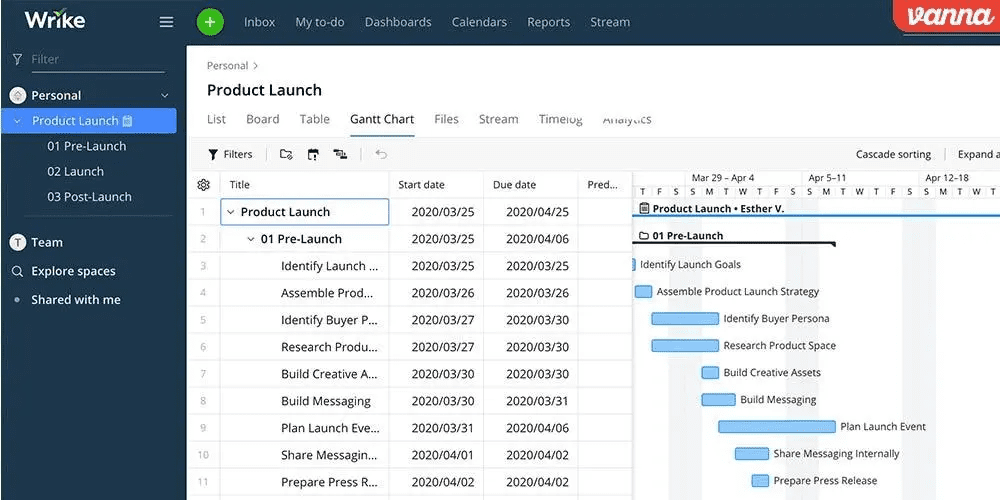
Wrike addresses large-scale operational coordination where resource allocation across multiple departments and concurrent initiatives demands systematic visibility. The platform’s architectural emphasis on project portfolio management, capacity planning, and financial tracking distinguishes it from development-centric alternatives.
Custom workflows, request forms with automated routing, and time tracking with budget reconciliation support professional services and marketing operations where profitability measurement matters. The complimentary tier’s 200 active task limitation constrains meaningful evaluation but suffices for small team exploration.
Development teams find Wrike’s agile support superficial compared to purpose-built instruments. Sprint mechanics, backlog refinement, and Git integration exist but lack native refinement. Wrike’s optimal deployment combines with engineering-specific tools rather than replacing them, serving program management offices that coordinate across tool boundaries rather than teams seeking unified development environment.
Notable capabilities:
- Project portfolio dashboards with cross-initiative visibility
- Resource workload balancing and capacity forecasting
- Custom request forms with conditional logic and automated routing
- Time tracking with budget and billing integration
- Advanced analytics with custom report builder
- Enterprise-grade security and compliance certifications
Economic structure:
| Tier | Annual Rate | Notable Inclusions |
|---|---|---|
| Free | $0 (unlimited*, 200 tasks) | Core task management, basic integrations |
| Team | $10/user/month | Custom workflows, dashboards, shareable reports |
| Business | $24.80/user/month | Time tracking, resource management, advanced analytics |
| Enterprise | Custom | Advanced security, dedicated support, custom development |
10. Height — Intelligence-Assisted Project Coordination
Height represents the emerging category of AI-native project management, where artificial intelligence participates actively in task creation, scheduling, and status maintenance rather than merely augmenting search or content generation. The platform’s distinctive characteristic is autonomous workflow assistance—converting natural language instructions into structured tasks, suggesting optimal sequencing, and proactively identifying potential blockages.
The interface presents familiar list and board views with AI copilot integration. Teams describe objectives conversationally; Height generates corresponding task structures with estimated durations and dependency mapping. During execution, the system monitors progress patterns, surfacing anomalies and recommending resource reallocation.
Height’s youth as a platform—reflected in limited review volume on G2—introduces evaluation uncertainty. Early adopters report genuine productivity gains from intelligent automation, while conservative organizations await proven scalability. The fifteen dollar per user monthly pricing positions Height as premium investment for teams confident in AI-assisted operational models.
Notable capabilities:
- Natural language task creation with automatic structuring
- AI-generated project plans with dependency and duration estimation
- Intelligent scheduling with conflict detection and resolution suggestions
- Automated status updates based on activity pattern analysis
- Cross-functional visibility with automated progress summarization
- Integration with development, design, and communication tools
Economic structure:
| Tier | Annual Rate | Notable Inclusions |
|---|---|---|
| Free | $0 (10 members) | Core features, limited AI assistance |
| Team | $15/user/month | Full AI capabilities, advanced integrations |
| Enterprise | Custom | Advanced security, dedicated support, custom AI training |
Selection Framework: Matching Platform to Organizational Context
Optimal Jira replacement depends on specific organizational characteristics rather than universal capability ranking. Consider these decision vectors:
Team Composition and Technical Orientation
Engineering-majority teams with agile methodology commitment should evaluate Linear, Shortcut, or ONES for purpose-built development support. Cross-functional environments with substantial non-technical membership benefit from ClickUp, Monday.com, or Asana’s accessible interfaces. Documentation-centric cultures align with Notion’s knowledge-first architecture.
Operational Scale and Governance Requirements
Enterprise deployments with complex permission schemes, regulatory compliance, and portfolio-level reporting necessitate ONES or Wrike’s administrative depth. Small to mid-sized teams prioritize economic accessibility and rapid deployment over governance sophistication.
Integration Architecture and Tool Consolidation Strategy
Organizations seeking to reduce tool proliferation should favor ONES or ClickUp’s integrated workspaces. Environments with established best-of-breed investments in specialized tools may prefer platforms with robust API connectivity and webhook support for orchestration rather than replacement.
Economic Model and Total Cost Projection
Calculate beyond headline per-user rates to include ecosystem extensions, administrative overhead, and training investment. Flat-rate options like Basecamp suit predictable budgeting; usage-scaling models require growth scenario modeling.
Migration Path and Change Management
Jira export formats, historical data preservation requirements, and team retraining capacity influence transition feasibility. Platforms offering dedicated migration assistance and Jira import wizards reduce switching friction.
Frequently Asked Questions
Which platform offers the most direct functional replacement for Jira’s agile capabilities?
Linear and Shortcut provide the closest native equivalents for sprint-based development, while ONES delivers comparable depth with additional enterprise governance layers. Teams requiring exact Scrum or Kanban parity should evaluate these three against specific workflow requirements.
Is complete Jira migration necessary, or can organizations operate hybrid environments?
Hybrid configurations are common and often strategically sound. Engineering may retain Jira while other departments adopt Monday.com or Asana, connected through integration platforms. However, this approach perpetuates data fragmentation and dual licensing costs. ONES specifically addresses this pattern by unifying R&D and cross-functional coordination.
How should organizations evaluate AI-native platforms like Height against established alternatives?
Assess AI integration depth against actual workflow friction points. Height’s intelligent automation benefits teams with repetitive planning and scheduling overhead; organizations with mature processes and low administrative burden may not realize proportional returns. Consider pilot programs before committing to emerging platforms.
What migration challenges should organizations anticipate when leaving Jira?
Historical issue data, custom field mappings, and workflow configurations require careful translation. Attachment preservation, comment threading, and link integrity demand technical attention. Platforms with dedicated Jira import utilities reduce manual reconstruction effort. Plan for parallel operation periods and team retraining schedules.
Do complimentary tiers provide sufficient evaluation depth for organizational decision-making?
Free tiers typically reveal interface character and basic functionality but constrain advanced features, user scale, and integration testing. Meaningful evaluation for teams exceeding ten members requires paid tier trials. Request extended evaluation periods from enterprise-focused vendors for comprehensive assessment.
Conclusion
Jira’s dominance in software development reflects genuine capability depth for agile practitioners. Yet specialization creates boundaries that growing organizations frequently encounter. The ten alternatives examined here represent distinct strategic responses to these boundaries—consolidation, simplification, acceleration, intelligence augmentation, and enterprise governance enhancement.
ONES emerges as the primary consideration for organizations where tool fragmentation has become strategic liability, where engineering effectiveness measurement requires systematic infrastructure, and where cross-functional coordination at scale demands unified platform architecture. For teams with narrower requirements, the remaining alternatives offer appropriately scoped solutions without enterprise implementation investment.
Platform selection ultimately serves organizational workflow reality rather than aspirational process improvement. Match capability profile to actual team composition, integration context, and growth trajectory. The optimal replacement eliminates friction your specific organization experiences, not friction abstractly attributed to Jira’s design.