
 400-188-1518
10 Best Product Management Software Tools for 2026: Enterprise and Team Solutions Compared
Product management demands coordination across multiple functions—strategy, design, engineering, and customer success. Without structured workflows, even experienced teams face misalignment, delayed releases, and fragmented communication. The right software platform centralizes these activities, replacing scattered documents and informal updates with traceable processes.
This article examines 10 product management platforms suited to different organizational contexts in 2026. The tools covered are:
- ONES — Best for enterprise-grade integrated R&D management
- ClickUp — Best for customizable workflows across diverse team sizes
- Productboard — Best for customer feedback-driven feature prioritization
- Aha! — Best for strategic roadmapping and portfolio planning
- Jira — Best for agile development and issue tracking
- Trello — Best for visual Kanban-based task management
- Monday.com — Best for cross-functional collaborative workflows
- Asana — Best for flexible task coordination
- Wrike — Best for resource allocation and detailed workflow configuration
- Airtable — Best for database-centric project organization
Each evaluation covers primary use cases, structural capabilities, pricing accessibility, and user-reported satisfaction. The selection criteria and detailed assessments follow.
Table of Contents
Evaluation Criteria for Product Management Software
Selecting appropriate tooling requires assessing how capabilities align with operational realities. The following dimensions guide effective evaluation:
- Interface clarity: Onboarding efficiency and daily usability without extensive training requirements
- Collaborative infrastructure: Real-time communication, shared documentation, and contextual feedback mechanisms
- Task lifecycle management: Creation, assignment, tracking, and closure with appropriate granularity
- System connectivity: Native or API-based integration with existing development, communication, and analytics ecosystems
- Adaptability: Configuration options for workflows, fields, views, and permission structures
- Performance visibility: Dashboards, reports, and metrics that inform decision-making
- Accessibility: Mobile responsiveness and offline functionality where applicable
- Operational automation: Rule-based triggers and repetitive task reduction
- Feedback incorporation: Structured collection and prioritization of customer input
- Access governance: Granular permission models supporting organizational security requirements
- Capacity oversight: Workload distribution and resource utilization tracking
- Methodological support: Agile, Scrum, Kanban, and hybrid framework accommodation
- Roadmap construction: Visual timeline and milestone planning with stakeholder communication features
Comparative Overview
| Platform | Primary Strength | Target Scale | Notable Capabilities | Starting Price | User Ratings (G2 / Capterra) |
|---|---|---|---|---|---|
| ONES | Unified R&D governance | Mid-to-large enterprises | End-to-end lifecycle, metrics-driven improvement, complex permissions | Contact for enterprise pricing | 4.5 / 4.6 |
| ClickUp | Workflow customization | Solo practitioners to large enterprises | AI assistance, whiteboards, mind maps, Gantt charts, time tracking | Free tier available | 4.7 / 4.6 |
| Productboard | Feedback-based prioritization | Mid-market to enterprise | Roadmap visualization, AI-enhanced insights, feedback consolidation | $19 per maker/month | 4.3 / 4.7 |
| Aha! | Strategic planning | Medium to large portfolios | Knowledge repositories, collaborative whiteboards, goal alignment | $9 per user/month | 4.4 / 4.7 |
| Jira | Agile execution | Large development organizations | Scrum/Kanban boards, no-code automation, extensive marketplace | Free tier; $7.16 per user/month | 4.3 / 4.4 |
| Trello | Visual simplicity | Small teams, straightforward projects | Kanban boards, automation bot, template library | Free tier; $5 per user/month | 4.4 / 4.5 |
| Monday.com | Cross-team coordination | Medium to large organizations | Custom roadmaps, multiple view types, task automation | Free tier; $9 per seat/month | 4.7 / 4.6 |
| Asana | Flexible coordination | All organizational sizes | Extensive integrations, mobile applications, custom task states | Free tier; $10.99 per user/month | 4.4 / 4.5 |
| Wrike | Resource and workflow depth | Mid-market organizations | Cross-tagging, custom reporting, 400+ integrations | $9.80 per user/month | 4.2 / 4.3 |
| Airtable | Database flexibility | Small to medium teams | Feedback tracking, real-time analytics, AI-enhanced processing | Free tier; $20 per seat/month | 4.6 / 4.7 |
Pricing structures change frequently; consult official sources for current rates.
Detailed Platform Assessments
1. ONES — Enterprise-Grade Integrated R&D Management
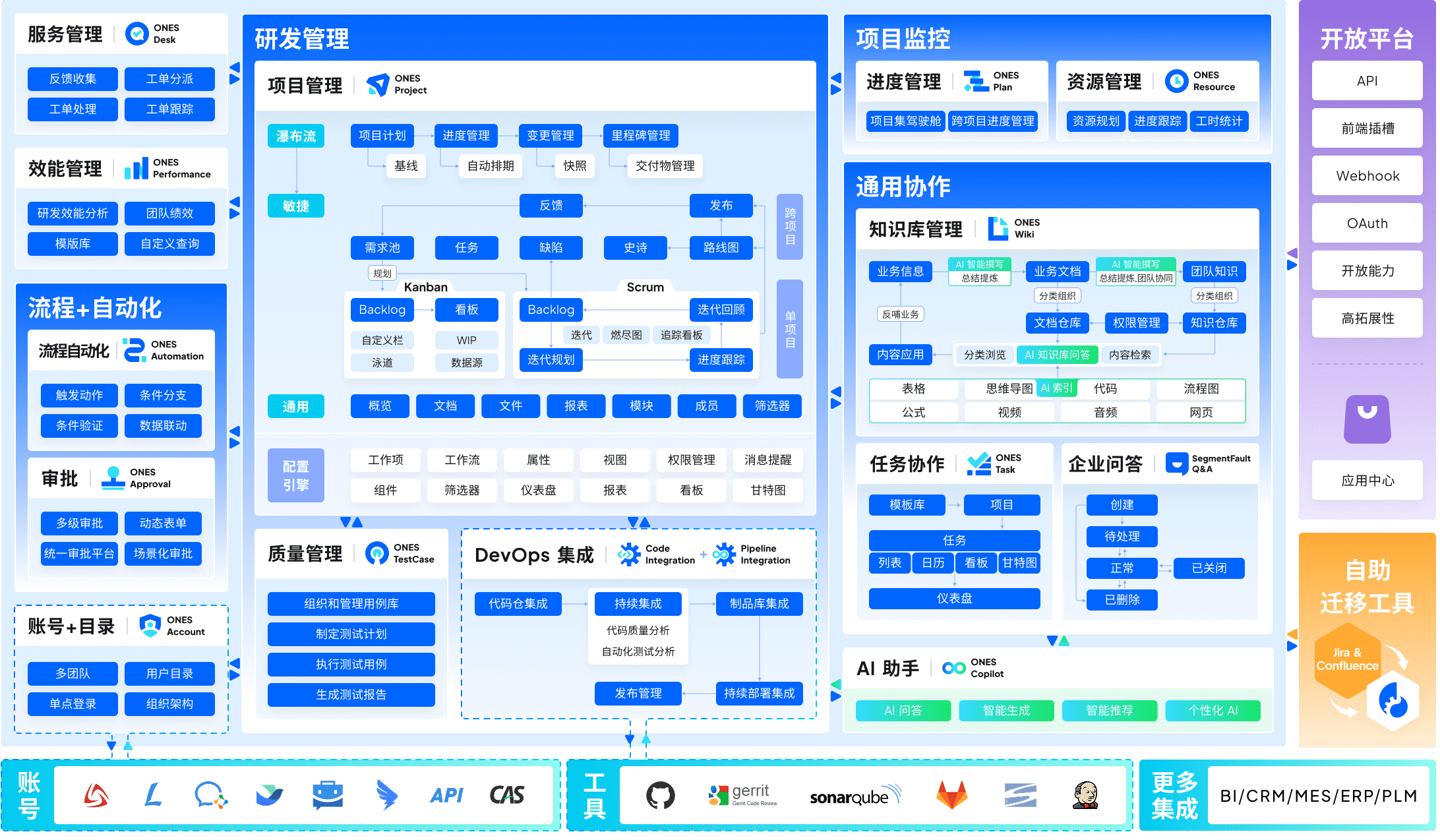
ONES addresses a persistent challenge in large-scale software organizations: tool fragmentation across the development lifecycle. Rather than assembling separate solutions for requirements, documentation, testing, and deployment, ONES provides a unified environment spanning project management, knowledge repositories, test case management, CI/CD pipelines, and source code integration.
The platform emphasizes governance capabilities suited to complex organizational structures. Administrators can configure elaborate permission models, establish cross-team collaboration protocols, and enforce process standards without restricting team autonomy. This balance proves particularly relevant for enterprises managing multiple product lines or geographically distributed engineering centers.
A distinguishing characteristic is ONES’s focus on engineering effectiveness measurement. The platform captures delivery metrics—cycle times, defect rates, throughput—that enable evidence-based process refinement. Teams identify bottlenecks quantitatively rather than relying on anecdotal assessment, supporting continuous improvement in release quality and predictability.
Structural considerations: Implementation investment correlates with organizational complexity. Teams below fifty members may find configuration overhead disproportionate to immediate needs. The platform rewards organizations with established release processes seeking systematic optimization rather than those establishing initial workflows.
2. ClickUp — Adaptable Workflow Environments
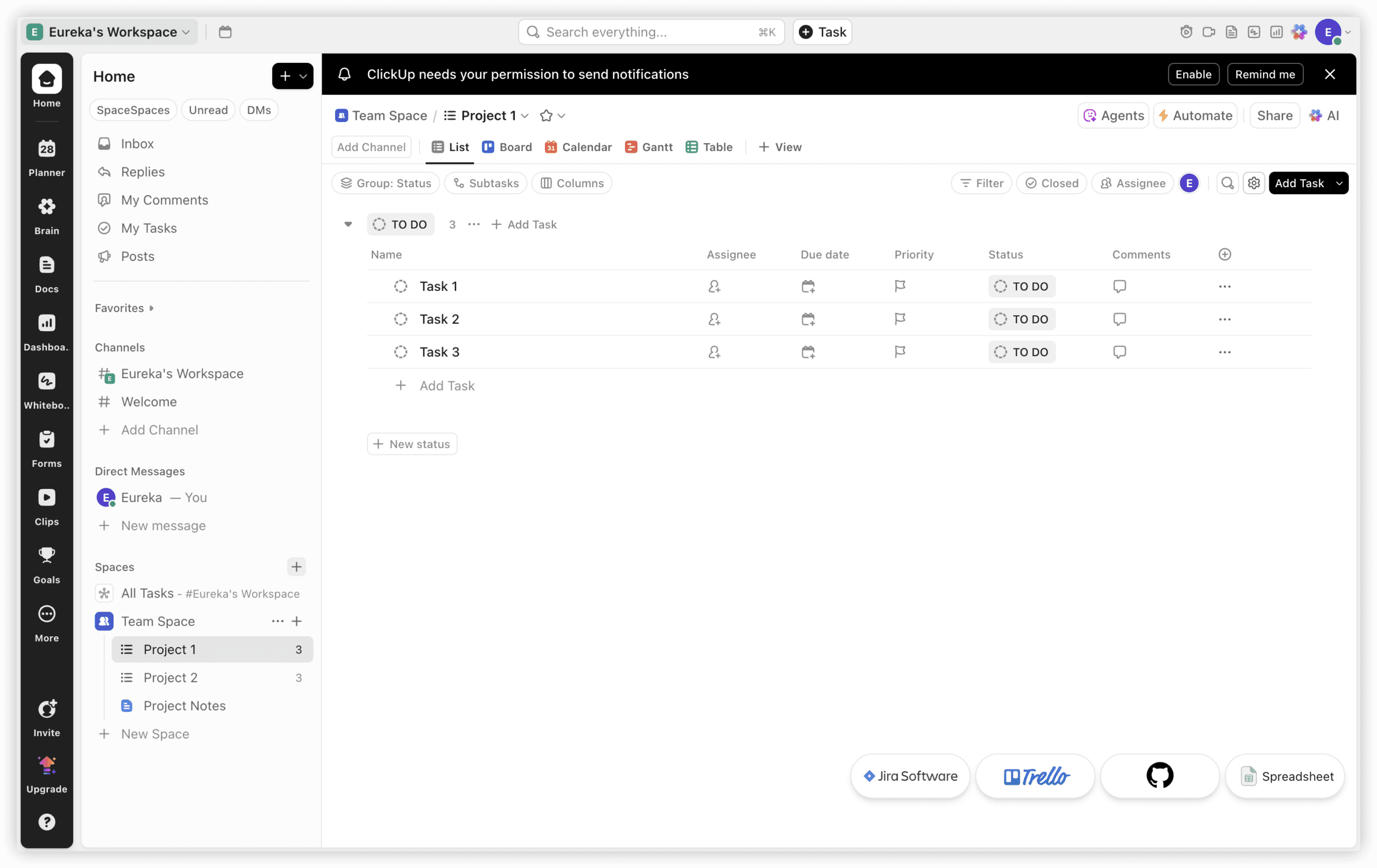
ClickUp positions itself as a comprehensive operational hub, consolidating documents, tasks, communication, and planning artifacts. The platform’s free tier offers substantial capability, reducing financial barriers for emerging teams and individual practitioners.
The AI-assisted documentation tool, ClickUp Brain, accelerates requirements specification and feedback consolidation. Users generate product requirement documents from structured prompts, with automatic population of standard fields. Automation extends to task generation from triggers, subtask decomposition, and data propagation across related records.
Visual planning receives particular attention. Whiteboards support synchronous brainstorming with direct task creation from conceptual elements. Mind maps enable hierarchical idea organization with color-coded categorization. Gantt charts accommodate timeline adjustments, dependency management, and workload rebalancing as project conditions evolve.
Chat functionality maintains conversation context within task and project boundaries, reducing information scattering across separate communication channels. Threaded discussions preserve decision rationale for future reference.
3. Productboard — Customer-Centric Prioritization
Productboard distinguishes itself through systematic integration of customer intelligence into product decisions. The platform aggregates feedback from multiple channels—support interactions, survey responses, direct conversations—into centralized repositories accessible to product teams.
Roadmap views communicate prioritization rationale to stakeholders, linking proposed features to originating feedback and strategic objectives. AI capabilities identify patterns across large feedback volumes, surfacing themes that might escape manual analysis.
The platform suits organizations where product-market fit refinement depends on close customer collaboration. Teams conducting extensive user research or managing products with diverse user segments benefit from structured feedback triage.

4. Aha! — Strategic Portfolio Alignment
Aha! focuses on connecting product initiatives to organizational strategy. Goal hierarchies cascade from corporate objectives through product lines to individual releases, making strategic intent explicit throughout planning processes.
Whiteboard functionality supports collaborative strategy sessions, while knowledge bases preserve institutional learning. The platform particularly serves product leaders managing multiple offerings who must justify investment allocation and sequence dependencies across portfolios.

5. Jira — Agile Execution Infrastructure
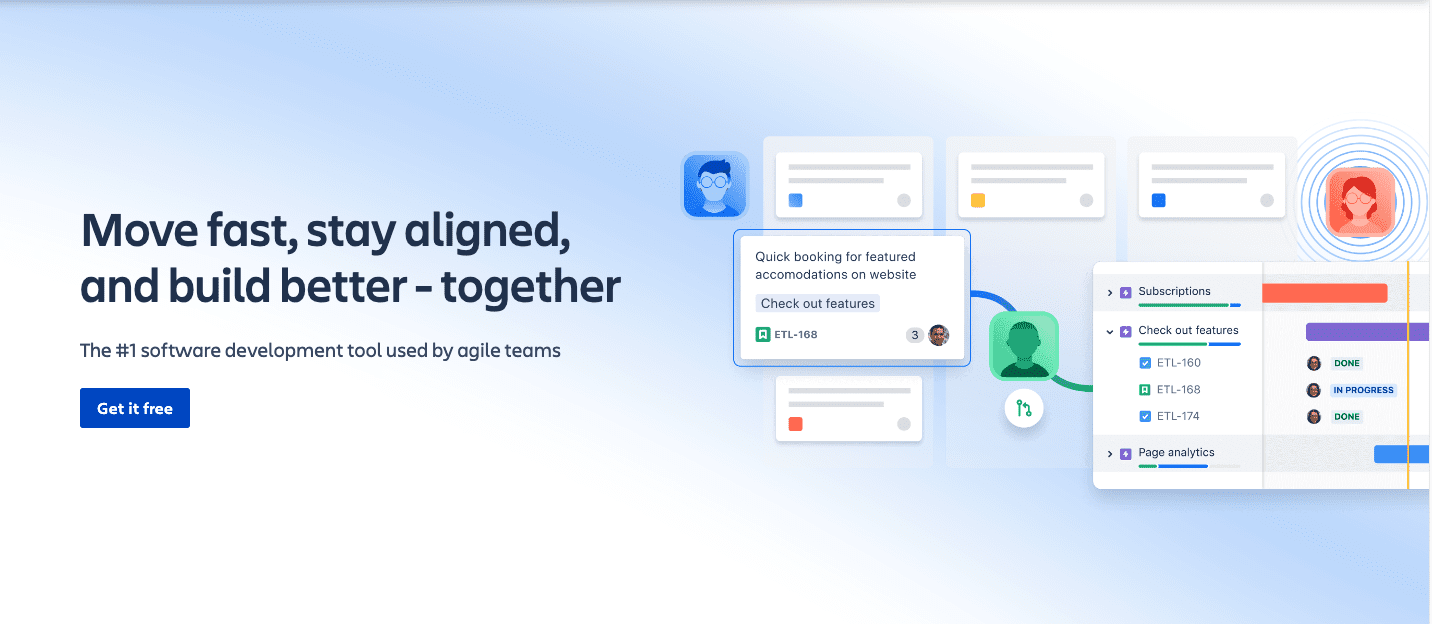
Atlassian’s Jira remains deeply embedded in software development practice, with Scrum and Kanban board implementations that accommodate teams at varying agile maturity levels. No-code automation rules reduce administrative overhead for repetitive transitions and notifications.
The extensive marketplace provides specialized extensions for diverse technological ecosystems. However, configuration complexity increases with scale, and organizations often require dedicated administration to maintain system performance and user experience consistency.
6. Trello — Visual Task Simplicity
Trello’s Kanban-centric design minimizes cognitive load for teams with straightforward workflows. The Butler automation bot enables rule-based card movement and notification without technical configuration. Template libraries accelerate common process establishment.
The platform’s limitations become apparent as interdependencies multiply and reporting requirements intensify. Small teams with defined, sequential processes represent the optimal fit.
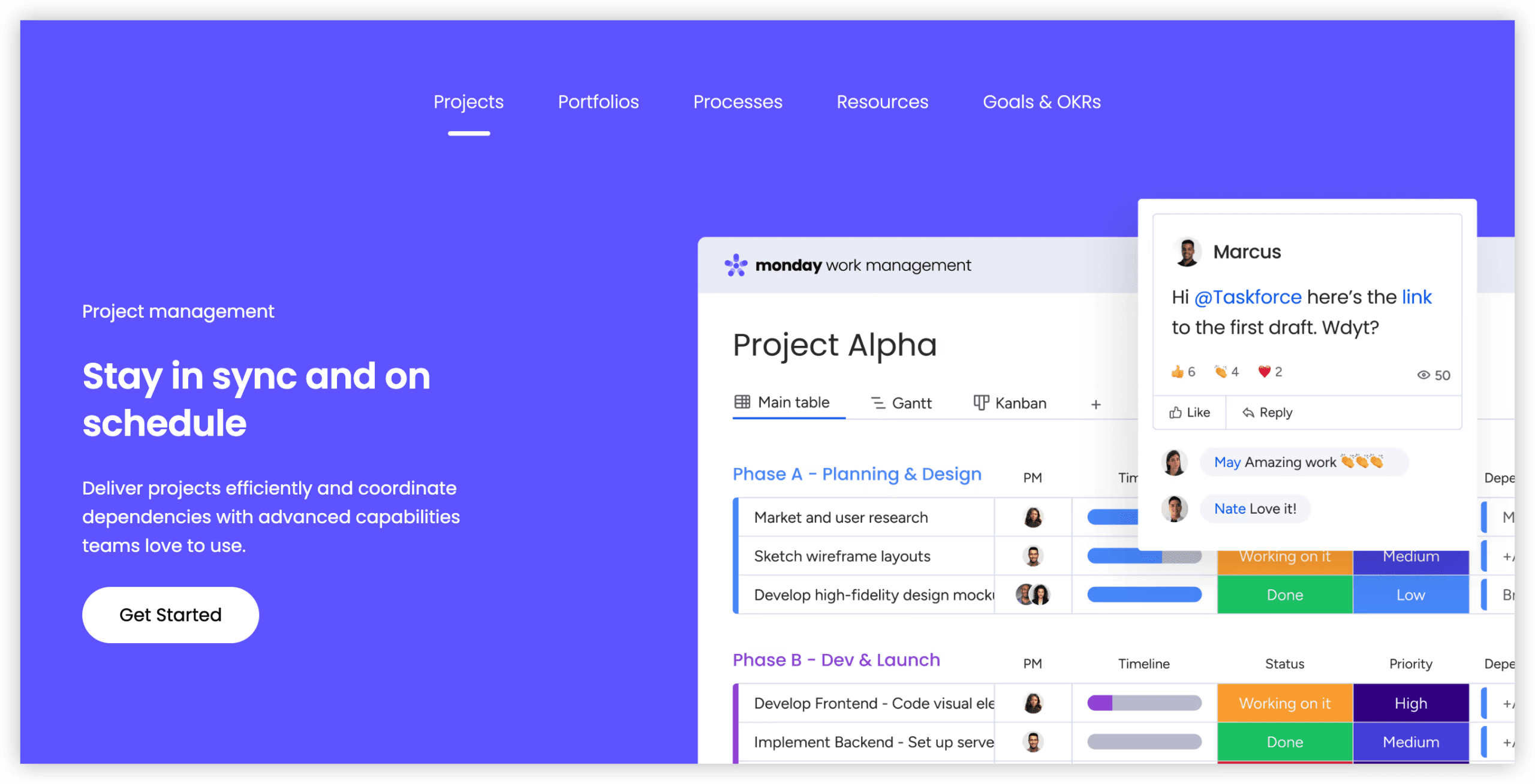
7. Monday.com — Cross-Functional Visibility
Monday.com emphasizes approachable customization, enabling non-technical team members to construct workflows without specialized expertise. Multiple view types—timelines, calendars, workloads—serve different stakeholder communication needs.
Task automation reduces manual status updates and notification distribution. The platform’s visual orientation supports teams where diverse functions require shared situational awareness without deep methodological training.
8. Asana — Coordination Flexibility
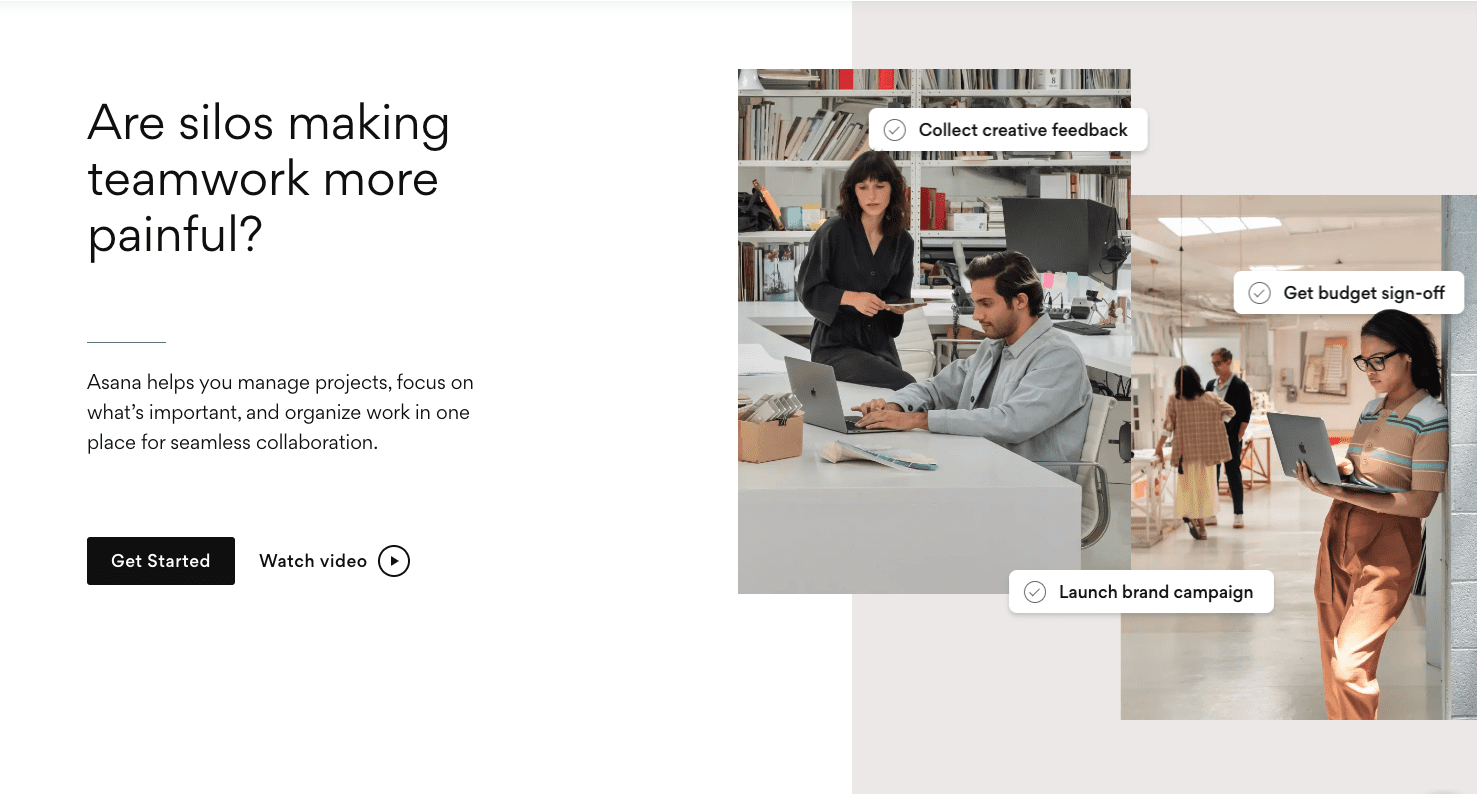
Asana balances simplicity with structural options, supporting teams across growth stages. Custom task states accommodate domain-specific workflows, while extensive integrations connect with common productivity and development tools.
Mobile application quality supports distributed and field-based team members. The platform avoids prescriptive methodology enforcement, allowing gradual process formalization as organizational needs mature.
9. Wrike — Resource-Aware Workflow Depth
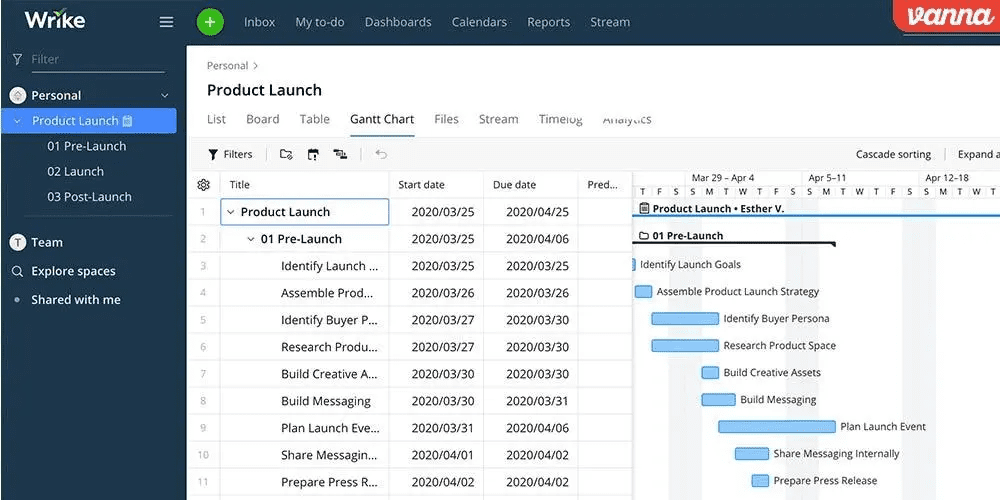
Wrike provides sophisticated resource allocation capabilities, enabling managers to assess capacity utilization and redistribute workloads proactively. Cross-tagging allows tasks to exist within multiple organizational contexts without duplication.
Custom reporting supports specialized stakeholder communication requirements. The platform particularly serves professional services and project-based organizations where resource optimization directly affects delivery commitments.
10. Airtable — Database-Centric Flexibility
Airtable combines spreadsheet familiarity with relational database structure, enabling teams to construct custom information architectures without development resources. Views filter and present data according to user needs, from calendar displays to Kanban boards.
AI-assisted analysis identifies trends within tracked information. The platform suits teams with unique data structures that resist accommodation within conventional project management schemas.

Selection Guidance
Platform selection should reflect organizational context rather than feature enumeration alone. Consider these structural factors:
Scale and complexity: Enterprises with established R&D functions, multiple product lines, and formal governance requirements should evaluate ONES for integrated lifecycle management. Early-stage teams may find equivalent capability in simpler, more immediately accessible platforms.
Primary operational challenge: Teams struggling with customer feedback volume benefit from Productboard’s consolidation capabilities. Those facing strategic alignment difficulties across portfolios should examine Aha!. Execution-focused organizations with established agile practice often find Jira sufficient.
Technical environment: Existing tool investments influence integration priorities. Platforms with extensive marketplaces or API surfaces reduce friction in heterogeneous environments.
Change capacity: Complex platforms deliver proportional value only when organizations invest in configuration, training, and ongoing administration. Underestimating implementation requirements frequently undermines adoption and return on investment.
Frequently Asked Questions
What distinguishes enterprise product management platforms from team-level alternatives?
Enterprise platforms emphasize governance, permission granularity, cross-organizational visibility, and integration depth across the full development lifecycle. Team-level tools prioritize immediate usability and rapid deployment over configurability.
How should organizations evaluate integration requirements?
Map existing tool ecosystems and identify information flow breakpoints. Prioritize platforms offering native integrations for high-frequency connections and robust APIs for specialized requirements. Evaluate integration maintenance burden, as custom connections accumulate technical debt.
When does all-in-one platform consolidation become preferable to best-of-breed assembly?
Consolidation benefits increase with organizational scale, data sensitivity, and process standardization requirements. Fragmented toolchains create context-switching overhead, version control challenges, and reporting inconsistencies that compound as team size grows.
What implementation timeline should organizations anticipate?
Simple task management tools deploy within days. Workflow-configurable platforms require weeks for appropriate customization. Enterprise lifecycle management systems typically demand months for full organizational rollout, with phased adoption reducing disruption.
How significant are free tiers in platform selection?
Free tiers enable capability evaluation and support small team operations. However, administrative features, advanced reporting, and integration options frequently reside in paid tiers. Assess total cost of ownership including migration, training, and ongoing administration rather than subscription price alone.