
 400-188-1518
10 Best Jira Alternatives in 2026: Enterprise & Team Comparison
Choosing the right project management platform requires evaluating how teams actually work—not just how engineering works. This guide examines 10 Jira alternatives for 2026, selected and compared across six criteria: ease of use, feature depth, pricing transparency, integration flexibility, mobile experience, and scalability.
- ONES — Best for Enterprise R&D Management
- ClickUp — Best All-in-One Workspace Alternative
- Monday.com — Best for Visual Non-Dev Teams
- Asana — Best for Structured Workflows & Unlimited Automations
- Linear — Best for Developer Teams Prioritizing Speed
- Shortcut — Best for Small Dev Teams on a Budget
- Notion — Best for Documentation-First Teams
- Trello — Best for Simple Kanban Workflows
- Wrike — Best for Enterprise Resource Management
- Basecamp — Best for Simplicity & Flat-Rate Pricing
Table of Contents
At-a-Glance Comparison
| Tool | Best For | Free Plan | Starting Price | G2 Rating |
|---|---|---|---|---|
| ONES | Enterprise R&D management | Limited | Custom | 4.5/5 |
| ClickUp | All-in-one workspace | Unlimited users | $7/user/month | 4.7/5 |
| Monday.com | Visual non-dev teams | 2 users | $12/seat/month | 4.7/5 |
| Asana | Structured workflows | 10 users | $10.99/user/month | 4.4/5 |
| Linear | Developer speed | Unlimited | $10/user/month | 4.6/5 |
| Shortcut | Small dev teams | 10 users | $8.50/user/month | 4.4/5 |
| Notion | Docs-first teams | 1 user | $10/user/month | 4.6/5 |
| Trello | Simple kanban | 10 collaborators | $5/user/month | 4.4/5 |
| Wrike | Enterprise resources | Unlimited* | $10/user/month | 4.2/5 |
| Basecamp | Simplicity | 1 project | $15/user/month | 4.1/5 |
*Wrike’s free plan limits active tasks to 200. G2 ratings sourced March 2026.
Why Teams Move Away from Jira
Jira remains dominant in agile software development. Its sprint planning, backlog management, and Git integrations serve engineering teams effectively. However, several limitations drive organizations to evaluate alternatives.
1. Significant Onboarding Investment
Jira assumes familiarity with agile methodology—issue types, workflows, screens, schemes, and field configurations. New users typically require multiple weeks to become productive. Platforms like Monday.com and ClickUp aim for minutes-to-productivity instead.
2. Interface Designed for Developers
Non-engineering roles—marketing, design, operations—often struggle with Jira’s terminology and layout. This frequently results in organizations maintaining separate tools for different departments, increasing costs and reducing visibility.
3. Ecosystem Cost Accumulation
Jira Standard at $7.91/user/month appears competitive until accounting for Confluence documentation ($5.42/user/month), Marketplace applications for time tracking and reporting, and security compliance tools. A realistic Atlassian stack for a 20-person team often costs 2-3x the base price.
4. Missing Native Capabilities
Documentation requires Confluence. Time tracking needs Marketplace apps like Tempo. Team communication depends on external tools. Competitors increasingly bundle these capabilities natively.
5. Administrative Complexity at Scale
Custom workflows, permission schemes, notification configurations, and issue type hierarchies demand dedicated administration. Organizations without this resource often develop misconfigured instances that frustrate users.
Evaluation Methodology
Each alternative was assessed against six dimensions:
- Ease of use: Time-to-value, onboarding experience, interface clarity for technical and non-technical users
- Features: Agile capabilities, automation depth, view flexibility, project management sophistication
- Pricing: Free plan generosity, paid plan value, total cost including ecosystem additions
- Integrations: Git hosting, CI/CD pipelines, design tools, API access, workflow automation platforms compatibility
- Mobile: iOS and Android application quality and feature parity
- Scalability: Capacity for complex, multi-team, multi-department workflows
Evaluation combined hands-on testing of free plans, analysis of G2 and Capterra reviews, Reddit community feedback, and direct pricing verification from official sources in March 2026.
1. ONES — Best for Enterprise R&D Management
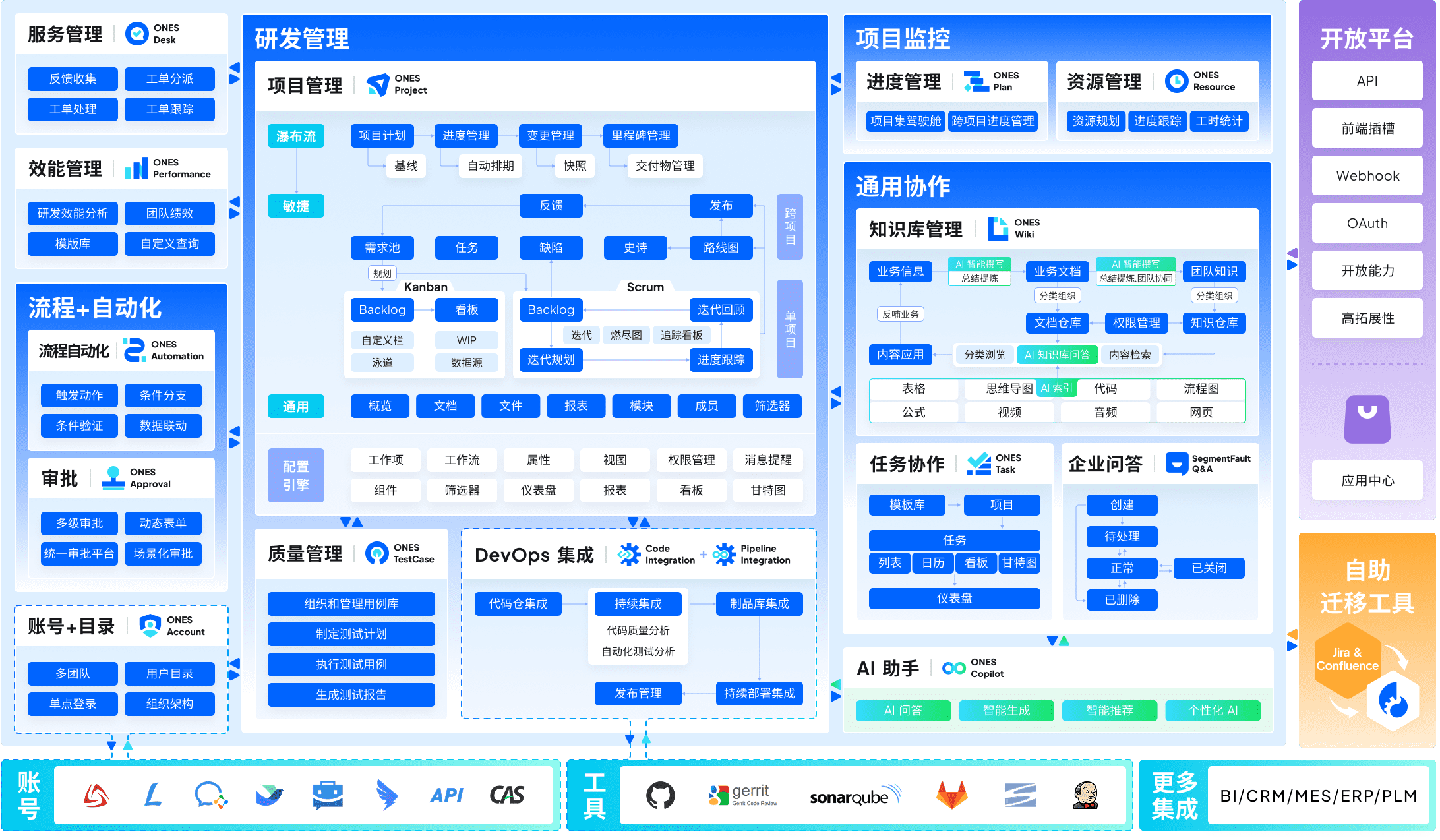
ONES addresses a gap that most alternatives overlook: the need for unified governance across large-scale research and development operations. Where point solutions manage individual activities, ONES integrates project management, requirements management, knowledge repositories, test management, and CI/CD pipelines into a single system.
The platform’s architecture supports complex organizational structures. Multi-level permission models, configurable workflows, and cross-team collaboration features accommodate enterprises where dozens or hundreds of engineers coordinate across multiple product lines. The emphasis on measurable outcomes—delivery quality metrics, efficiency trends, resource utilization—enables data-driven process improvement rather than subjective assessment.
ONES suits organizations where tool fragmentation has become a liability. When requirements live in one system, tests in another, and deployments in a third, traceability suffers and compliance becomes burdensome. Consolidating these functions reduces integration maintenance and improves audit readiness.
The trade-off involves implementation scope. Smaller teams with straightforward workflows may find ONES’s capabilities exceed immediate requirements. The platform is designed for organizations where R&D coordination complexity justifies enterprise-grade configuration.
Key Features
- Unified project, requirement, test, and pipeline management
- Complex workflow and permission configuration for multi-team governance
- R&D efficiency metrics and delivery quality analytics
- Knowledge base integration with version control
- Cross-department collaboration with hierarchical access controls
Pros
- Eliminates tool fragmentation across the development lifecycle
- Supports enterprise-scale complexity without performance degradation
- Built-in measurement frameworks for continuous improvement
Cons
- Implementation investment proportional to organizational complexity
- Smaller teams may not leverage full capability range
- Custom pricing requires direct consultation
Pricing
| Plan | Annual | Notes |
|---|---|---|
| Enterprise | Custom | Full platform access, dedicated implementation support |
2. ClickUp — Best All-in-One Workspace Alternative
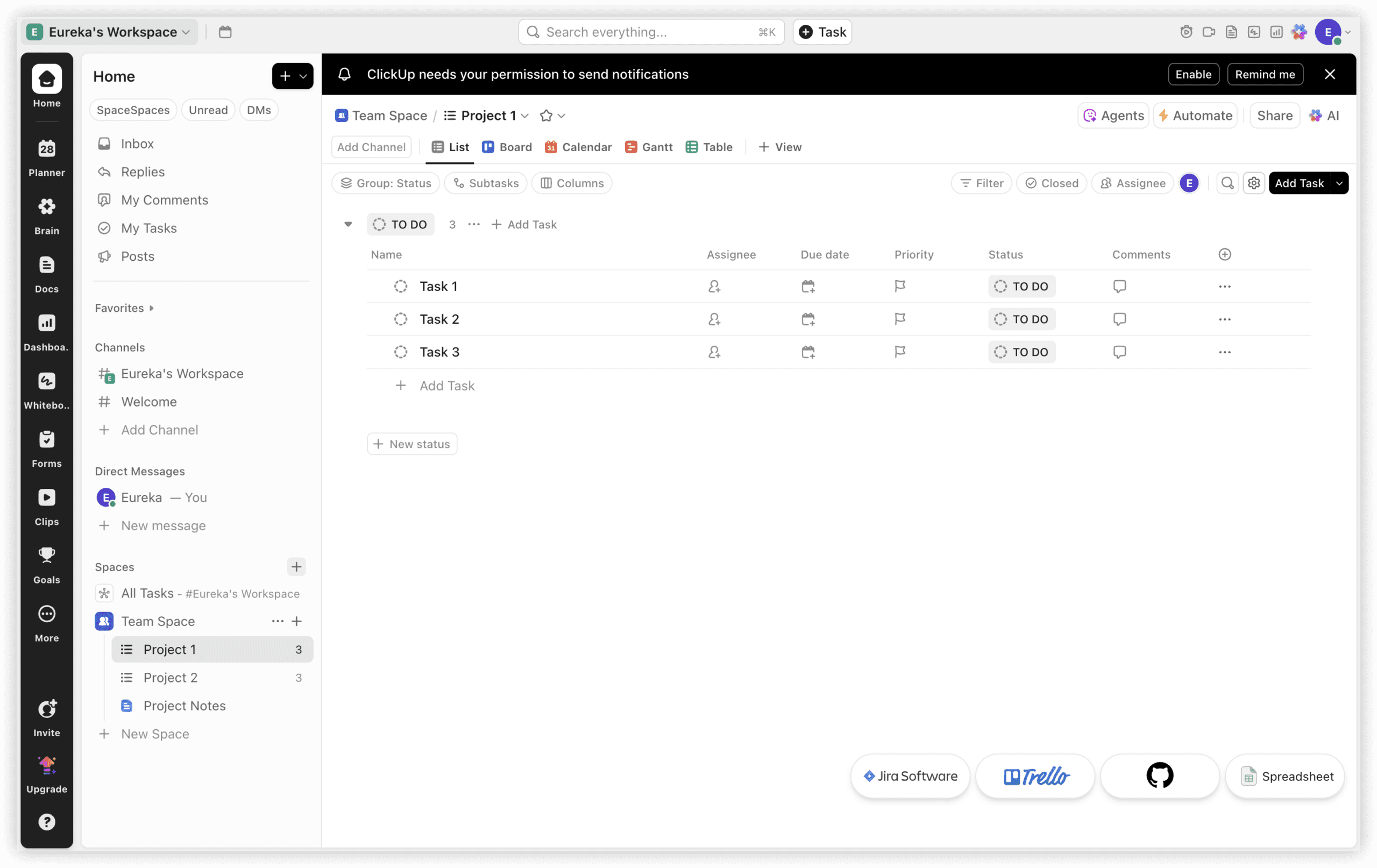
ClickUp positions itself as a comprehensive workspace rather than a specialized tracker. At $7/user/month, its Unlimited plan includes capabilities that would require Jira Standard plus Confluence plus additional Marketplace applications to replicate.
The platform integrates documentation, time tracking, and team communication within the same environment. ClickUp Docs replaces external documentation tools, built-in time tracking eliminates separate billing applications, and chat functionality reduces reliance on external messaging platforms. Fifteen-plus view types accommodate different working preferences, from sprint boards to Gantt charts to workload visualizations.
The breadth carries corresponding complexity. Pure engineering teams focused exclusively on sprint velocity and story point refinement may find ClickUp’s agile features serviceable but not exceptional. The platform excels where project management extends beyond engineering into design, marketing, and operations.
Key Features
- 15+ view types: list, board, Gantt, calendar, timeline, workload, mind map
- Built-in time tracking with billable time support
- ClickUp Docs with task linking and real-time collaboration
- 1,000 automations/month on Unlimited plan
- Seven-level hierarchy for complex project organization
Pros
- Consolidates multiple tools into single platform
- Free plan supports unlimited users
- Strong feature-to-price ratio
Cons
- Configuration requires 1-2 weeks for optimization
- Agile-specific features less refined than specialized tools
- Interface density can overwhelm focused users
Pricing
| Plan | Annual | Notes |
|---|---|---|
| Free | $0 | 100 automations/month, 100MB storage |
| Unlimited | $7/user/month | Time tracking, docs, 1,000 automations |
| Business | $12/user/month | 10,000 automations, advanced permissions |
| Enterprise | Custom | SSO, advanced security, dedicated CSM |
Source: clickup.com/pricing, verified March 2026.
3. Monday.com — Best for Visual Non-Dev Teams
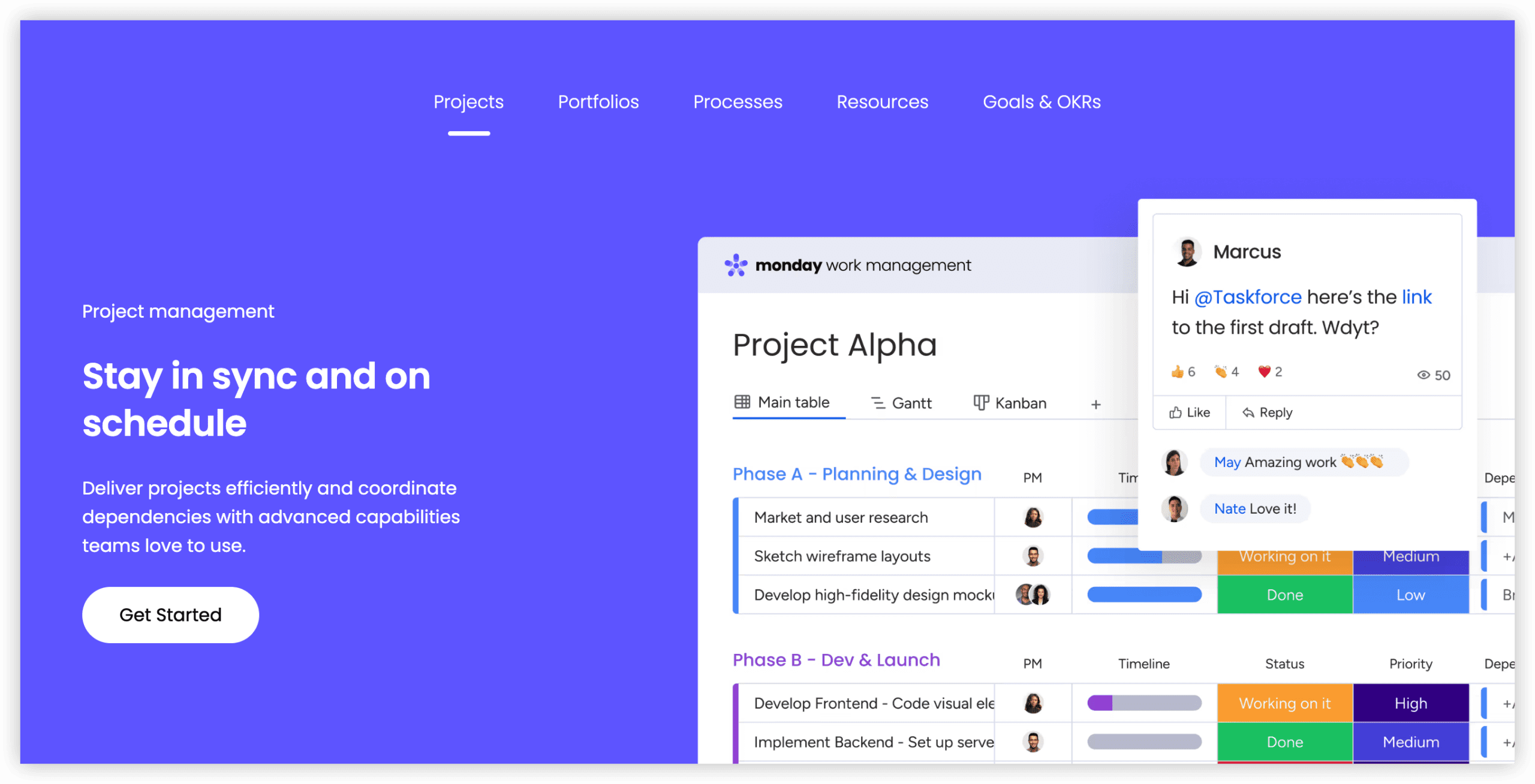
Monday.com prioritizes accessibility for users without technical backgrounds. Its board-based interface resembles familiar spreadsheet concepts, reducing the learning curve for marketers, designers, operations managers, and other non-engineering roles.
The Standard plan at $12/seat/month includes Timeline and Calendar views, Gantt charts, and 250 monthly automations. Over 200 templates accelerate deployment across departments, from sprint planning approximations to content calendars to client onboarding workflows.
The limitation is intentional: Monday.com does not include native sprint planning, backlog management, or story point tracking. Engineering teams can approximate agile workflows through custom configurations, but this remains adaptation rather than native support. For organizations where engineering already uses specialized tools and other departments need accessible coordination, this trade-off is acceptable.
Key Features
- 8+ view types: board, Timeline, Gantt, Calendar, Workload, Chart
- 250 automations/month on Standard, 25,000 on Pro
- 200+ templates for cross-departmental use cases
- Integrations with Slack, Google Workspace, Microsoft 365, GitHub, and 200+ tools
- Monday AI for task suggestions and content generation
Pros
- Most immediately intuitive interface in this comparison
- Strong mobile application quality (4.7/5 Android)
- Effective for cross-functional teams with limited technical users
Cons
- Three-seat minimum on all paid plans
- No native agile sprint management
- Standard plan automation limit constrains active teams
Pricing
| Plan | Annual | Notes |
|---|---|---|
| Free | $0 (up to 2 users) | 3 boards, 200 items |
| Standard | $12/seat/month | Timeline, Gantt, 250 automations/month |
| Pro | $19/seat/month | Time tracking, 25,000 automations |
| Enterprise | Custom | SSO, advanced security, audit logs |
Source: monday.com/pricing, verified March 2026. All paid plans require 3-seat minimum.
4. Asana — Best for Structured Workflows & Unlimited Automations
Asana differentiates through automation generosity. Its Starter plan at $10.99/user/month includes unlimited automations, contrasting with Jira Standard’s 1,700 monthly automation cap that can constrain active 20-person teams.
The platform structures work through projects, portfolios, and goals, providing clarity for teams managing interdependent initiatives. Timeline and workload views help identify bottlenecks before they impact delivery. The portfolio feature aggregates project status for executive visibility without manual consolidation.
Asana’s design assumes project management as a discipline rather than software development specifically. This produces accessible interfaces for non-technical users while potentially frustrating engineers seeking deep agile integration. The recently added AI features focus on status generation and goal recommendations rather than code-adjacent workflows.
Key Features
- Unlimited automations on Starter plan
- Portfolio management for multi-project visibility
- Timeline, Calendar, List, Board, and Goal views
- Workload management for capacity planning
- Asana Intelligence for status updates and risk identification
Pros
- Unlimited automations reduce operational friction
- Strong cross-functional project coordination
- Clear progress visualization for stakeholders
Cons
- Limited native development tool integrations
- Advanced features require Advanced plan ($24.99/user/month)
- Can feel rigid for unconventional workflows
Pricing
| Plan | Annual | Notes |
|---|---|---|
| Basic | $0 (up to 10 users) | Unlimited tasks, projects, messages |
| Starter | $10.99/user/month | Unlimited automations, Timeline, reporting |
| Advanced | $24.99/user/month | Portfolios, workload, advanced integrations |
| Enterprise | Custom | Admin controls, data export, premium support |
Source: asana.com/pricing, verified March 2026.
5. Linear — Best for Developer Teams Prioritizing Speed
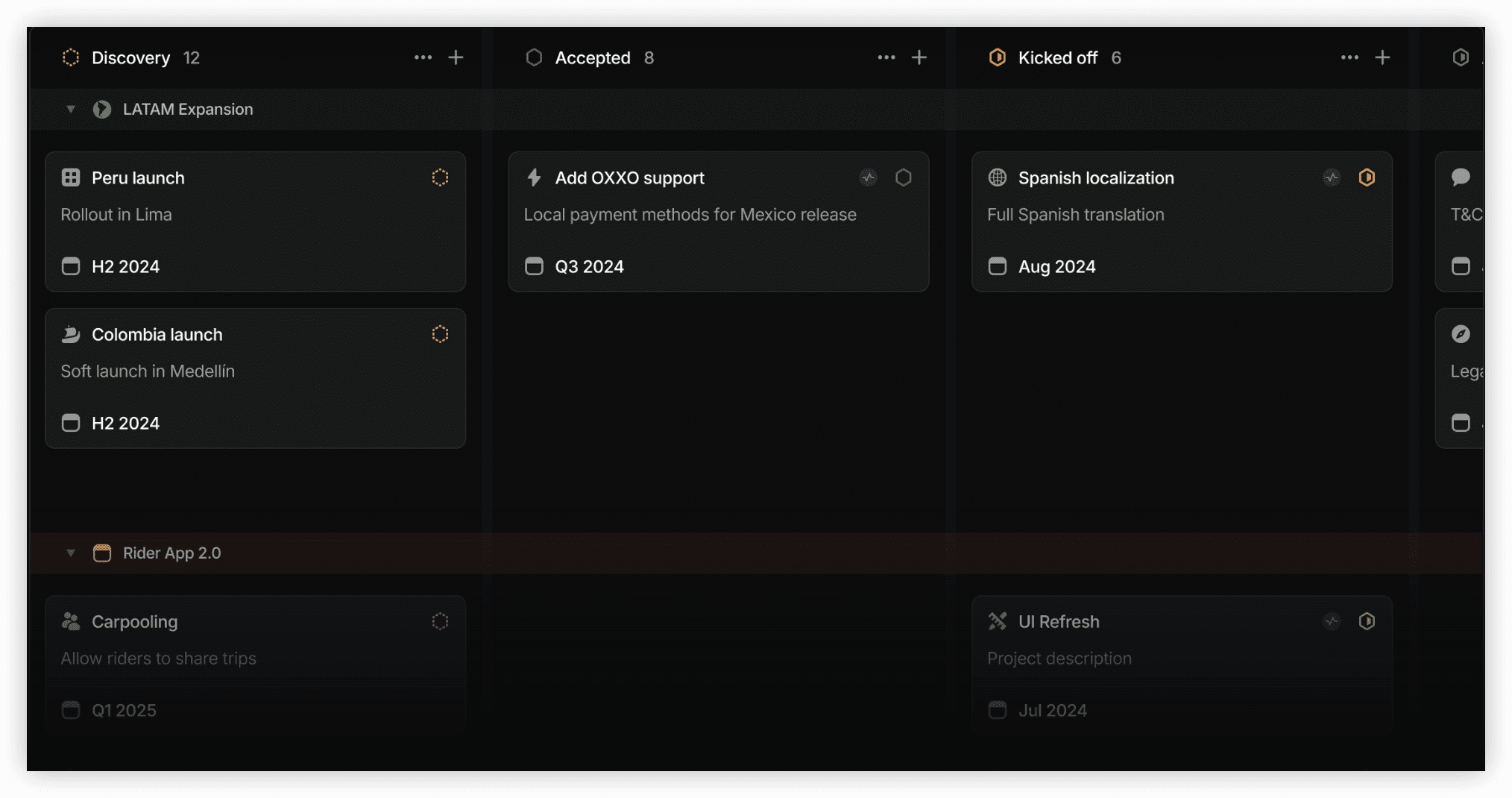
Linear occupies a specific position: engineered exclusively for software teams that value velocity and minimal friction. Its keyboard-centric interface, instant search, and zero-lag interactions appeal to developers who find Jira’s page loads and configuration steps impediments to flow.
The platform automates sprint management, cycle planning, and issue tracking with opinionated defaults that reduce setup time. Git integration is seamless—commits, branches, and pull requests link automatically to issues without webhook configuration. The analytics focus on cycle time, velocity trends, and throughput rather than burndown charts or cumulative flow diagrams.
Linear’s limitations mirror its strengths. Non-engineering teams find little utility in a tool that assumes Git fluency and sprint participation. The opinionated workflow resists customization for organizations with established processes. Pricing at $10/user/month for the Standard plan positions it competitively for pure development teams.
Key Features
- Keyboard-optimized interface for rapid navigation
- Automatic Git linking without configuration
- Cycles-based planning with automatic sprint creation
- Real-time collaboration without page refreshes
- Built-in analytics for cycle time and velocity
Pros
- Fastest issue creation and update experience available
- Minimal configuration required
- Beautiful, distraction-free interface
Cons
- Intentionally limited customization
- Minimal utility for non-technical teams
- Reporting capabilities less comprehensive than competitors
Pricing
| Plan | Annual | Notes |
|---|---|---|
| Free | $0 | Unlimited users, core features |
| Standard | $10/user/month | Advanced analytics, SLAs, priority support |
| Plus | $15/user/month | Advanced security, audit logs |
| Enterprise | Custom | Dedicated support, custom contracts |
Source: linear.app/pricing, verified March 2026.
6. Shortcut — Best for Small Dev Teams on a Budget
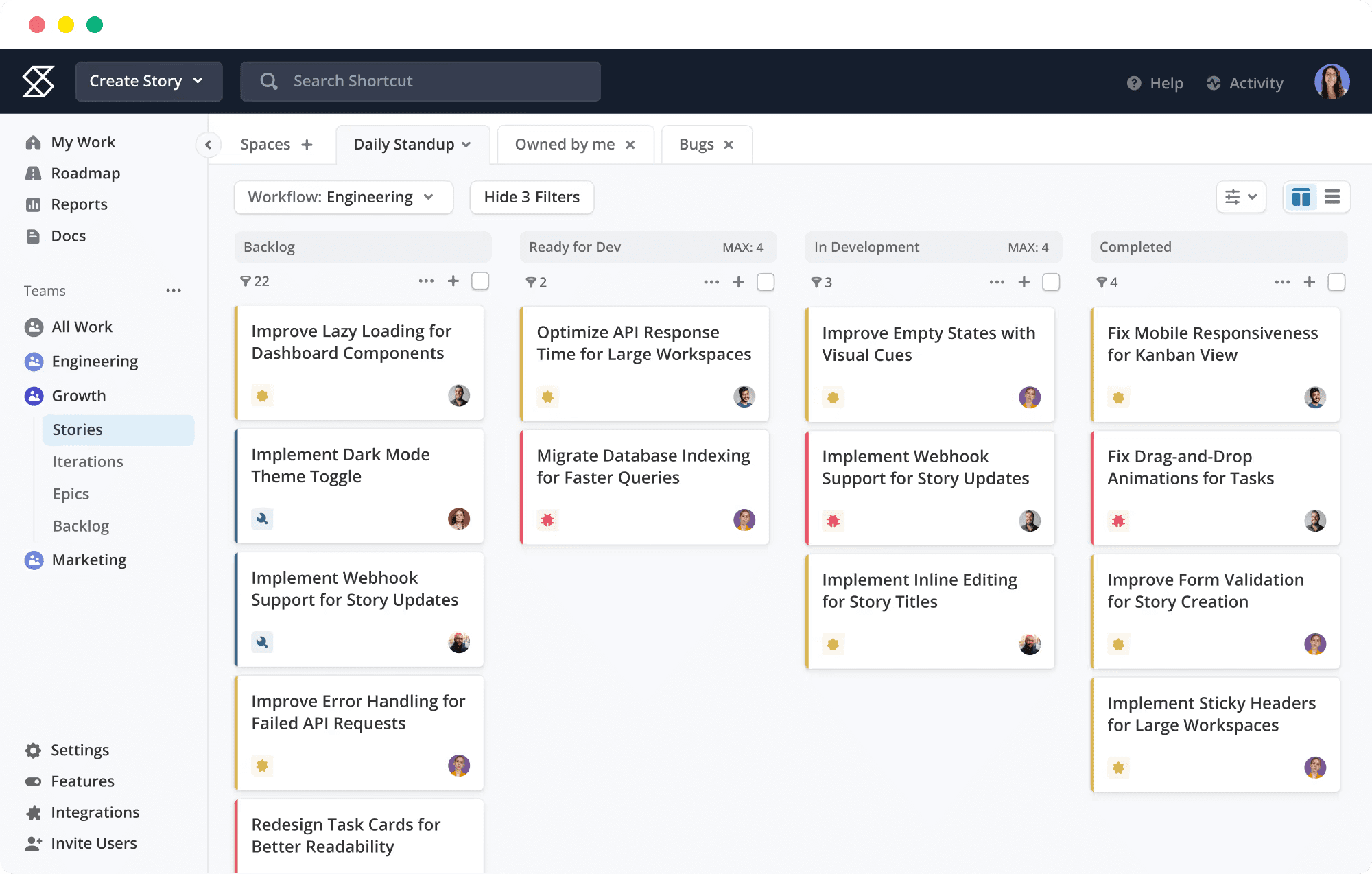
Shortcut (formerly Clubhouse) targets small to medium development teams seeking Jira’s core capabilities without corresponding complexity. The platform organizes work around Stories, Epics, and Milestones with a cleaner interface than traditional agile tools.
The Team plan at $8.50/user/month includes unlimited integrations and reporting. The free plan supports up to 10 users, making it accessible for early-stage startups. Shortcut’s Git integration, while less automatic than Linear’s, connects branches, pull requests, and commits to work items effectively.
Shortcut’s limitations emerge with scale. The permission model lacks enterprise granularity. Advanced roadmapping and portfolio management require higher-tier plans. For teams anticipating rapid growth, migration to more robust platforms may become necessary.
Key Features
- Story-based organization with Epic and Milestone hierarchy
- Git integration for branch and commit linking
- Iterations for sprint planning
- Workflow customization with status and transition rules
- Team-based reporting and velocity tracking
Pros
- Lower learning curve than Jira for agile fundamentals
- Competitive pricing for small teams
- Clean, uncluttered interface
Cons
- Limited enterprise governance capabilities
- Fewer integration options than larger competitors
- Mobile experience less polished than desktop
Pricing
| Plan | Annual | Notes |
|---|---|---|
| Free | $0 (up to 10 users) | Core features, limited reporting |
| Team | $8.50/user/month | Unlimited integrations, reporting |
| Business | Custom | Advanced permissions, roadmaps |
Source: shortcut.com/pricing, verified March 2026.
7. Notion — Best for Documentation-First Teams
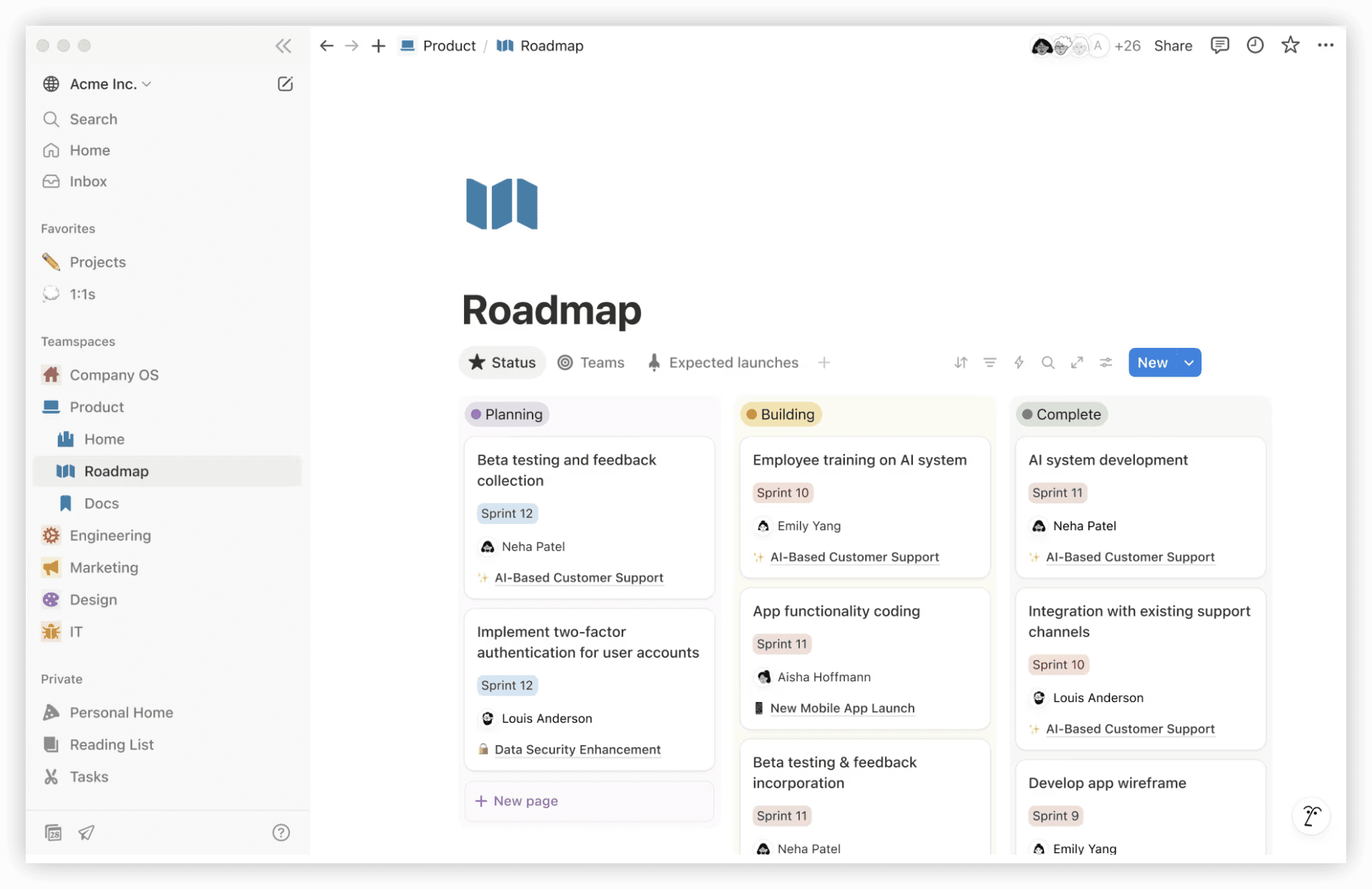
Notion approaches project management from a documentation perspective. Its block-based editor enables flexible page construction that can embed databases, kanban boards, calendars, and galleries within contextual documents.
This architecture suits teams where knowledge capture precedes task tracking. Product requirements, meeting notes, and project plans coexist with actionable items in the same space. The database functionality supports filtered views, sorting, and relations between different data types.
The flexibility imposes responsibility. Without disciplined structure, Notion workspaces become disorganized. The platform lacks native sprint mechanics, automated workflows, and development-specific integrations. Teams requiring rigorous process enforcement typically supplement Notion with specialized tools.
Key Features
- Block-based editor with rich media embedding
- Relational databases with multiple view types
- Template gallery for rapid workspace construction
- AI-powered writing assistance and content generation
- Wiki and knowledge base functionality
Pros
- Unmatched flexibility in information architecture
- Strong free personal use tier
- Active template community
Cons
- Requires intentional design to maintain organization
- No native agile or development features
- Performance degrades with large, complex databases
Pricing
| Plan | Annual | Notes |
|---|---|---|
| Free | $0 | Individual use, limited blocks |
| Plus | $10/user/month | Unlimited blocks, version history |
| Business | $15/user/month | Advanced permissions, SCIM |
| Enterprise | Custom | Advanced security, dedicated success manager |
Source: notion.so/pricing, verified March 2026.
8. Trello — Best for Simple Kanban Workflows
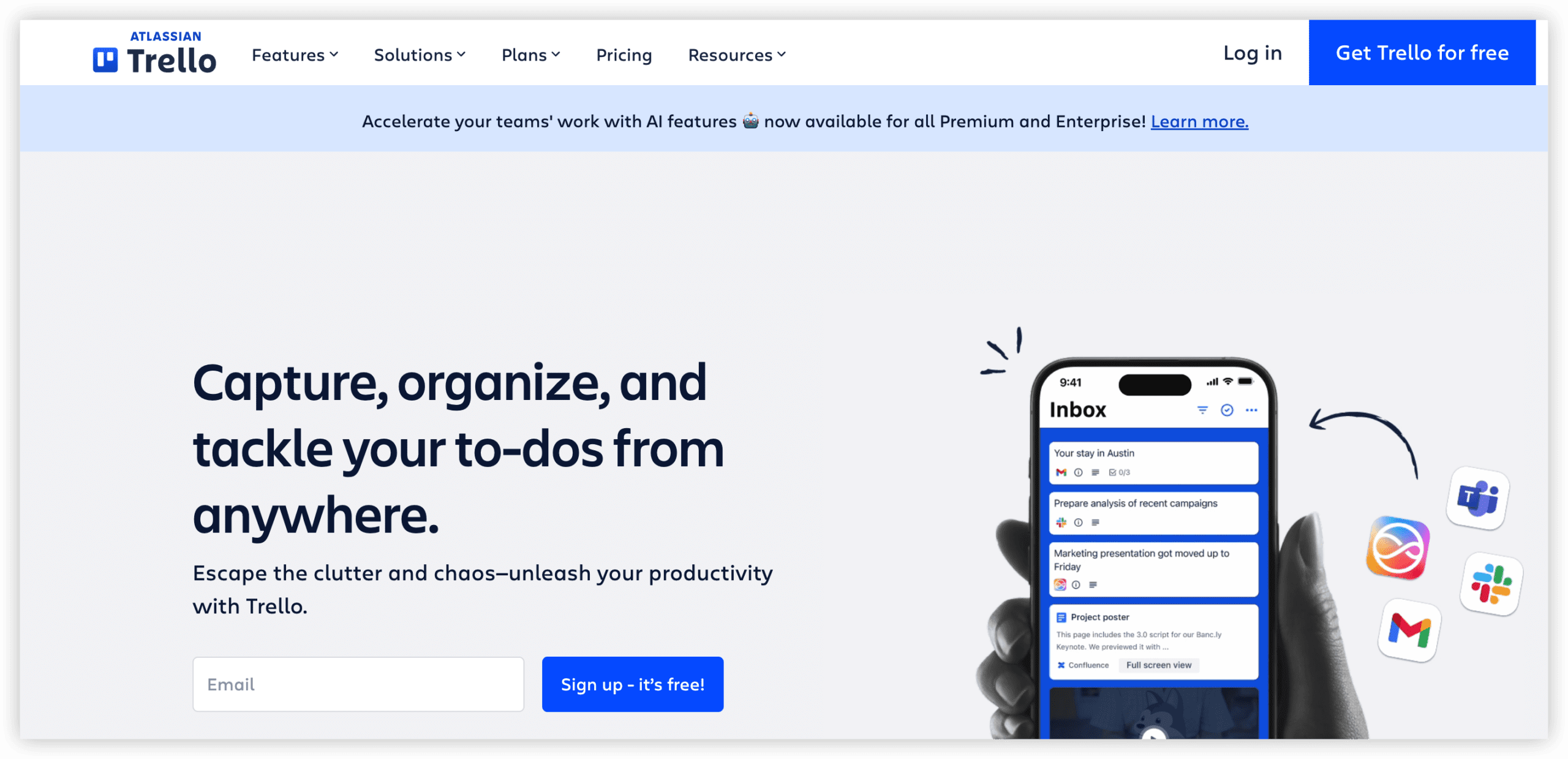
Trello, now Atlassian-owned, remains the accessible entry point for visual task management. Its card-based kanban interface requires virtually no training, making it suitable for teams with straightforward tracking needs.
The Standard plan at $5/user/month adds unlimited boards, advanced checklists, and custom fields. Butler automation enables rule-based workflow actions without coding. Power-Ups extend functionality with integrations and additional view types.
Trello’s simplicity becomes constraint for complex projects. No native hierarchy beyond board-list-card limits multi-level organization. Reporting is minimal. The platform functions best for small teams, personal productivity, or as a lightweight front-end to more sophisticated systems.
Key Features
- Intuitive card-based kanban interface
- Butler automation for rule-based workflows
- Power-Up marketplace for extensions
- Template library for common use cases
- Mobile applications with offline support
Pros
- Fastest possible setup and adoption
- Lowest cost option with paid functionality
- Familiar interface for non-technical users
Cons
- Limited to kanban methodology
- No native reporting or analytics
- Power-Up dependency increases costs for advanced features
Pricing
| Plan | Annual | Notes |
|---|---|---|
| Free | $0 (up to 10 collaborators) | Unlimited cards, 10 boards |
| Standard | $5/user/month | Unlimited boards, advanced checklists |
| Premium | $10/user/month | Multiple views, advanced automation |
| Enterprise | $17.50/user/month | Admin controls, security features |
Source: trello.com/pricing, verified March 2026.
9. Wrike — Best for Enterprise Resource Management
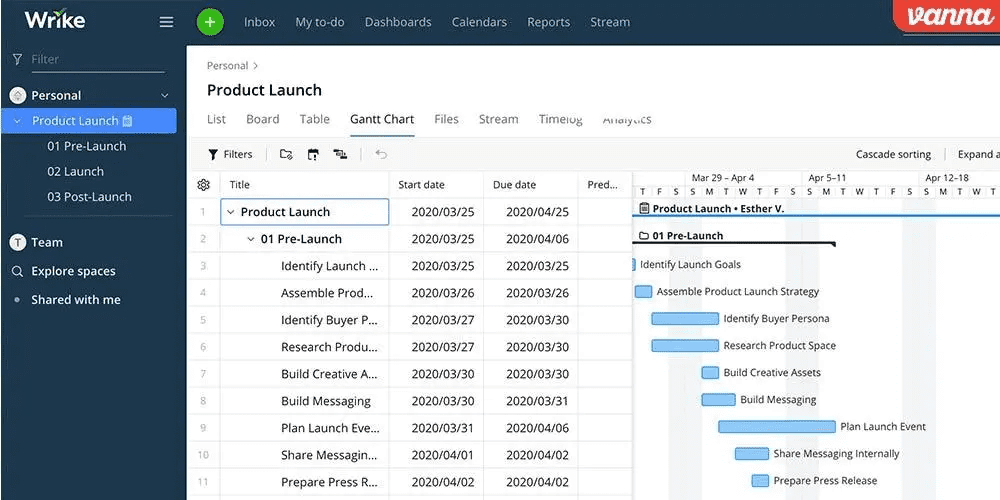
Wrike emphasizes resource allocation and capacity planning at organizational scale. Its enterprise features include time tracking, workload balancing, and financial management that extend beyond typical project management scope.
The platform supports complex approval workflows, proofing for creative teams, and detailed reporting for portfolio oversight. Custom item types and request forms enable structured intake processes. The 200-task limit on free plans (noted in the comparison table) reflects its orientation toward paid, scaled deployment.
Wrike’s complexity rewards organizations with dedicated project management offices but may overwhelm teams seeking simpler solutions. The interface density and configuration requirements align with enterprise expectations rather than startup agility.
Key Features
- Resource management and capacity planning
- Custom workflows and approval processes
- Proofing and annotation for creative review
- Time tracking and budget management
- Advanced reporting and dashboard customization
Pros
- Comprehensive resource visibility
- Strong enterprise security and compliance
- Configurable for diverse department needs
Cons
- Significant configuration investment
- Higher cost than alternatives for comparable features
- Interface complexity for simple use cases
Pricing
| Plan | Annual | Notes |
|---|---|---|
| Free | $0 | 200 active tasks, limited users |
| Team | $10/user/month | Unlimited tasks, basic features |
| Business | $24.80/user/month | Advanced features, reporting |
| Enterprise | Custom | Advanced security, dedicated support |
Source: wrike.com/pricing, verified March 2026.
10. Basecamp — Best for Simplicity & Flat-Rate Pricing
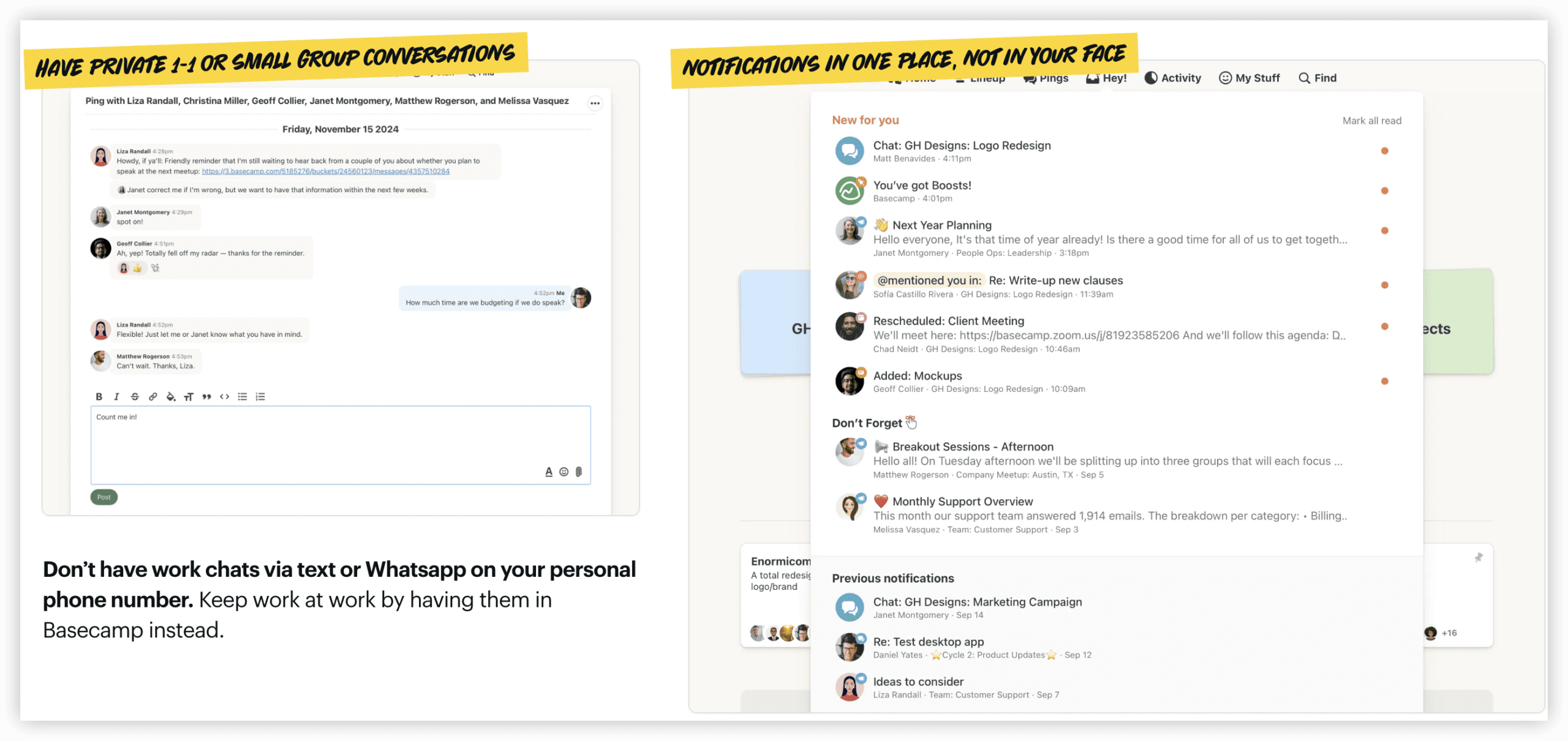
Basecamp pursues radical simplicity. The platform offers message boards, to-do lists, schedules, documents, and file storage without the feature proliferation that characterizes most competitors.
The flat-rate pricing model—$299/month for unlimited users in Basecamp Pro Unlimited—eliminates per-seat calculation and encourages broad organizational adoption. This structure particularly benefits larger teams where per-user pricing would be prohibitive.
The trade-off is substantial: no native agile support, no Gantt charts, no time tracking, no automation. Basecamp explicitly rejects these as sources of unnecessary complexity. Teams requiring structured project management methodology will find the platform constraining.
Key Features
- Message boards for team discussions
- To-do lists with assignment and due dates
- Hill Charts for visual progress tracking
- Document and file storage with version control
- Automatic check-in questions for status updates
Pros
- Predictable flat-rate pricing
- Minimal training requirements
- Encourages asynchronous communication
Cons
- No agile or advanced project management features
- Limited integration ecosystem
- Reporting and analytics absent
Pricing
| Plan | Annual | Notes |
|---|---|---|
| Free | $0 (1 project, 20 users) | Limited features |
| Basecamp | $15/user/month | Unlimited projects |
| Pro Unlimited | $299/month flat | Unlimited users, priority support |
Source: basecamp.com/pricing, verified March 2026.
How to Select the Appropriate Alternative
The optimal choice depends on organizational context rather than feature checklists alone. Consider these decision factors:
Team Composition
Engineering-majority teams may prioritize Linear’s velocity or Shortcut’s simplicity. Cross-functional organizations likely need ClickUp’s breadth, Monday.com’s accessibility, or ONES’s unified governance. Documentation-centric teams should evaluate Notion’s flexibility.
Workflow Complexity
Teams with established agile maturity require tools that accommodate sophisticated process configuration. Organizations seeking to standardize workflows across departments need platforms with template and governance capabilities. Simple tracking needs favor Trello or Basecamp.
Total Cost Projection
Calculate beyond list pricing. Include ecosystem costs: documentation tools, time tracking applications, communication platforms, and integration maintenance. The platform with lower base price may become more expensive when fully equipped.
Growth Trajectory
Consider where the organization will be in 18-24 months. Tools that suffice for current scale may create migration costs if outgrown. Enterprise-bound teams should evaluate scalability, permission granularity, and administrative capabilities early.
Integration Requirements
Map critical tool relationships: version control, CI/CD pipelines, design tools, customer support platforms. Native integrations reduce maintenance burden compared to API-built or Zapier-dependent connections.
Frequently Asked Questions
What is the most direct Jira replacement for software teams?
Linear and Shortcut most directly address Jira’s core use case for development teams, with Linear prioritizing speed and Shortcut offering greater affordability. For enterprise-scale R&D operations requiring unified governance, ONES provides broader lifecycle coverage.
Can these alternatives handle agile methodologies?
Most alternatives support agile practices with varying depth. ClickUp, Shortcut, and Linear include sprint planning and backlog management. Monday.com and Notion require configuration for agile approximation. Basecamp does not support agile methodology.
Which alternative offers the best value for mixed technical and non-technical teams?
ClickUp and Monday.com lead for cross-functional teams. ClickUp provides greater feature depth; Monday.com offers superior immediate accessibility. ONES suits organizations where R&D coordination spans multiple technical and business functions at scale.
Are free plans sufficient for production use?
Free plans from ClickUp, Linear, and Shortcut support meaningful team sizes. Limitations typically involve automation volume, storage, or advanced features. Evaluate whether free plan constraints will impede workflow within the first quarter.
How should organizations approach migration from Jira?
Migration requires data export, workflow mapping, and user training. Prioritize tools offering Jira import functionality. Plan for parallel operation during transition. Reserve time for workflow refinement as assumptions from Jira may not transfer directly.
Conclusion
The project management landscape in 2026 offers viable alternatives for every organizational context. Enterprise R&D operations benefit from ONES’s integrated approach to lifecycle management. Teams seeking workspace consolidation find ClickUp’s breadth compelling. Visual-oriented and non-technical groups appreciate Monday.com’s accessibility. Developer-focused organizations value Linear’s speed or Shortcut’s simplicity.
The appropriate selection balances current needs with future trajectory, feature requirements with usability preferences, and direct costs with total ecosystem investment. The tools examined here represent substantively different philosophies about how work should be organized and tracked—no single platform serves every situation optimally.
Evaluate through trial periods with actual team workflows rather than feature comparisons alone. The most capable platform on paper becomes ineffective if it conflicts with how teams prefer to operate.