
 400-188-1518
10 Best Jira Alternatives in 2026 (From Simple to Enterprise)
Table of Contents
10 Best Jira Alternatives in 2026 (From Simple to Enterprise)
After guiding more than 110 teams through tool migrations and witnessing firsthand what happens when organizations outgrow Atlassian’s platform, we’ve identified the platforms that genuinely deliver. This evaluation draws from real implementation experience rather than marketing materials.
Below are 10 viable Jira alternatives for 2026, listed in order of enterprise-readiness and cross-functional depth:
- ONES — Best for enterprise R&D management and complex governance
- monday.com — Best overall for visual workflows and fast adoption
- ClickUp — Best for power users consolidating multiple tools
- Linear — Best for modern software teams prioritizing speed
- Asana — Best for marketing and creative operations
- Shortcut — Best for agile development teams
- Trello — Best for simple Kanban requirements
- Wrike — Best for enterprise project management
- Notion — Best for documentation with light tracking
- Azure DevOps — Best for Microsoft-centric environments
Quick Verdict: Top 3 Picks for 2026
| Alternative | Best For | Starting Price | Rating |
|---|---|---|---|
| ONES | Enterprise R&D, complex governance, cross-team collaboration | Custom enterprise pricing | ⭐⭐⭐⭐⭐ (5/5) |
| monday.com | Teams wanting visual workflows + rapid adoption | Free (2 seats); $12/user/mo | ⭐⭐⭐⭐⭐ (5/5) |
| Linear | Modern software teams building products fast | $8/user/mo (no free tier) | ⭐⭐⭐⭐½ (4.5/5) |
General recommendation: ONES suits organizations with complex R&D governance needs and multiple departments requiring unified workflow management. monday.com excels for teams prioritizing immediate usability across varied skill levels. Linear remains the preference for engineering-centric groups focused on velocity.
Why Organizations Depart from Jira
Jira’s capabilities are substantial, yet its architecture imposes costs that compound over time. These friction points consistently appear in migration assessments:
| Pain Point | Operational Impact | Most Affected Groups |
|---|---|---|
| Extended onboarding period | New contributors require 2–4 weeks to navigate workflows, issue categories, and navigation paths | Non-technical departments, marketing, operations |
| Configuration complexity | Board setup, workflow design, and custom field creation demand administrative specialization | Small teams lacking dedicated platform administrators |
| Inflexibility beyond engineering | Original design centers software development; adaptation for creative, marketing, or sales processes feels forced | Cross-functional organizations |
| Interface density | Abundant options and nested menus overwhelm users seeking straightforward task management | First-time project management tool adopters |
| Escalating costs | Premium tier ($16/user) plus essential add-ons (Tempo, Advanced Roadmaps) inflate budgets rapidly | Growing teams (10–50 members) |
| Restricted visualization | Primary orientation around agile boards limits timeline, Gantt, and resource planning effectiveness | Teams managing non-software initiatives |
| Performance degradation | Large instances slow considerably with thousands of issues and extensive customization | Enterprises exceeding 1,000 active issues |
| Excess capability for simple needs | Comprehensive functionality burdens teams requiring only fundamental task tracking | Startups, independent contractors, compact teams |
Case observation: A 40-person SaaS company reached out after six months on Jira Cloud. Only eight engineers maintained active engagement. Marketing, sales, and customer success had reverted to spreadsheets and unstructured messaging because Jira felt architecturally misaligned with their work patterns. Following migration to a more visually oriented platform, 38 of 40 team members adopted the system within two weeks.
Master Comparison: Jira vs Leading Alternatives
| Capability | Jira | ONES | monday.com | ClickUp | Linear |
|---|---|---|---|---|---|
| Learning Curve | Steep (2–4 weeks) | Moderate (1–2 weeks) | Minimal (2–5 days) | Moderate (1 week) | Low (1–3 days) |
| Free Plan Capacity | 10 users | Enterprise trial | 2 users, 3 boards | Unlimited users | No free tier |
| Entry Price | $8.15/user/mo | Custom | $12/user/mo | $7/user/mo | $8/user/mo |
| Visualization Options | 6 views | 10+ views | 10+ views | 15+ views | 5 views |
| Native Time Tracking | ❌ (requires Tempo) | ✅ | ✅ (Pro+) | ✅ (all paid tiers) | ❌ |
| Integrated Documentation | ❌ (requires Confluence) | ✅ (built-in knowledge base) | ✅ | ✅ | ❌ |
| Agile Sprint Support | ✅✅✅ (strongest) | ✅✅ (enterprise-grade) | ⚠️ Basic | ⚠️ Basic | ✅ Sprints/cycles |
| Cross-Department Suitability | ⚠️ Engineering-centric | ✅ Designed for R&D + business | ✅ Built for all functions | ✅ All functions | ❌ Engineering-focused |
| Mobile Application Rating | 3.8/5 | 4.5/5 | 4.7/5 (iOS) | 4.5/5 | 4.8/5 |
| Integration Ecosystem | 3,000+ marketplace | 200+ native + API | 200+ native | 1,000+ | 50+ |
Pricing Comparison: 50-Person Team, Annual Billing
| Platform | Entry Tier | Mid Tier | Annual Mid-Tier Cost |
|---|---|---|---|
| Jira | Standard: $8.15/user | Premium: $16/user | $9,600 |
| ONES | Custom enterprise | Custom enterprise | Custom |
| monday.com | Basic: $12/user | Standard: $14/user | $8,400 |
| ClickUp | Unlimited: $7/user | Business: $12/user | $7,200 |
| Linear | No free tier | Standard: $8/user | $4,800 |
Cost insight: Jira’s base rate appears competitive, yet essential functionality demands additional expenditure: Atlassian Access for SSO (+$3.50/user), Tempo for time tracking (~$5/user), and Advanced Roadmaps restricted to Premium tier. Most organizations ultimately spend $12–16/user for operational requirements.
1. ONES — Best for Enterprise R&D Management
ONES is an enterprise-grade research and development management platform engineered for organizations where tool fragmentation and governance complexity create measurable drag. Unlike point solutions that address isolated workflow stages, ONES integrates project management, requirements tracking, knowledge repositories, test management, release pipelines, and code management within a unified architecture.
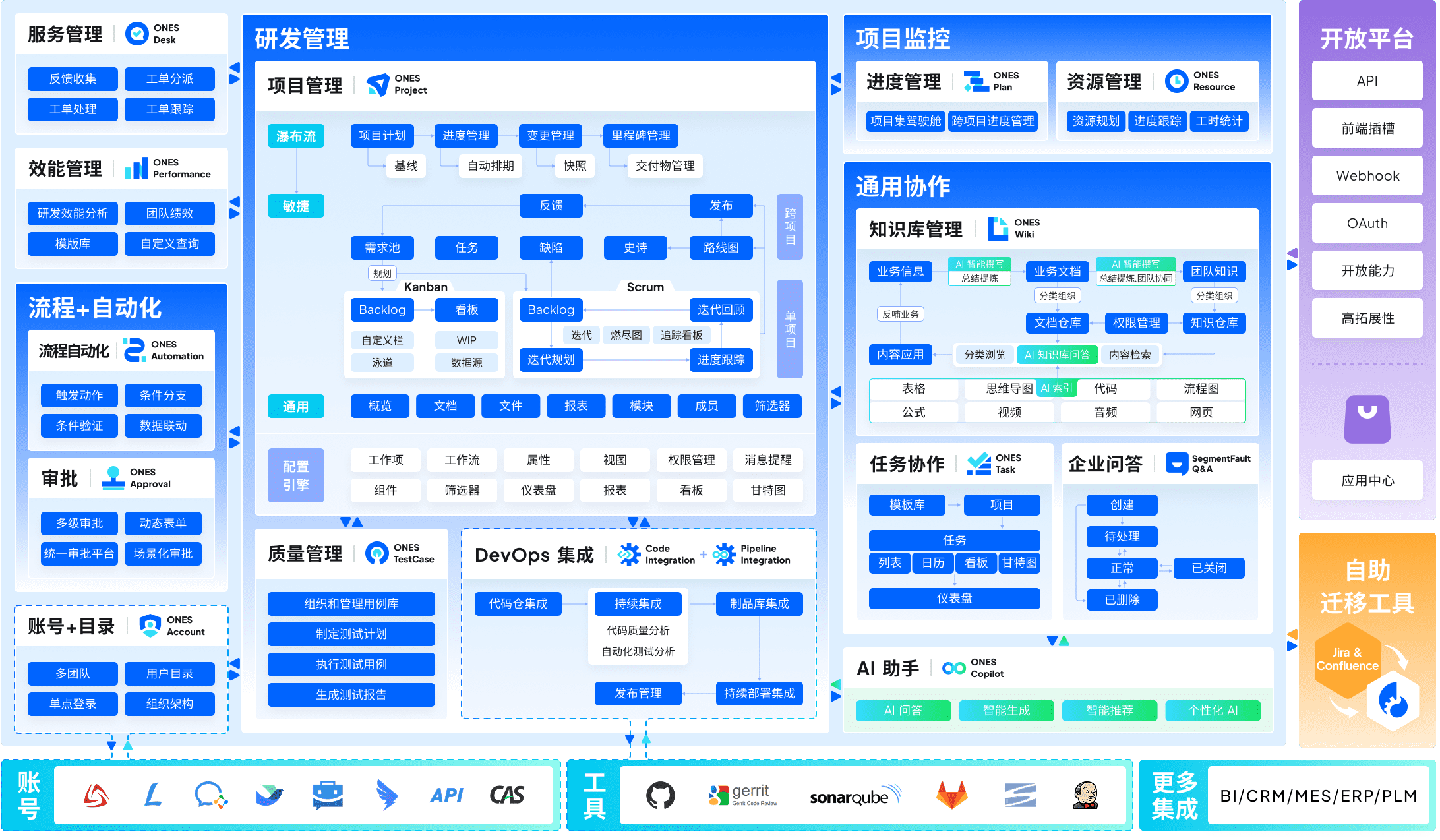
Its structural advantage lies in reducing the cognitive and operational overhead of switching between disconnected systems. For technology organizations with rigorous compliance requirements, intricate approval chains, or distributed team structures, this consolidation translates to measurable efficiency gains.
Pricing
ONES employs enterprise-tier pricing tailored to organizational scale, deployment complexity, and governance requirements. Direct consultation with their team is necessary for accurate quotation.
Strengths
| Capability | Business Impact |
|---|---|
| Unified lifecycle coverage | Project, requirement, knowledge, test, pipeline, and code management within single environment reduces context switching |
| Enterprise governance architecture | Complex workflow configuration, granular permission models, and cross-team collaboration protocols support regulated industries |
| R&D performance analytics | Data-driven delivery quality and efficiency improvement through integrated metrics and benchmarking |
| Scalable administrative control | Multi-level access governance accommodates matrixed organizations and subcontractor engagement |
Considerations
| Limitation | Mitigation Approach |
|---|---|
| Implementation investment | Allocate dedicated onboarding period; leverage professional services for configuration |
| Pricing opacity | Request detailed proposal mapping specific governance and integration requirements |
| Resource requirements | Designate platform administrators with authority to enforce standardization across departments |
ONES vs Jira Comparison
| Dimension | ONES | Jira | Advantage |
|---|---|---|---|
| Integration Depth | Native unified pipeline, test, and code management | Requires Bitbucket, Bamboo, and multiple add-ons | ONES |
| Governance Model | Enterprise-grade permissions and compliance frameworks | Administrative complexity without native compliance tooling | ONES |
| Cross-Functional Alignment | Engineering, product, and business teams within shared environment | Engineering-centric; business adoption typically requires separate tools | ONES |
| Performance Visibility | Integrated R&D metrics and delivery analytics | Requires third-party reporting solutions or manual extraction | ONES |
| Agile Ceremony Support | Configurable sprint and release management | Deep native agile tooling | Jira |
Determination: ONES prevails for organizations prioritizing unified R&D governance, integrated toolchain consolidation, and data-driven performance improvement. Jira retains advantage for teams deeply embedded in specific agile methodologies with established Atlassian ecosystem investments.
Ideal Contexts
- Technology enterprises with 100+ R&D personnel requiring standardized workflow governance
- Organizations managing multiple product lines with interdependent release schedules
- Regulated industries demanding audit trails and compliance documentation
- Companies seeking to replace fragmented toolchains with unified measurement and reporting
2. monday.com — Best Overall Alternative
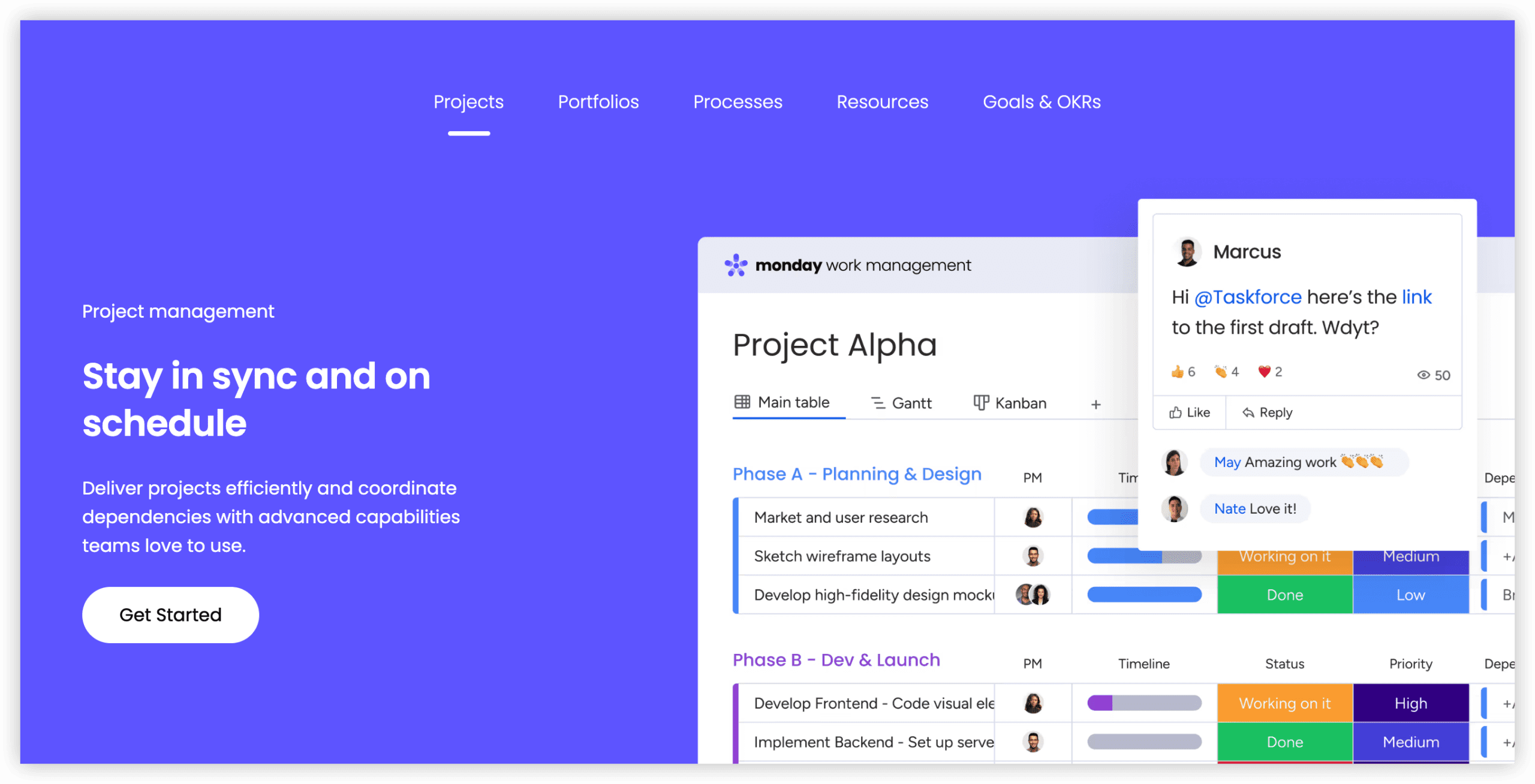
monday.com distinguishes itself through visual workflow design that reduces cognitive load for non-technical contributors. Color-coded boards, intuitive automation construction, and drag-and-drop configuration enable rapid organizational adoption without specialized administrative support.
Pricing
| Plan | Price | Core Capabilities |
|---|---|---|
| Free | $0 (2 users maximum) | 3 boards, 200+ templates, unlimited documents, mobile applications |
| Basic | $12/user/month | Unlimited items, 5GB storage, 250 automations/month, single-board dashboard |
| Standard | $14/user/month | Timeline and Gantt views, calendar, 25,000 automations/month, guest access, 5-board dashboard |
| Pro | $24/user/month | Time tracking, formula columns, private boards, chart view, dependency tracking, 10-board dashboard |
| Enterprise | Custom quotation | Enterprise security, HIPAA compliance, advanced analytics, multi-level permissions, 99.9% SLA |
Strengths
| Capability | Business Impact |
|---|---|
| Rapid adoption | Non-technical contributors operational within days rather than weeks |
| Visual workflow clarity | Color-coded boards, Kanban, timeline, map, and workload views enhance work visibility |
| Universal departmental applicability | Marketing, sales, human resources, and operations function alongside engineering |
| Native resource oversight | Time tracking and workload views included at Pro tier versus Jira’s add-on requirements |
| Substantial free evaluation | Two users, three boards, unlimited documents enable thorough assessment before commitment |
| Mobile excellence | 4.7/5 iOS and 4.5/5 Android ratings support distributed work |
| Code-free automation | 25,000 actions/month (Standard) exceeds Jira’s native automation constraints |
Considerations
| Limitation | Mitigation Approach |
|---|---|
| Smaller integration marketplace than Jira (200+ vs 3,000+) | Primary business tools covered; employ Zapier or Make for specialized connections |
| Reporting depth constrained on lower tiers | Advanced dashboards require Pro plan ($24/user) |
| Automation quotas on entry plans | 250/month on Basic may prove insufficient; Standard tier provides 25,000/month |
| Pro tier cost accumulation | $24/user scales substantially for large teams; evaluate Standard for majority of requirements |
| Limited agile-specific depth | Basic sprint tracking; dedicated scrum practitioners may prefer Linear or Shortcut |
monday.com vs Jira Comparison
| Dimension | monday.com | Jira | Advantage |
|---|---|---|---|
| Usability | Intuitive, minimal training investment | Extended learning curve | monday.com |
| Visualization Breadth | 10+ views (Kanban, timeline, Gantt, map, workload, chart, calendar) | 6 views (board, list, calendar, timeline, reports) | monday.com |
| Departmental Versatility | Architected for all functions | Engineering-optimized | monday.com |
| Onboarding Duration | 2–5 days | 2–4 weeks | monday.com |
| Entry Pricing | Free (2 users); $12/user | Free (10 users); $8.15/user | Jira (more free seats) |
| Integration Volume | 200+ native | 3,000+ marketplace | Jira |
| Agile Depth | Basic sprint tracking | Advanced agile workflows | Jira |
| Resource Oversight | Built-in (Pro+) | Requires Advanced Roadmaps add-on | monday.com |
| Time Tracking | Built-in (Pro+) | Requires Tempo add-on (~$5/user) | monday.com |
Determination: monday.com suits most organizations through superior usability, visual workflow clarity, and cross-department flexibility. Jira maintains position for engineering teams with deep agile methodology commitments.
Ideal Contexts
- Marketing agencies coordinating campaigns, content calendars, and client deliverables
- SaaS companies aligning product, engineering, marketing, and sales functions
- Creative teams tracking design projects, approval workflows, and production timelines
- Operations groups managing processes across organizational boundaries
- Cross-functional entities requiring unified tooling for diverse skill sets
3. ClickUp — Best for Power Users
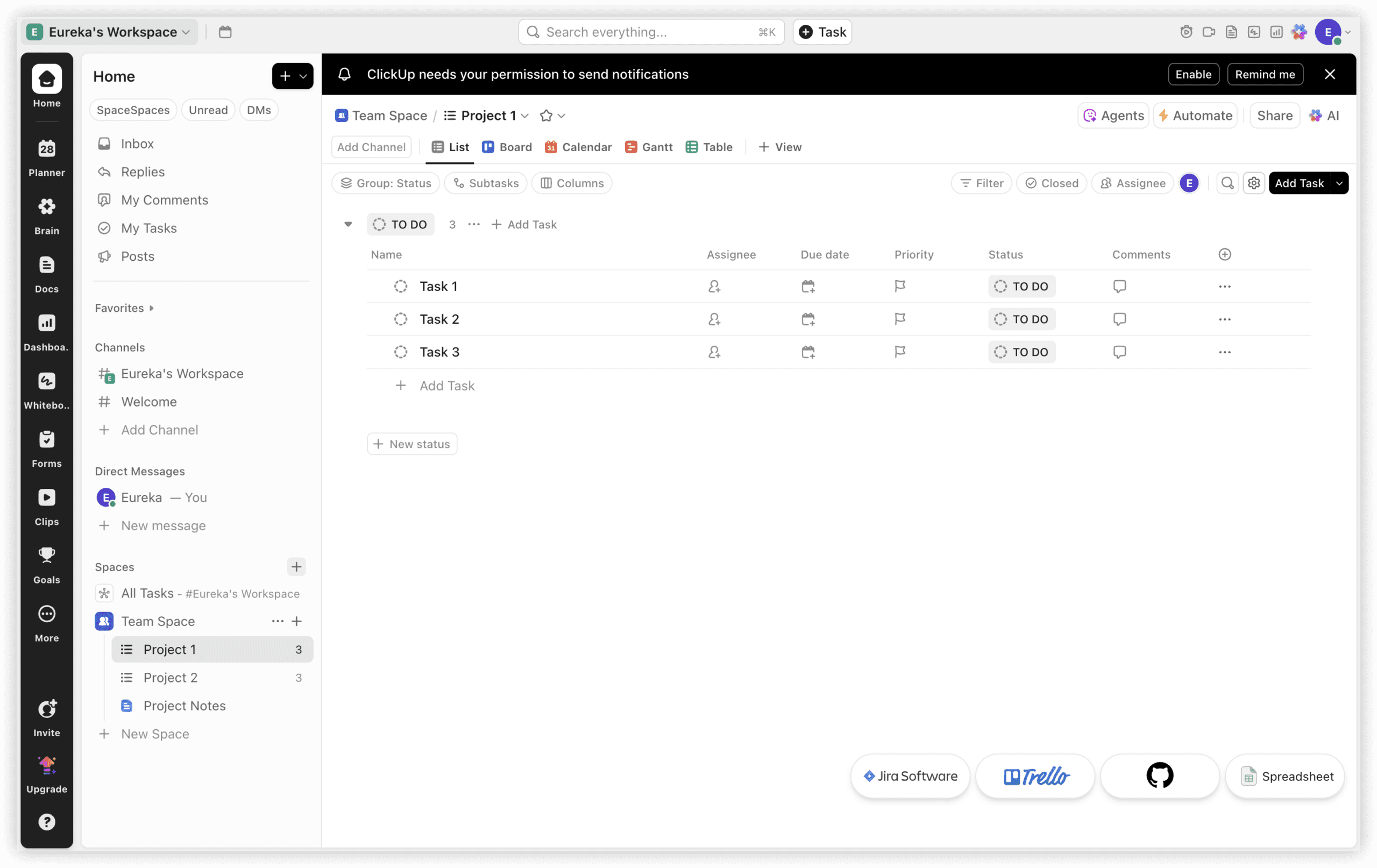
ClickUp positions itself as a comprehensive replacement for multiple discrete applications. Task management, documentation, goal tracking, time recording, and messaging coexist within a single interface. For organizations where Jira’s rigidity constrains workflow experimentation, ClickUp offers expansive customization—though this breadth introduces steeper initial complexity than monday.com.
Pricing
| Plan | Price | Core Capabilities |
|---|---|---|
| Free | $0 (unlimited users) | 100MB storage, unlimited tasks, two-factor authentication, collaborative documents, 100 automations/month |
| Unlimited | $7/user/month | Unlimited storage, integrations, dashboards, Gantt charts, goals, 1,000 automations |
| Business | $12/user/month | Google SSO, advanced automations, timelines, workload management, custom exporting, 10,000 automations |
| Enterprise | Custom quotation | White labeling, enterprise API, advanced permissions, dedicated success manager, SSO, unlimited automations |
Strengths
| Capability | Business Impact |
|---|---|
| Generous free tier | Unlimited users without seat restrictions enable broad team evaluation |
| Tool consolidation | Tasks, documents, goals, time tracking, and messaging replace multiple subscriptions |
| Extensive visualization | List, board, Gantt, calendar, timeline, mind map, workload, map, and additional formats |
| Deep customization | Custom fields, statuses, automations, and dashboards adapt to specialized workflows |
| Competitive pricing | $7/user for unlimited features represents strong value among full-featured platforms |
| Sophisticated automation | Complex multi-step automations without coding; 10,000/month on Business tier |
| Integrated time tracking | Built into all paid tiers without add-on procurement |
Considerations
| Limitation | Mitigation Approach |
|---|---|
| Initial overwhelm | Abundant features confuse new users; implement core capabilities first, expand incrementally |
| Performance under load | Large workspaces or data density cause slowdown; archive completed work regularly |
| Mobile feature gaps | Not all capabilities available on mobile; reserve desktop for full functionality |
| Interface density | UI feels busy compared to Linear or Asana; hide unused views and features |
| Update cadence disruption | Frequent feature changes may destabilize established workflows; designate change review process |
ClickUp vs Jira Comparison
| Dimension | ClickUp | Jira | Advantage |
|---|---|---|---|
| Feature Breadth | Tasks, docs, goals, chat, time tracking, whiteboards | Issues, limited docs, agile boards | ClickUp |
| Customization Depth | Extensive custom fields, statuses, views | Workflows, custom fields, screens | Comparable |
| Entry Price | $7/user (Unlimited) | $8.15/user (Standard) | ClickUp |
| Free Tier | Unlimited users | 10 users | ClickUp |
| Performance | Can slow with heavy usage | Sluggish at enterprise scale | Comparable |
| Agile Maturity | Basic sprint support | Advanced agile ceremonies | Jira |
| Learning Curve | Moderate (1 week) | Steep (2–4 weeks) | ClickUp |
Determination: ClickUp excels for teams seeking maximum capability consolidation at competitive pricing. Jira retains edge for organizations requiring mature agile ceremony support.
Ideal Contexts
- Startups replacing 3–5 separate tools with unified platform
- Remote teams requiring integrated documentation, chat, and project tracking
- Operations teams with complex, non-standard workflow requirements
- Budget-conscious organizations prioritizing feature breadth over specialized depth
4. Linear — Best for Modern Software Teams
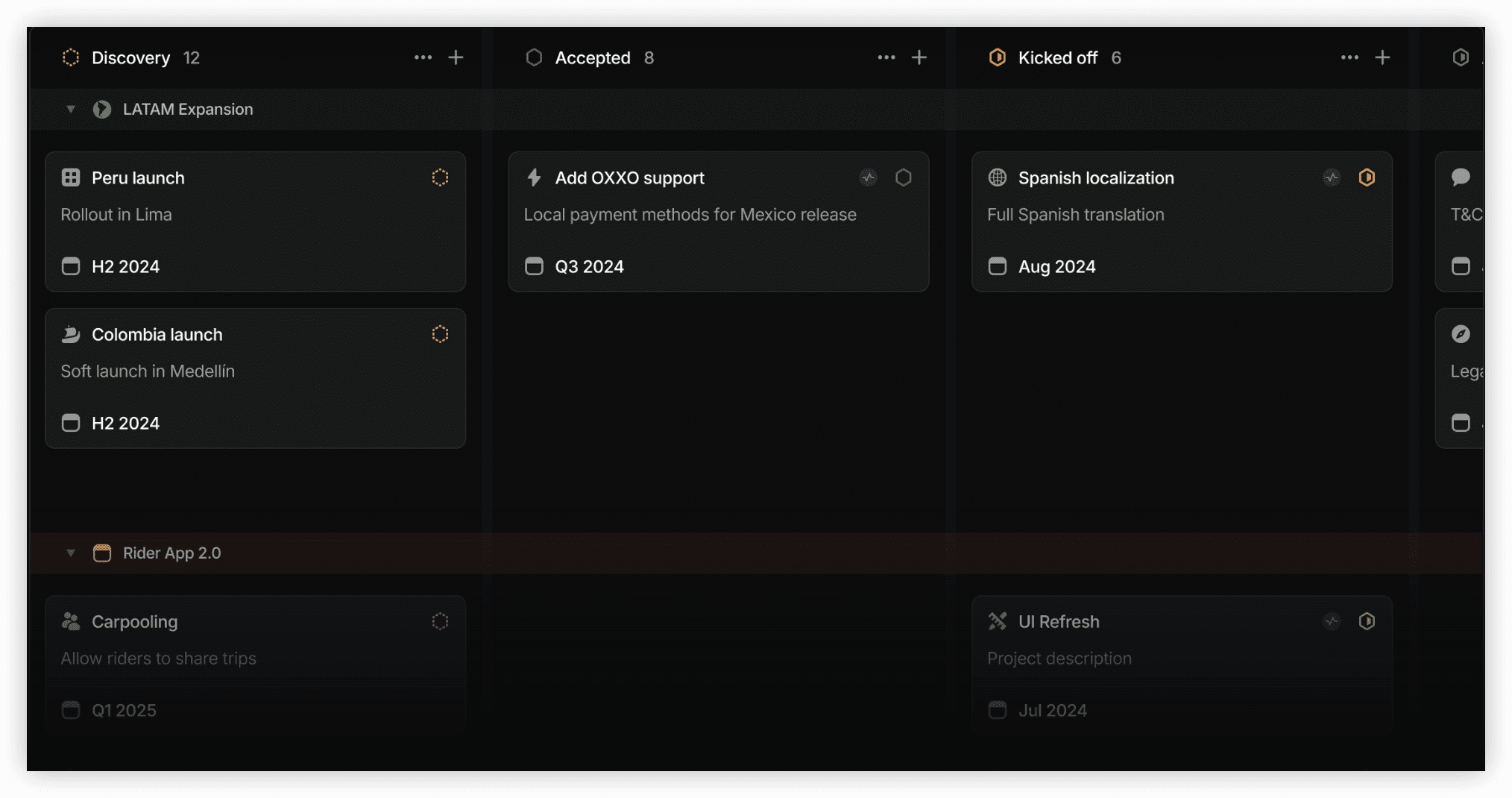
Linear has established itself among product-focused engineering organizations through deliberate design choices that prioritize speed and clarity. Its interface eliminates visual noise, enabling teams to focus on shipping rather than administrative overhead.
Pricing
| Plan | Price | Core Capabilities |
|---|---|---|
| Free | Not available | N/A |
| Standard | $8/user/month | Unlimited issues, cycles, roadmaps, integrations, API access |
| Plus | $14/user/month | Advanced analytics, priority support, custom workflows, guest access |
Strengths
| Capability | Business Impact |
|---|---|
| Velocity-optimized design | Minimal clicks from issue creation to resolution; keyboard-driven navigation |
| Git integration depth | Automatic branch creation, pull request linking, and deployment correlation |
| Performance reliability | Consistent speed regardless of workspace scale |
| Mobile excellence | 4.8/5 rating with full feature parity |
Considerations
| Limitation | Mitigation Approach |
|---|---|
| No free tier | Standard plan required for all usage; evaluate through team trial |
| Limited non-engineering utility | Design and marketing teams may require supplementary tools |
| Restricted integration ecosystem | 50+ native integrations; employ API for specialized connections |
Linear vs Jira Comparison
Linear surpasses Jira in interface responsiveness and modern development workflow alignment. Jira offers broader customization and larger integration marketplace. Linear suits teams prioritizing execution velocity over administrative configurability.
Ideal Contexts
- Product-engineering teams with continuous delivery practices
- Organizations valuing minimal interface friction over extensive customization
- Teams where Git workflow integration is central to daily operations
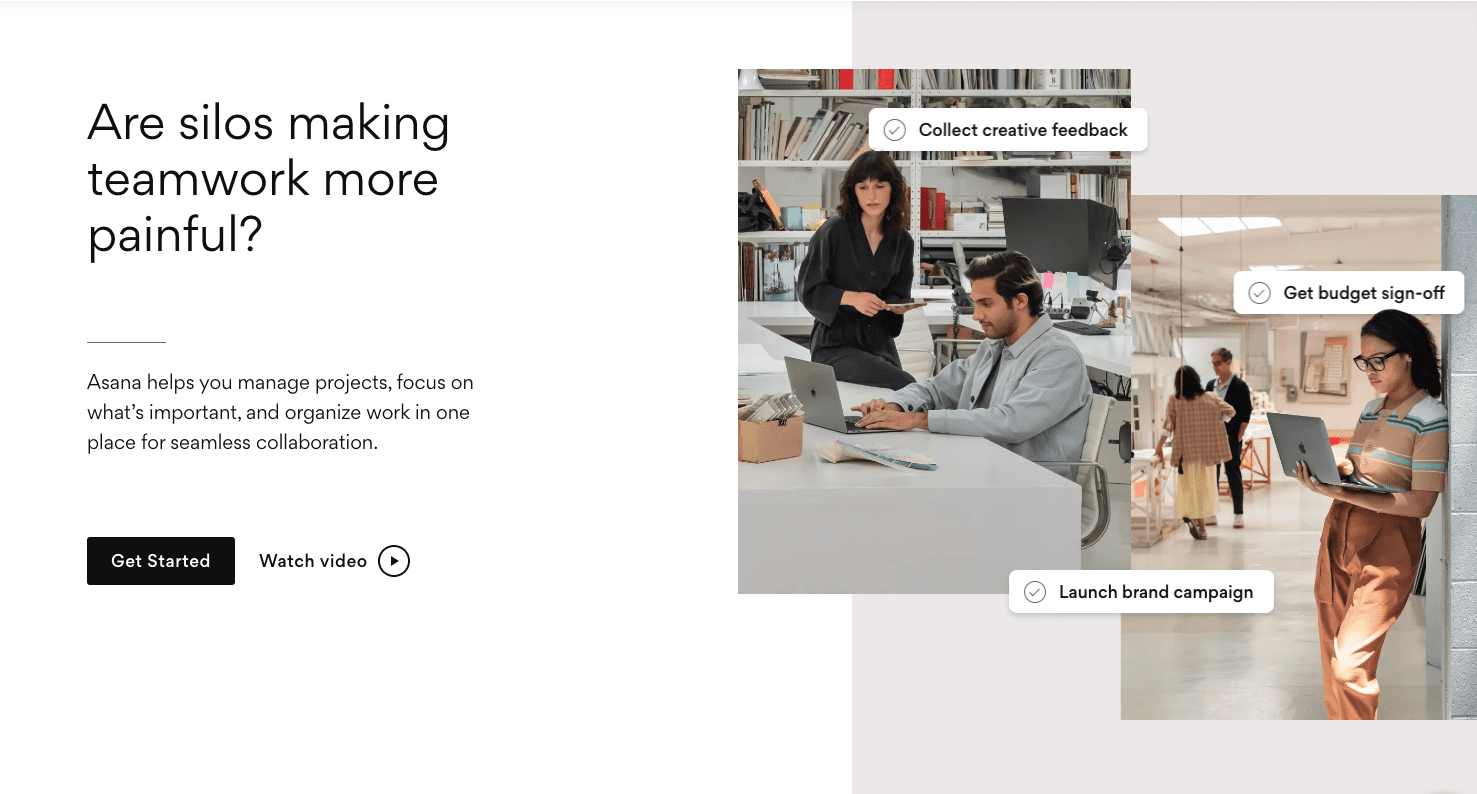
5. Asana — Best for Marketing and Creative Operations
Asana balances structured project management with approachable design, making it particularly effective for teams where creative output and deadline coordination intersect. Its timeline and portfolio views provide leadership visibility without overwhelming individual contributors.
Pricing
| Plan | Price | Core Capabilities |
|---|---|---|
| Basic | $0 (15 users) | Unlimited tasks, projects, messages, activity log, 100MB per file |
| Starter | $10.99/user/month | Timeline, Gantt, custom fields, 500 automations, advanced search |
| Advanced | $24.99/user/month | Portfolios, workload, goals, forms, proofing, 1,000 automations |
| Enterprise | Custom quotation | Admin console, data export, advanced permissions, priority support |
Strengths
| Capability | Business Impact |
|---|---|
| Intuitive task hierarchy | Projects, sections, tasks, and subtasks create clear ownership structures |
| Portfolio oversight | Leadership visibility across multiple initiatives without detail immersion |
| Creative workflow support | Proofing and approval processes tailored to design and content production |
Considerations
| Limitation | Mitigation Approach |
|---|---|
| Engineering feature gaps | Limited sprint and release management; integrate with development tools |
| Cost escalation | Advanced tier ($24.99) required for portfolio and workload features |
Asana vs Jira Comparison
Asana delivers superior accessibility for creative and marketing functions. Jira provides deeper technical project management. Asana succeeds where cross-functional collaboration includes significant non-technical participation.
Ideal Contexts
- Marketing departments managing campaign lifecycles
- Creative agencies with client-facing deliverables
- Organizations where visual timeline communication is essential
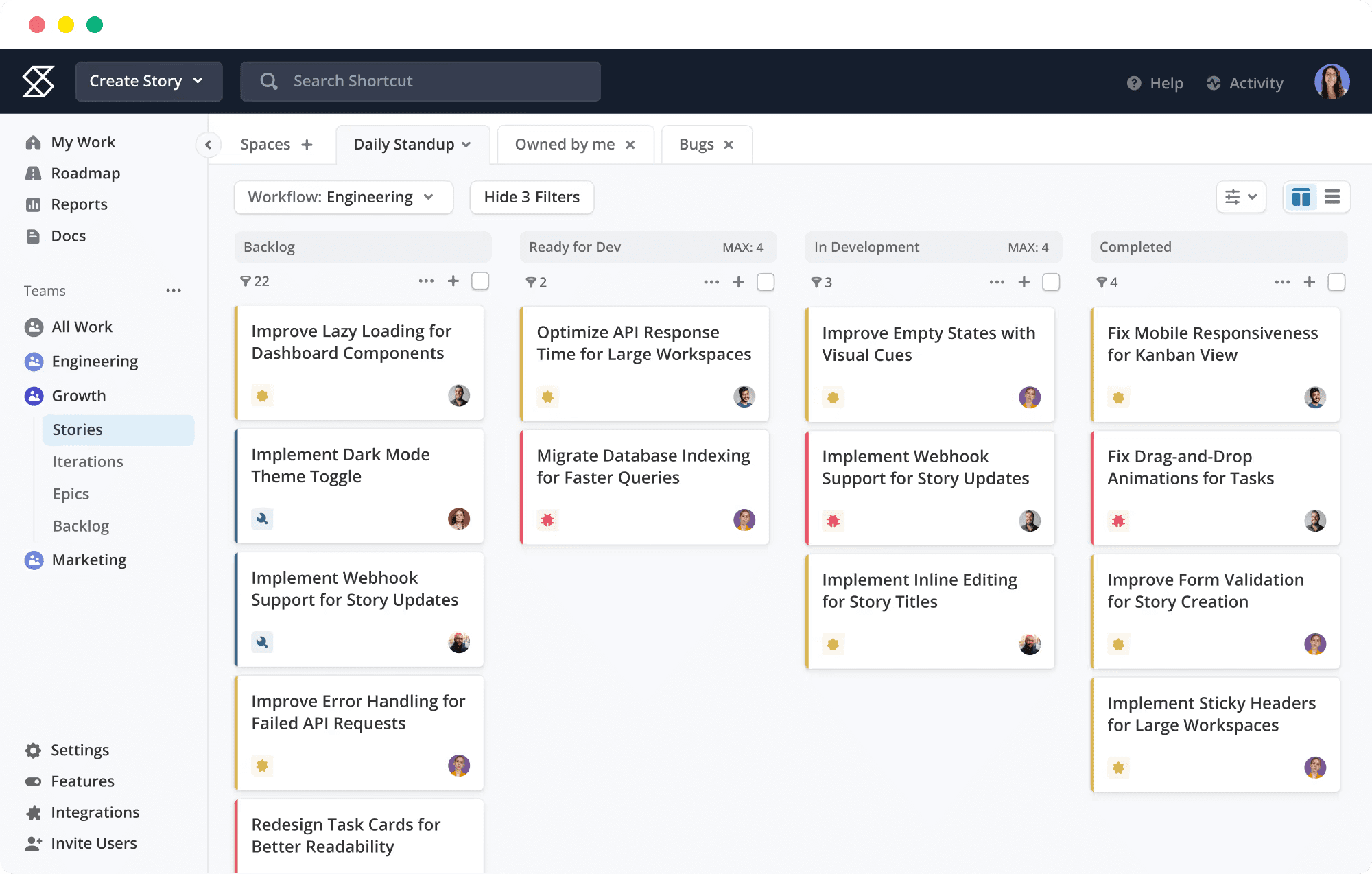
6. Shortcut — Best for Agile Development
Shortcut (formerly Clubhouse) occupies a middle ground between Linear’s minimalism and Jira’s comprehensiveness. It preserves agile ceremony support while maintaining cleaner interface design than Atlassian’s platform.
Pricing
| Plan | Price | Core Capabilities |
|---|---|---|
| Free | $0 (up to 10 users) | Unlimited stories, epics, iterations, basic reporting |
| Team | $8.50/user/month | Advanced reporting, milestones, roadmaps, integrations |
| Business | $12/user/month | Priority support, advanced permissions, custom fields |
Strengths
Agile-native terminology (stories, epics, iterations), roadmap visualization connecting daily work to strategic objectives, and reasonable pricing for full agile feature sets.
Considerations
Smaller ecosystem than Jira, limited non-engineering applicability, and less brand recognition affecting talent familiarity.
Shortcut vs Jira Comparison
Shortcut offers comparable agile functionality with reduced configuration burden. Jira provides enterprise scale and marketplace depth. Shortcut suits teams seeking agile rigor without administrative overhead.
Ideal Contexts
- Mid-size engineering teams practicing scrum or kanban
- Organizations transitioning from Jira seeking simplified administration
- Startups requiring agile structure without enterprise complexity
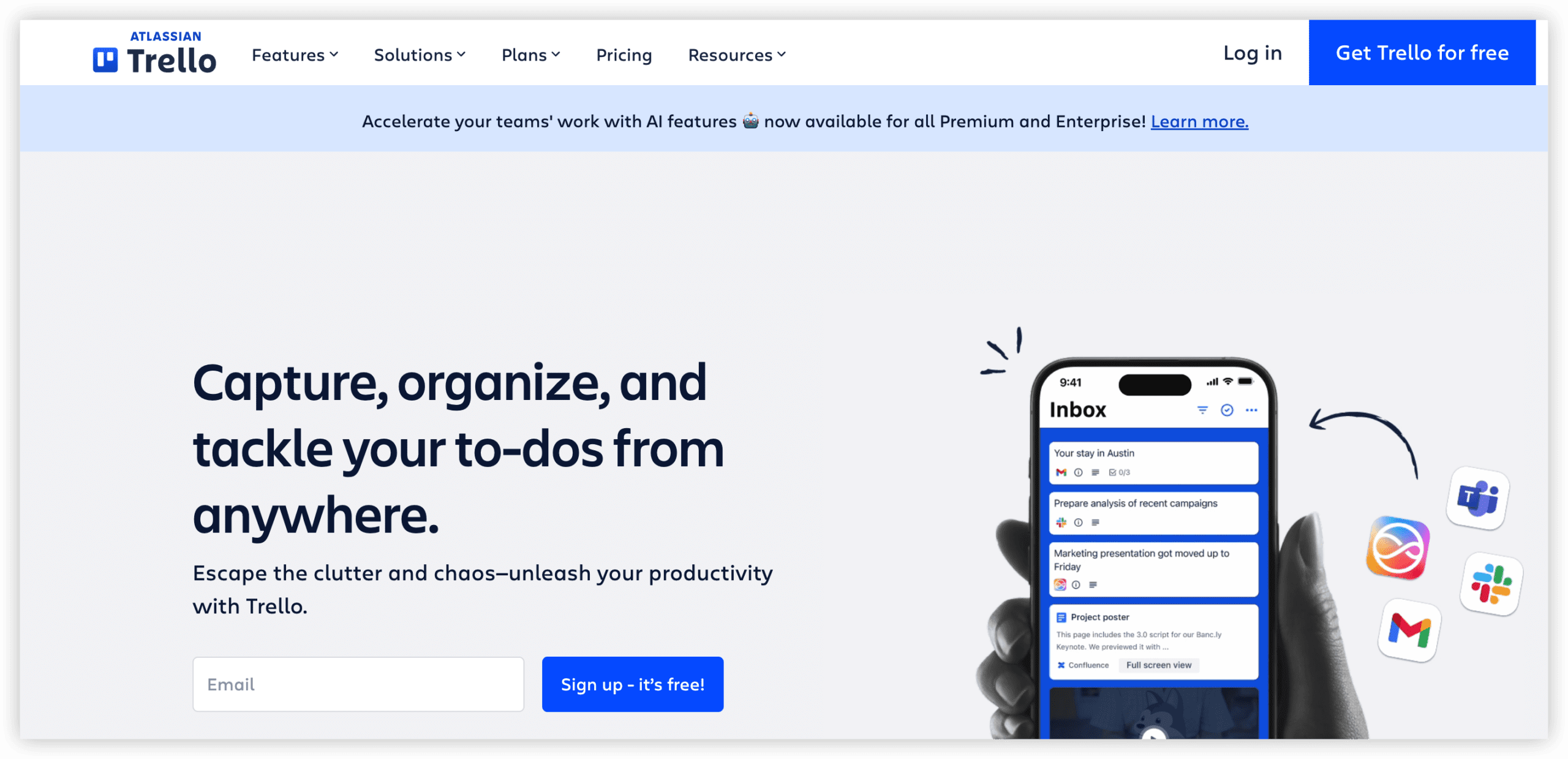
7. Trello — Best for Simple Kanban
Trello’s card-based interface remains the most accessible entry point for teams requiring basic visual task management. Atlassian’s ownership provides integration pathway for organizations that may eventually need Jira’s depth.
Pricing
| Plan | Price | Core Capabilities |
|---|---|---|
| Free | $0 (unlimited cards, 10 boards) | Unlimited cards, 10 boards, basic integrations, mobile apps |
| Standard | $5/user/month | Unlimited boards, advanced checklists, custom fields, 1,000 automations |
| Premium | $10/user/month | Timeline, dashboard, calendar, map views, unlimited automations |
Strengths
Immediate usability without training, visual clarity for simple workflows, and low cost of entry for small teams.
Considerations
Scalability constraints for complex projects, limited reporting and analytics, and Atlassian ecosystem lock-in for growing teams.
Trello vs Jira Comparison
Trello excels for simplicity and speed. Jira provides depth and customization. Trello serves as stepping stone or permanent solution for teams with straightforward requirements.
Ideal Contexts
- Individual freelancers and small teams
- Simple approval and tracking workflows
- Organizations testing kanban methodology before deeper investment
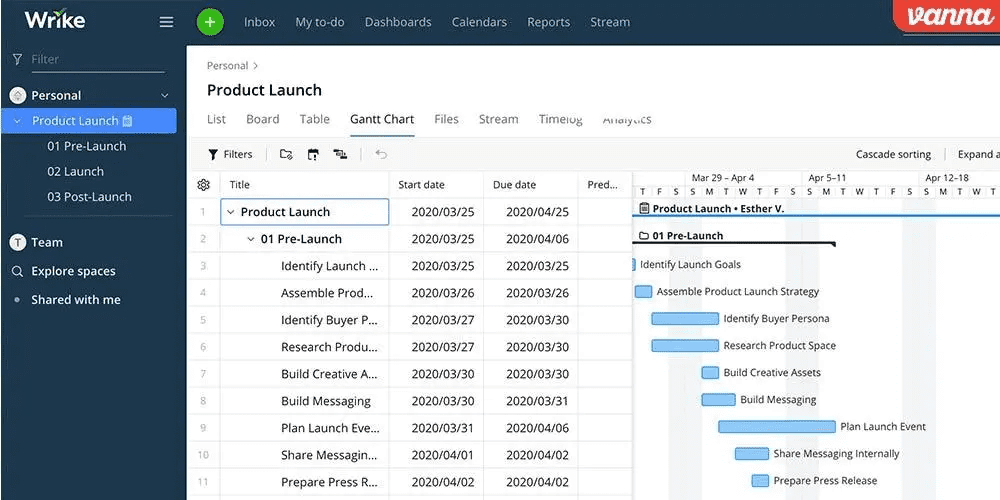
8. Wrike — Best for Enterprise Project Management
Wrike delivers enterprise-grade project management with robust resource planning, time tracking, and financial oversight capabilities. Its structure accommodates complex organizational hierarchies and cross-functional program management.
Pricing
| Plan | Price | Core Capabilities |
|---|---|---|
| Free | $0 (limited features) | Basic task management, shared tasks, file sharing |
| Team | $9.80/user/month | Full project planning, collaboration, 2GB storage per user |
| Business | $24.80/user/month | Custom workflows, time tracking, reports, request forms, 5GB storage |
| Enterprise | Custom quotation | Advanced security, two-factor authentication, admin permissions, 10GB storage |
Strengths
Resource workload visualization, financial tracking and budgeting integration, and enterprise security certifications.
Considerations
Interface complexity approaching Jira’s level, higher cost for full functionality, and steeper adoption curve than monday.com or Asana.
Wrike vs Jira Comparison
Wrike matches Jira’s enterprise ambition with stronger resource and financial management. Jira offers deeper agile and development integration. Wrike suits organizations where project portfolio financial oversight is paramount.
Ideal Contexts
- Professional services firms with billable hour tracking
- Enterprise program management offices
- Organizations requiring resource capacity planning across departments
9. Notion — Best for Documentation with Light Tracking
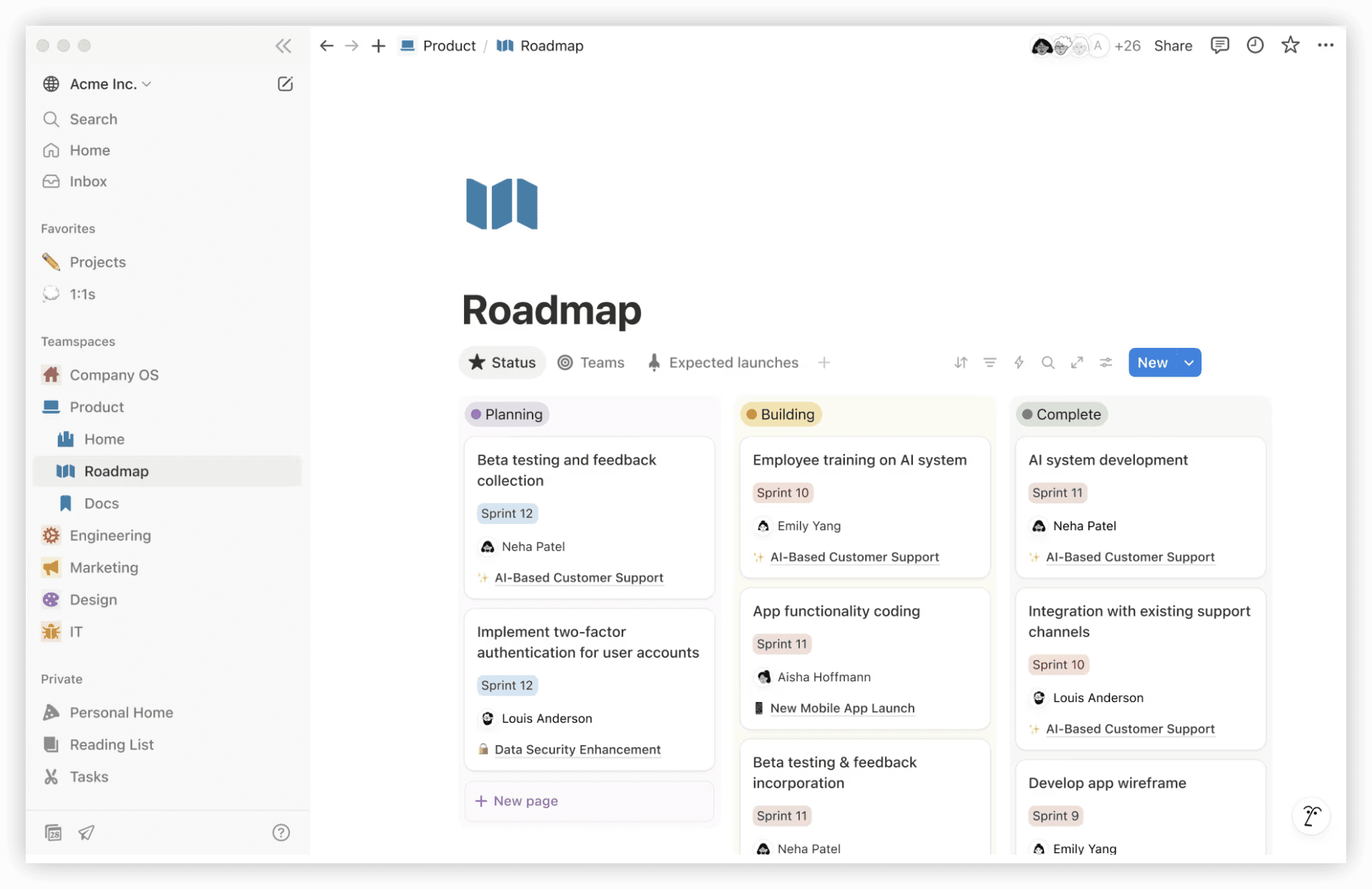
Notion’s flexible block-based architecture enables teams to construct custom workspaces combining documentation, databases, and light project management. Its strength lies in knowledge centralization rather than dedicated project execution.
Pricing
| Plan | Price | Core Capabilities |
|---|---|---|
| Free | $0 (personal use) | Unlimited pages, blocks, file uploads up to 5MB, 7-day page history |
| Plus | $8/user/month | Unlimited file uploads, 30-day page history, 100 guests |
| Business | $15/user/month | SAML SSO, private teamspaces, 90-day page history, 250 guests |
| Enterprise | Custom quotation | Advanced security, audit log, unlimited page history, dedicated success manager |
Strengths
Exceptional documentation flexibility, database views enabling light project tracking, and strong team knowledge base construction.
Considerations
Project management features require manual construction, performance degradation with large databases, and limited native integrations compared to dedicated tools.
Notion vs Jira Comparison
Notion surpasses Jira as knowledge repository and flexible workspace. Jira dominates structured project execution and agile support. Notion complements rather than replaces dedicated project management for most teams.
Ideal Contexts
- Teams prioritizing documentation and knowledge sharing
- Startups building operational playbooks and process libraries
- Organizations seeking lightweight tracking alongside robust wiki functionality
10. Azure DevOps — Best for Microsoft-Centric Environments
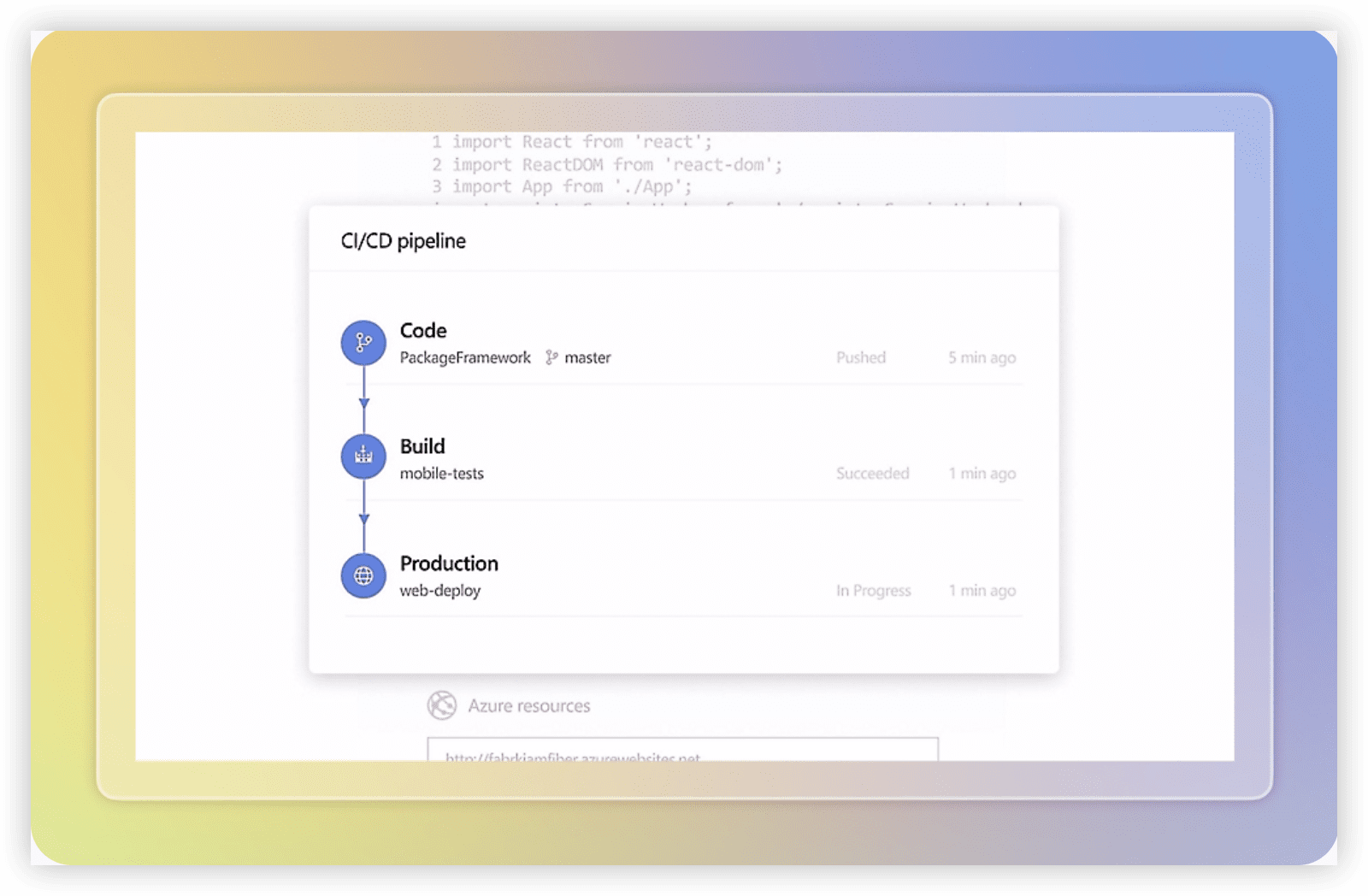
Azure DevOps provides integrated development tooling for organizations embedded within Microsoft’s ecosystem. Its pipelines, repositories, and testing tools align with enterprise Microsoft deployments.
Pricing
| Component | Price |
|---|---|
| Azure Repos, Pipelines (public projects) | Free |
| Azure Pipelines (private projects) | Free tier: 1,800 minutes/month; $6 per additional parallel job |
| Azure Boards | Free (first 5 users); $6/user/month beyond |
| Azure Test Plans | $52/user/month |
Strengths
Native Microsoft ecosystem integration, comprehensive CI/CD pipeline capabilities, and enterprise-grade security and compliance frameworks.
Considerations
Complexity for non-technical users, fragmented module architecture, and learning curve for teams unfamiliar with Microsoft development patterns.
Azure DevOps vs Jira Comparison
Azure DevOps offers superior Microsoft integration and CI/CD depth. Jira provides broader cross-functional applicability and larger third-party ecosystem. Azure DevOps serves Microsoft-committed development organizations.
Ideal Contexts
- Enterprises with substantial Azure and Microsoft 365 investments
- Development teams requiring integrated build and release pipelines
- Organizations with strict Microsoft-centric security and compliance requirements
Selection Framework: Decision Matrix
| Organizational Priority | Recommended Platform | Rationale |
|---|---|---|
| Enterprise R&D governance, unified toolchain, data-driven improvement | ONES | Integrated lifecycle management with performance analytics and complex permission architecture |
| Fastest adoption across technical and non-technical teams | monday.com | Visual interface minimizes training investment |
| Maximum feature consolidation at lowest cost | ClickUp | Comprehensive replacement for multiple subscriptions |
| Engineering velocity and minimal interface friction | Linear | Optimized for modern software development workflows |
| Creative and marketing workflow coordination | Asana | Intuitive hierarchy with portfolio oversight |
| Agile ceremonies without administrative overhead | Shortcut | Native agile terminology and reasonable configuration |
| Minimal complexity, immediate usability | Trello | Simplest kanban implementation |
| Enterprise resource and financial tracking | Wrike | Robust capacity and budget management |
| Knowledge centralization with light tracking | Notion | Flexible documentation architecture |
| Microsoft ecosystem integration | Azure DevOps | Native alignment with Azure and Microsoft 365 |
Key Evaluation Questions
Before committing to migration, assess your organization’s position on these dimensions:
- What is your primary frustration with Jira? Interface complexity, cost escalation, performance degradation, or functional gaps determine which alternative addresses root causes.
- Which departments must adopt the replacement? Engineering-only migrations permit specialized tools; cross-functional requirements demand more accessible platforms.
- What is your realistic training budget? Factor hidden costs of administrator specialization, user onboarding time, and productivity dip during transition.
- Which existing tools must integrate? Evaluate native integration availability versus API development requirements.
- How will you measure migration success? Define adoption rate, time-to-value, and operational efficiency metrics before transition.
Frequently Asked Questions
Which Jira alternative offers the most straightforward migration path?
Migration complexity depends on data volume, custom field density, and workflow intricacy. monday.com and ClickUp provide structured import utilities for Jira exports. ONES offers enterprise migration services for large-scale transitions. Engage vendor professional services for complex instances exceeding 1,000 issues or extensive custom field configurations.
Can these alternatives replicate Jira’s agile reporting capabilities?
Linear and Shortcut provide comparable sprint and velocity analytics. monday.com and ClickUp require more configuration for equivalent reporting depth. ONES delivers enterprise-grade metrics with integrated R&D performance analytics. Evaluate whether your teams actively utilize Jira’s reporting or merely tolerate its complexity.
What is the true cost comparison including implementation?
First-year costs include subscription, implementation services, training, and productivity adjustment period. Jira’s apparent price advantage often erodes through mandatory add-ons. ONES and enterprise-tier alternatives typically include implementation support in quoted pricing. Request three-year total cost projections from vendors.
How do these platforms handle Jira’s extensive plugin ecosystem?
No alternative replicates all 3,000+ Jira marketplace applications. Identify your five most critical integrations and verify native availability or API accessibility. ONES, monday.com, and ClickUp offer substantial native integration libraries. Linear’s smaller ecosystem prioritizes development tool connections.
Is it advisable to migrate gradually or implement complete replacement?
Gradual migration reduces risk but extends dual-system overhead. Complete replacement forces full commitment and faster value realization. For teams exceeding 50 members, phased departmental migration often succeeds. Smaller teams benefit from decisive transition. ONES and monday.com provide structured change management methodologies for enterprise transitions.