400-188-1518
15 Best Jira Alternatives & Competitors for Agile Teams in 2026
15 Best Jira Alternatives & Competitors for Agile Teams in 2026
Evaluating a replacement for Jira? Below are 15 platforms worth considering in 2026, each positioned for different organizational priorities:
- ONES — Best for enterprise-grade integrated R&D management
- ClickUp — Best for customizable cross-functional project management
- Asana — Best for streamlined task and project workflows
- Monday.com — Best for workflow automation with usability emphasis
- Smartsheet — Best for spreadsheet-oriented project tracking
- Taskade — Best for real-time collaborative workspaces
- Zendesk — Best for embedding customer service into project operations
- Wrike — Best for navigating complex, multi-layered projects
- Notion — Best for content-driven workflow orchestration
- ProofHub — Best for unified project planning environments
- Assembla — Best for version control integration
- Pivotal Tracker — Best for iterative development tracking
- Bugzilla — Best for software build and defect management
- Hygger — Best for prioritization frameworks in Agile contexts
- Backlog by Nulab — Best for issue tracking with version control
What to Prioritize When Replacing Jira
Before committing to a migration, assess candidates against these operational requirements:
Agile Framework Compatibility
Verify native support for Scrum and Kanban, including backlog grooming, sprint planning interfaces, velocity tracking, and burndown visualization. The tool should accommodate your team’s specific ceremonial needs without forcing process compromises.
Planning and Scheduling Depth
Robust alternatives provide dependency mapping, critical path analysis, milestone anchoring, and resource-level scheduling—not merely task lists with due dates.
Task Granularity and Visibility
Seek multi-assignee support, threaded contextual discussions, custom field architectures, and flexible subtask hierarchies that prevent information fragmentation across execution layers.
Collaborative Infrastructure
Distributed teams require embedded communication channels, synchronous and asynchronous interaction modes, file versioning, and knowledge capture mechanisms that reduce context-switching overhead.
Analytical and Reporting Sophistication
Leadership needs actionable visibility: cycle time distributions, throughput trends, bottleneck identification, and predictive forecasting rather than static status dashboards.
Scalability Architecture
Evaluate performance characteristics under concurrent user load, project volume expansion, and data accumulation scenarios relevant to your 3-5 year growth trajectory.
Interface Learnability
Adoption resistance directly undermines tool ROI. Prioritize logical information architecture, progressive disclosure patterns, and structured onboarding pathways that accelerate proficiency curves.
Adaptability and Configuration Range
The platform should permit workflow state customization, dashboard personalization, and notification governance aligned with your operational conventions rather than imposing rigid templates.
Integration Ecosystem Breadth
API maturity, webhook flexibility, pre-built connectors for your existing toolchain, and bidirectional data synchronization reduce manual bridging overhead and error surfaces.
Comparative Overview at a Glance
| Platform | Primary Strength | Typical Adopters | Entry Pricing |
|---|---|---|---|
| ONES | Unified R&D lifecycle governance | Mid-to-large engineering organizations | Custom enterprise pricing |
| ClickUp | AI-augmented customization depth | Cross-functional teams, PMOs | Free; $19/user/month (Business) |
| Asana | Workflow clarity without complexity | Marketing, Operations, Leadership | Free; $30.49/user/month (Business) |
| Monday.com | Automation accessibility | Product, Sales, HR, PMO | Free; $24/user/month (Pro) |
| Smartsheet | Spreadsheet paradigm extension | IT Operations, Strategic Planning | Free; $32/user/month (Business) |
| Taskade | Real-time multi-modal collaboration | Project teams, Marketing | Free; $16/user/month (Plus) |
| Zendesk | Service-delivery integration | Customer Support, Success | $69-$149/agent/month |
| Wrike | Complex project accommodation | Professional Services, Creative | Free; $24.80/user/month (Business) |
| Notion | Content-workflow convergence | Design, Engineering, Product | Free; $18/user/month (Plus) |
| ProofHub | Consolidated planning stack | Product Development, Creative | $50-$99/month (flat) |
| Assembla | Source code-project linkage | Software teams, DevOps | $21/user/month |
| Pivotal Tracker | Story-driven iteration | Pure Agile development teams | Free; Enterprise custom |
| Bugzilla | Defect lifecycle rigor | Open-source, security-conscious teams | Free (open source) |
| Hygger | Prioritization methodology support | Scrum/Kanban practitioners | Free; $18/user/month (Standard) |
| Backlog by Nulab | Issue-version control unification | QA, Design, Development, IT | Free; $175/month (Premium, 30 users) |
Detailed Platform Evaluations
1. ONES — Best for Enterprise-Grade Integrated R&D Management
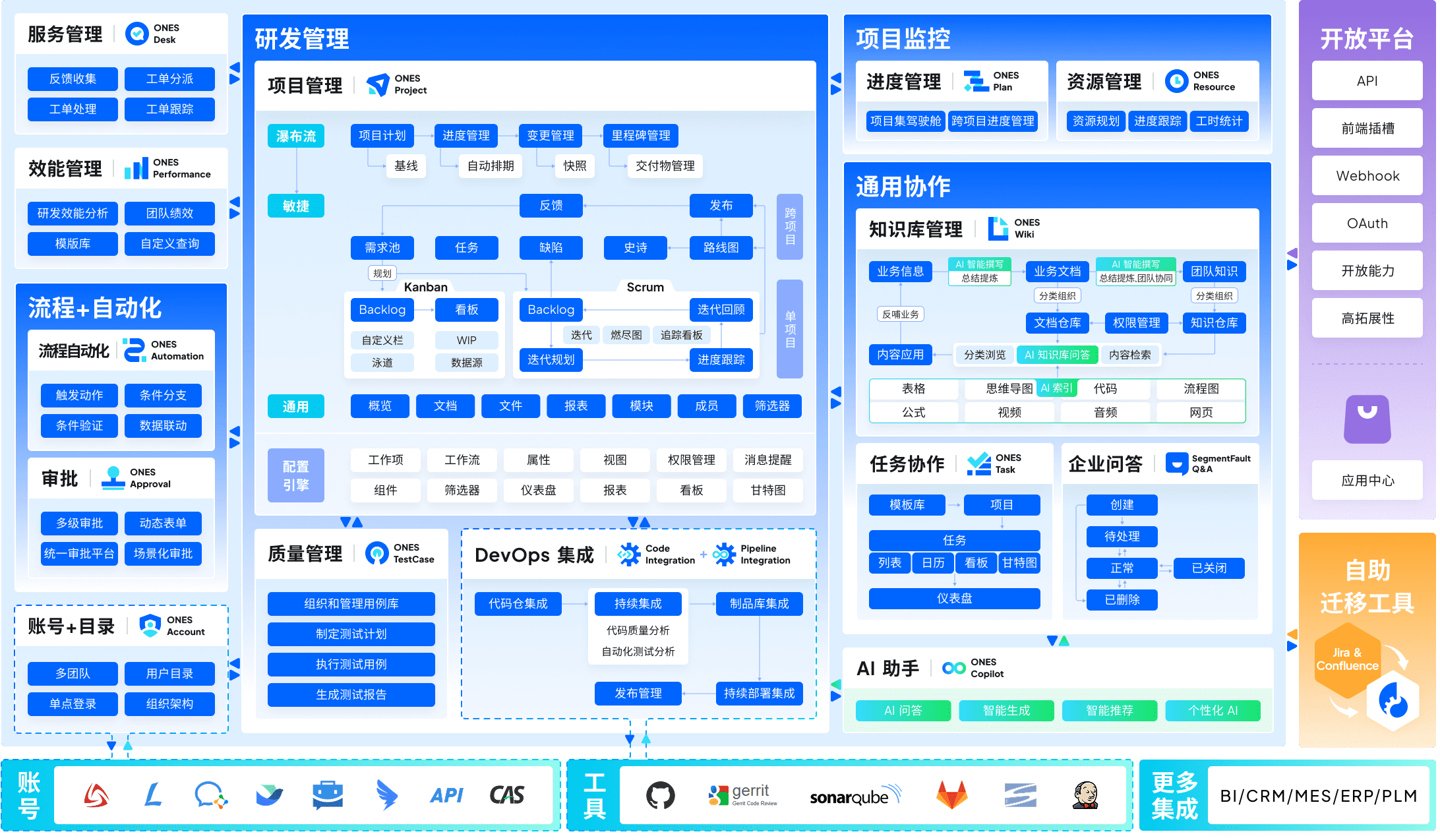
ONES occupies a distinctive position in this landscape as a purpose-built enterprise R&D management platform rather than a generalist project tool retrofitted for engineering contexts.
The platform’s architectural premise centers on reducing toolchain fragmentation—a persistent source of friction in sizable engineering organizations. By consolidating project management, requirements engineering, knowledge repositories, test management, CI/CD pipeline visibility, and code asset governance within a unified data model, ONES eliminates the synchronization tax imposed by multi-tool environments.
For organizations operating at scale, ONES delivers sophisticated workflow configuration capabilities, granular permission architectures, and cross-functional collaboration governance that accommodates matrixed reporting structures and distributed team topologies. The platform particularly emphasizes engineering effectiveness measurement, providing leadership with quantitative foundations for delivery quality and throughput improvement initiatives.
Organizations navigating complex regulatory requirements, managing hundreds of concurrent contributors, or seeking to establish consistent R&D operational standards across business units will find ONES’s governance-oriented design philosophy aligned with their constraints.
2. ClickUp — Best for Customizable Cross-Functional Project Management
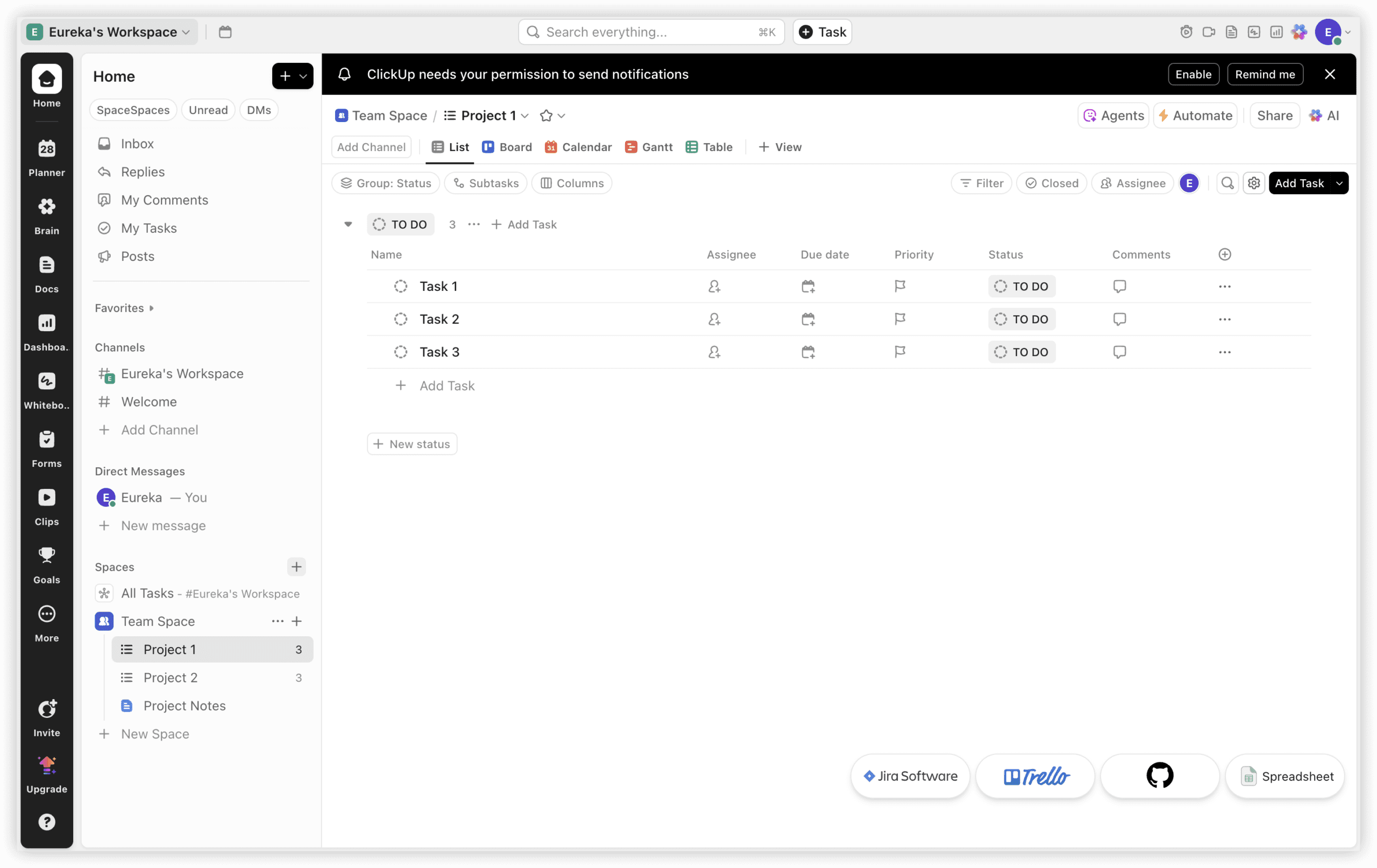
ClickUp approaches the project management space through an aggregation strategy, positioning itself as an operational hub spanning departmental boundaries. The platform’s configurability permits PMO, engineering, marketing, finance, and talent functions to coexist without forcing homogenized workflow templates.
A notable architectural decision is the native integration of synchronous communication (ClickUp Chat) with asynchronous work artifacts. This convergence reduces the information scattering that occurs when conversations live in separate systems from tasks and documentation. The platform’s whiteboarding capabilities support ideation-to-execution transitions without external tool invocation.
ClickUp’s Gantt visualization and dependency management are included natively, contrasting with Jira’s plugin-dependent approach to timeline representation. The platform’s AI layer provides automated task generation from conversational context, reducing manual transcription overhead.
3. Asana — Best for Streamlined Task and Project Workflows
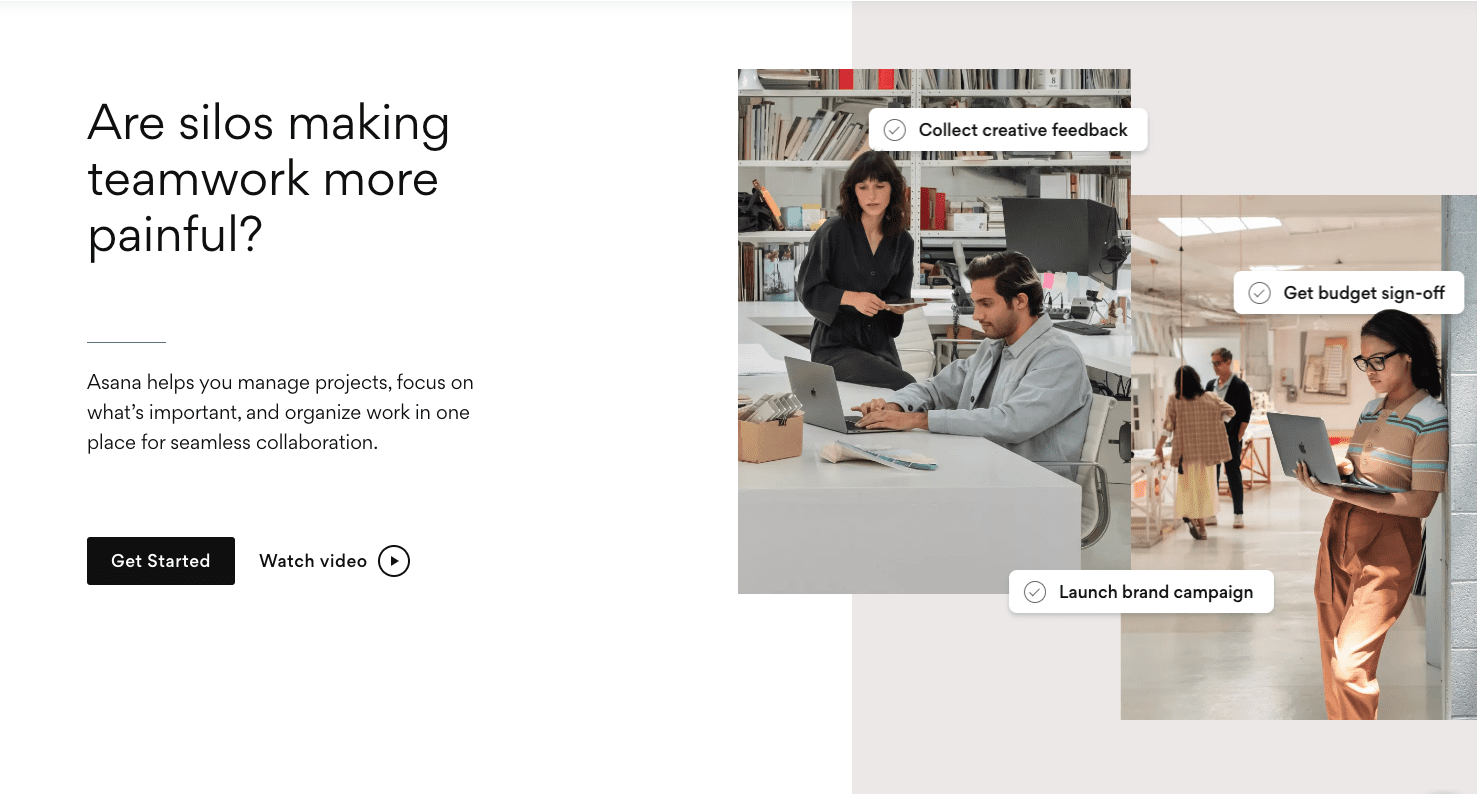
Asana pursues clarity through restraint, offering structured project visualization without the configuration complexity that burdens some competitors. The platform’s design philosophy prioritizes rapid team onboarding and consistent usage patterns over deep customization.
Timeline and portfolio views provide sufficient planning visibility for most operational contexts, while workload balancing prevents resource overallocation. Asana’s automation builder accommodates recurring workflow patterns without requiring scripting proficiency.
The platform demonstrates particular strength in marketing and operational use cases where process standardization matters more than technical workflow intricacy. Integration breadth with common business applications reduces friction for teams embedded in established software ecosystems.
4. Monday.com — Best for Workflow Automation with Usability Emphasis
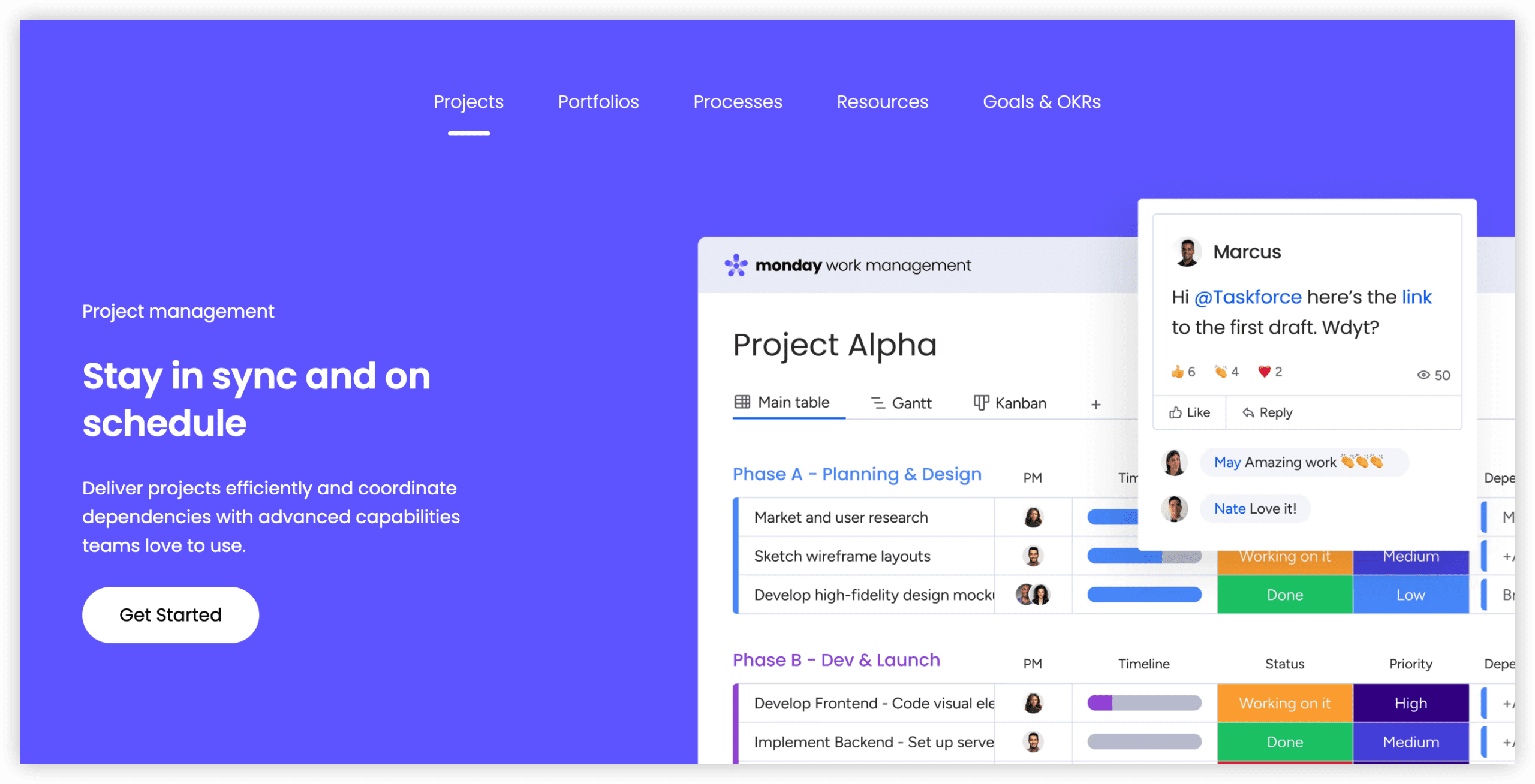
Monday.com distinguishes itself through visual workflow construction and accessible automation authoring. The platform’s building-block interface enables non-technical users to assemble functional workflows without implementation support.
Automation templates address common patterns—status propagation, notification routing, deadline adjustment—while custom automation supports organization-specific logic. The platform’s dashboard capabilities aggregate cross-project intelligence for stakeholder consumption.
Monday.com’s adoption profile spans marketing, product, sales, and HR functions, reflecting its generalist orientation. The platform’s mobile experience maintains functional parity with desktop interfaces, supporting field-based and traveling contributors.
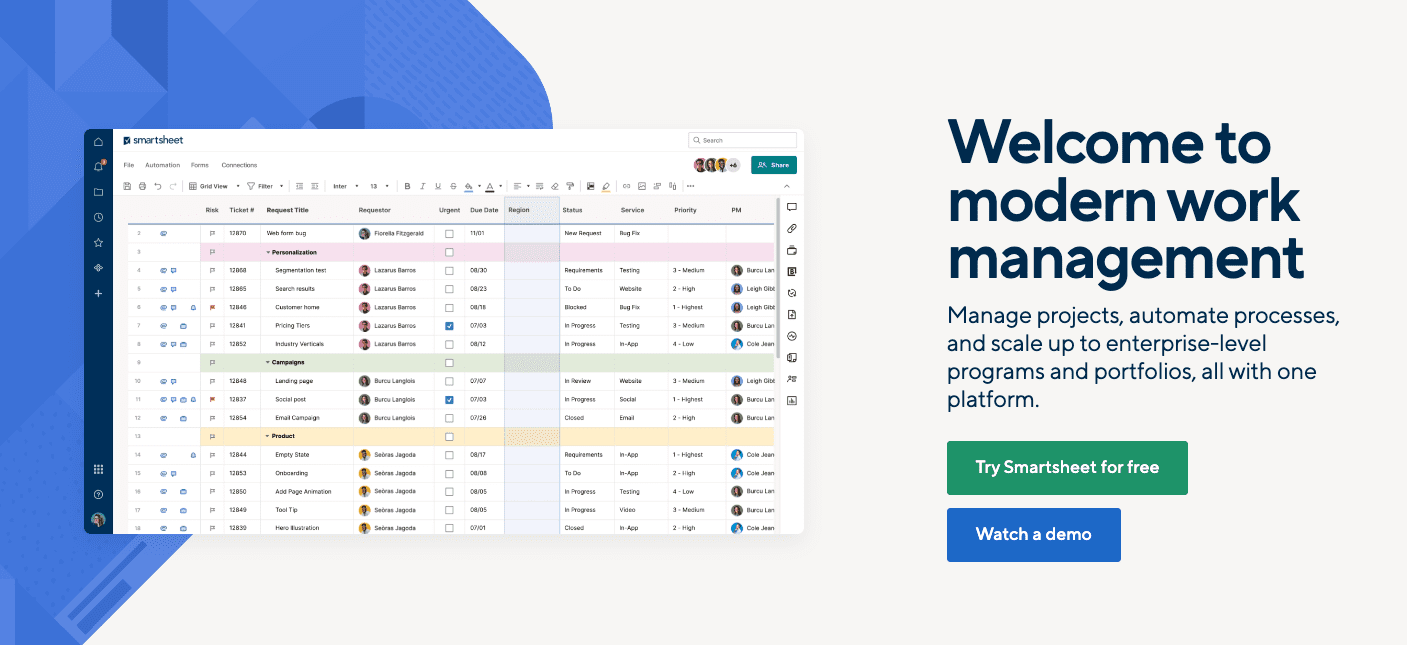
5. Smartsheet — Best for Spreadsheet-Oriented Project Tracking
Smartsheet extends familiar spreadsheet interaction patterns into structured project management, reducing retraining burden for organizations with heavy Excel investment. The platform preserves formula flexibility while adding project-specific capabilities: dependency calculation, critical path highlighting, and resource allocation matrices.
Enterprise governance features include granular sharing controls, audit logging, and compliance certifications that satisfy regulated industry requirements. Smartsheet’s report builder enables cross-sheet aggregation for program-level visibility.
The platform attracts IT operations, strategic planning, and marketing teams seeking to elevate existing spreadsheet practices without abandoning established mental models or migrating data to unfamiliar paradigms.
6. Taskade — Best for Real-Time Collaborative Workspaces
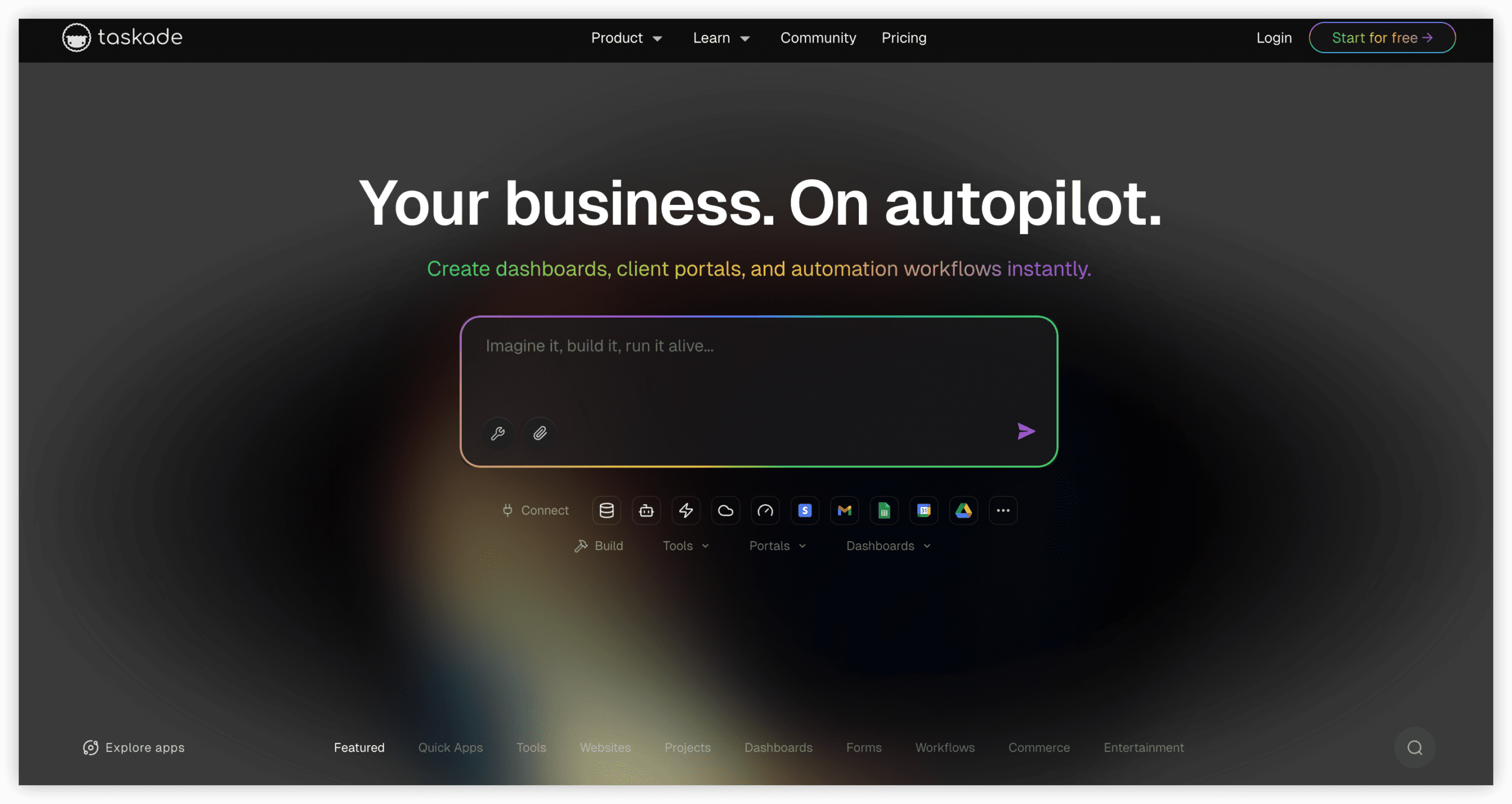
Taskade organizes work around collaborative documents that simultaneously function as task hierarchies, knowledge bases, and communication channels. This structural unity eliminates the friction of transitioning between planning, execution, and documentation modes.
The platform supports video conferencing embedded within project contexts, enabling synchronous decision-making without application switching. AI-assisted content generation accelerates meeting preparation, status documentation, and requirement elaboration.
Taskade’s appeal concentrates in teams valuing fluid collaboration over rigid process enforcement, particularly in creative and exploratory work phases where structure emerges iteratively rather than being predefined.
7. Zendesk — Best for Embedding Customer Service into Project Operations
Zendesk extends beyond traditional helpdesk functionality to connect customer interaction data with internal project execution. Support ticket escalation, feature request aggregation, and bug reporting feed directly into development backlog prioritization.
The platform’s strength lies in closing the feedback loop between customer-facing teams and product engineering, ensuring that voice-of-customer data informs roadmap decisions rather than dissipating in disconnected systems.
Pricing reflects Zendesk’s enterprise service orientation, with plans structured around agent volumes rather than generic user counts. Organizations with substantial customer support operations and tight product-feedback integration requirements benefit most from this specialized positioning.
8. Wrike — Best for Navigating Complex, Multi-Layered Projects
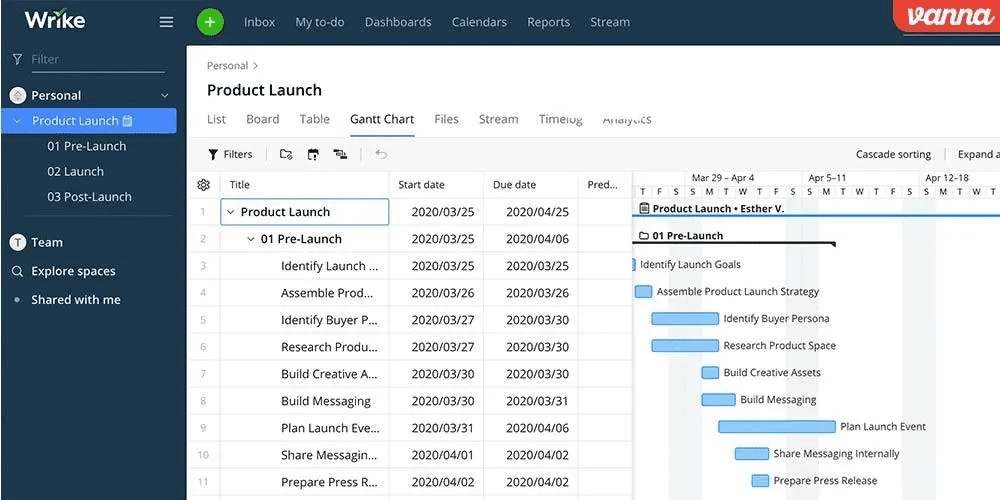
Wrike addresses the challenges of sophisticated project environments through nested work breakdown structures, cross-project dependency mapping, and resource management at portfolio scale. The platform accommodates both predictive and adaptive methodologies within unified governance frameworks.
Custom request forms standardize intake processes, while approval workflows enforce quality gates. Time tracking and effort estimation support capacity planning and earned value analysis for fixed-scope engagements.
Professional services organizations, creative agencies, and PMO-led enterprises with heterogeneous project portfolios represent Wrike’s core adoption base. The platform’s complexity carries corresponding onboarding investment, rewarding organizations with sufficient scale to absorb the learning curve.
9. Notion — Best for Content-Driven Workflow Orchestration
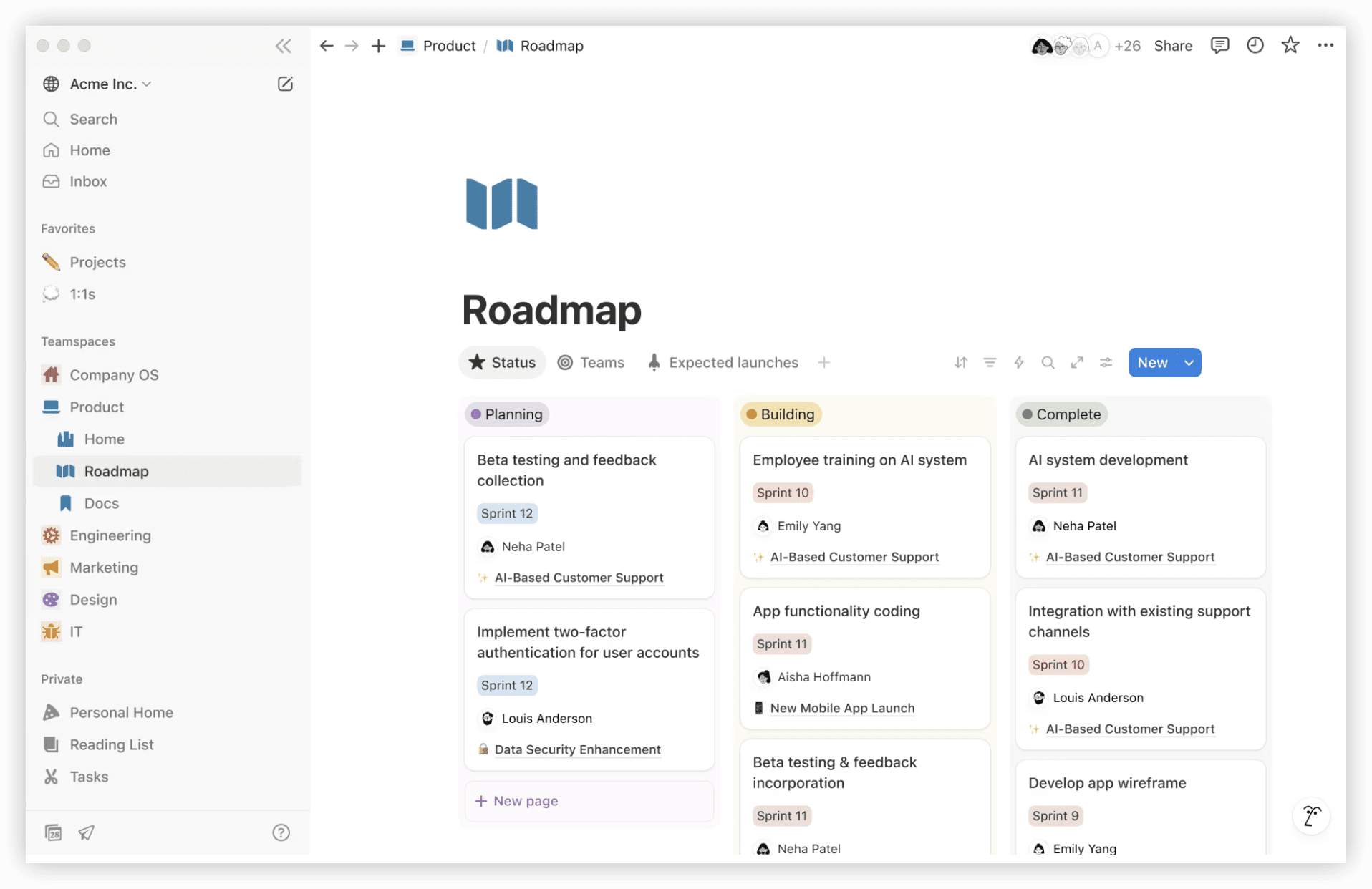
Notion’s fundamental abstraction is the block—a composable content unit that can represent text, data, media, or embedded functionality. This flexibility enables teams to construct bespoke operational systems combining documentation, databases, and lightweight project tracking.
The platform excels where knowledge work and project execution interleave: product requirement documents with linked task tracking, design system documentation with component status, or onboarding playbooks with progress checklists.
Notion’s database capabilities support filtered views, relational linking, and formula-derived fields, though they lack the computational depth of dedicated project management engines. Teams prioritizing information coherence over scheduling sophistication find favorable trade-offs.
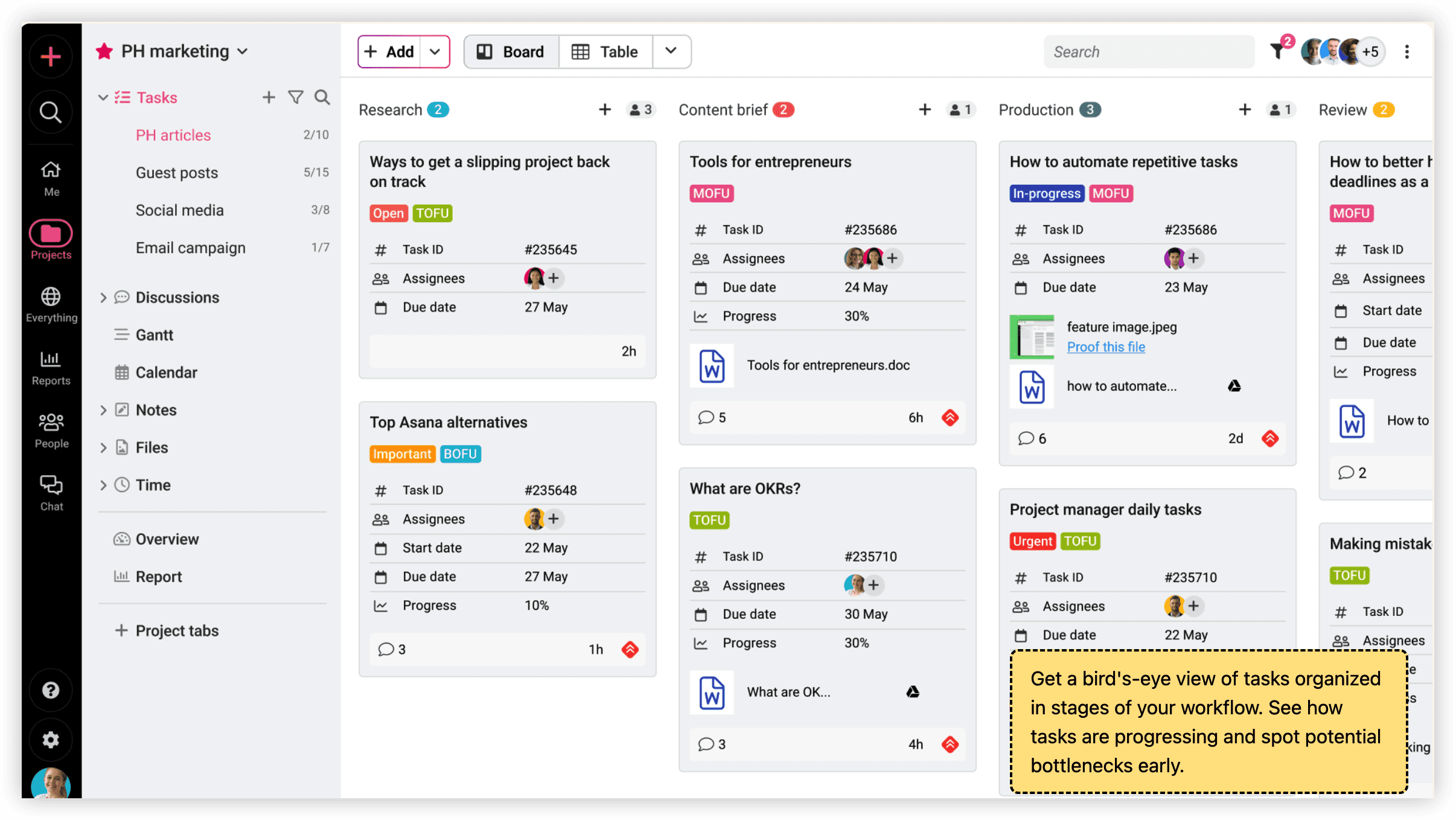
10. ProofHub — Best for Unified Project Planning Environments
ProofHub adopts a flat-rate pricing model uncommon in per-seat SaaS structures, offering predictable cost scaling for growing teams. The platform integrates task management, discussion forums, proofing workflows, and time tracking within a single subscription boundary.
The proofing capability merits particular attention: annotated review cycles for creative assets reduce email-thread fragmentation and version confusion. Custom roles and access levels accommodate client collaboration without exposing internal operational detail.
Flat pricing advantages diminish for smaller teams but become increasingly favorable as headcount expands, making ProofHub economically distinctive for mid-size organizations with broad platform adoption.
11. Assembla — Best for Version Control Integration
Assembla targets software teams requiring tight coupling between source code repositories and project management artifacts. Subversion, Git, and Perforce hosting integrates with ticket tracking, code review, and release management within unified security and access governance.
The platform serves regulated environments and outsourced development arrangements where code custody and audit trails carry compliance significance. Security certifications and deployment flexibility (cloud, private cloud, on-premises) address enterprise infrastructure requirements.
Assembla’s specialization limits appeal for non-technical teams but delivers concentrated value for organizations where version control and project tracking separation creates operational friction.
12. Pivotal Tracker — Best for Iterative Development Tracking
Pivotal Tracker maintains disciplined adherence to story-driven Agile practice, with velocity-based planning, automatic iteration scheduling, and emergent scope management. The platform enforces specific methodological conventions rather than accommodating heterogeneous approaches.
This opinionated design proves advantageous for teams seeking to establish or reinforce Agile discipline, while constraining organizations with hybrid or evolved methodologies. The collaborative story estimation interface facilitates team alignment on complexity assessment.
Tracker’s free tier supports small teams, with enterprise pricing for scaled adoption. The platform’s longevity in the Agile tooling space reflects consistent execution against a well-defined use case rather than feature expansion.
13. Bugzilla — Best for Software Build and Defect Management
Bugzilla represents the open-source tradition in defect tracking, offering extensible issue lifecycle management without licensing expenditure. The platform’s maturity manifests in comprehensive customization options, advanced query capabilities, and established integration patterns with development tools.
Self-hosted deployment satisfies security and data residency requirements that preclude SaaS alternatives. The active maintenance community ensures continued relevance despite the absence of commercial marketing investment.
Bugzilla’s interface reflects its origins in developer-centric design, prioritizing functional density over contemporary aesthetic conventions. Organizations with technical administration capacity and budget constraints find compelling value propositions.
14. Hygger — Best for Prioritization Frameworks in Agile Contexts
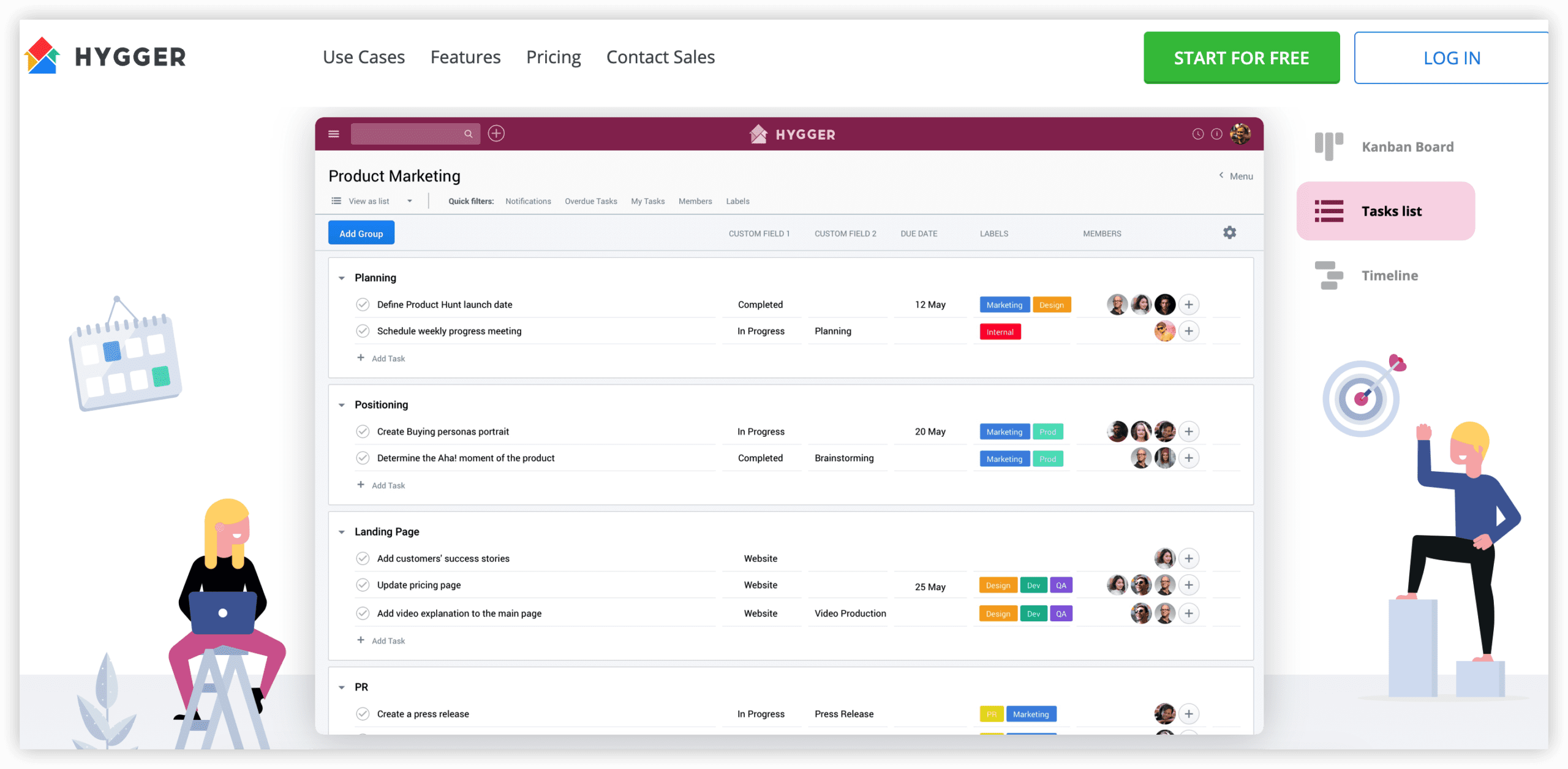
Hygger distinguishes itself through structured prioritization methodologies: value-effort matrices, weighted scoring models, and RICE framework implementation. These capabilities address the common Agile challenge of backlog ordering beyond intuitive judgment.
The platform supports both Scrum and Kanban execution modes, with roadmap visualization connecting strategic themes to tactical delivery. Swimlane and WIP limit configurations enforce flow discipline for Kanban practitioners.
Hygger’s positioning serves teams seeking to inject analytical rigor into prioritization decisions without the administrative overhead of spreadsheet-based scoring or the complexity of enterprise portfolio management tools.
15. Backlog by Nulab — Best for Issue Tracking with Version Control
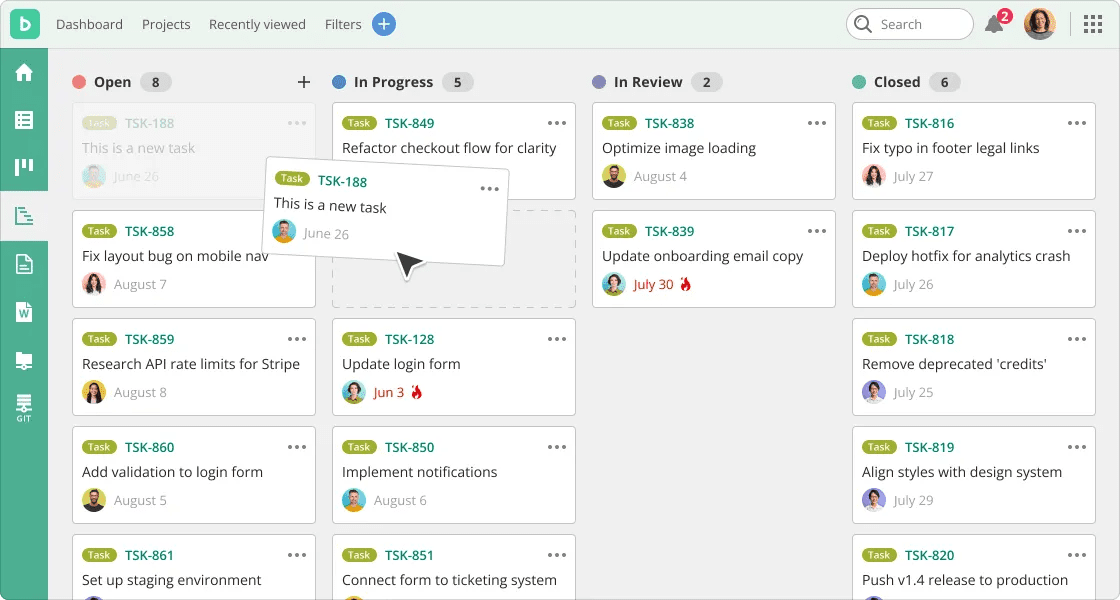
Backlog integrates issue management with Git and SVN repositories, enabling traceability from requirement through commit to deployment. The platform’s wiki and file sharing capabilities reduce peripheral tool requirements for small-to-mid-size development teams.
Gantt chart visualization supports waterfall-adjacent planning within fundamentally Agile tooling. Burndown and velocity reporting provide standard Scrum metrics without external calculation.
Backlog’s pricing structure includes a generous free tier for small teams, with graduated paid plans accommodating growth. The platform’s Japanese origin reflects in certain interface conventions, though internationalization supports global deployment.
Selection Guidance: Matching Platform to Organizational Context
The optimal Jira replacement depends on organizational maturity, scale, and operational priorities:
- Enterprise engineering organizations with complex governance requirements, cross-functional R&D coordination needs, and measurement-driven improvement programs should evaluate ONES as the primary candidate.
- Cross-functional organizations seeking departmental unification without forcing engineering-centric tooling on non-technical teams find ClickUp’s configurability advantageous.
- Process-disciplined Agile teams benefit from Pivotal Tracker’s methodological enforcement or Hygger’s prioritization structure.
- Spreadsheet-native organizations minimize change trauma through Smartsheet’s paradigm extension.
- Customer-integrated product teams leverage Zendesk’s service-delivery convergence.
- Budget-constrained technical teams with administration capacity sustain Bugzilla or Pivotal Tracker’s free tiers.
Migration planning should include data export validation, workflow reconstruction effort estimation, parallel operation periods, and adoption metric definition. The technical substitution proves simpler than the operational transition—organizational change management distinguishes successful migrations from shelfware deployments.
Frequently Asked Questions
What factors most commonly drive Jira replacement decisions?
Escalating subscription costs without proportional capability expansion, configuration complexity exceeding team administrative capacity, poor cross-functional usability for non-technical stakeholders, and performance degradation at scale constitute primary migration motivators. Integration gaps with modern development workflows and dissatisfaction with Atlassian’s support responsiveness also contribute.
How should organizations approach data migration from Jira?
Audit existing project structures for redundancy and archival candidacy before migration rather than replicating accumulated complexity. Validate export format compatibility with target platforms, establish field mapping conventions preserving historical traceability, and plan for workflow state translation where conceptual models differ. Parallel operation during transition periods reduces risk.
Do free alternatives provide sufficient capability for professional use?
Free tiers from ClickUp, Asana, Monday.com, and others accommodate small teams and evaluation phases. Sustained professional use typically requires paid features: advanced permissions, reporting, automation, and support. Open-source options (Bugzilla, self-managed instances) eliminate subscription costs but impose infrastructure and expertise requirements that constitute hidden operational expenditure.
What timeline should organizations expect for productive adoption?
Simple task management transitions complete within weeks. Workflow reconstruction with custom configurations requires 1-3 months. Organizational habit formation and proficiency development extend 3-6 months for complex implementations. Training investment, change champion identification, and incremental rollout sequencing accelerate adoption curves.
How important is native Agile support versus configurable methodology accommodation?
Teams with established Scrum or Kanban practice benefit from native support reducing configuration burden. Organizations with evolved or hybrid methodologies require configurability accommodating bespoke processes. Platform philosophy alignment with actual team practice predicts adoption success more strongly than feature checklist comparison.