400-188-1518
ClickUp vs Monday.com 2026: Small Team Project Management Comparison
Choosing the right project management platform can determine whether your small team operates efficiently or drowns in administrative overhead. After evaluating the leading solutions on the market, I’ve identified six tools worth considering for teams of 5–15 people in 2026.
- ONES — Best for engineering and product teams needing end-to-end R&D lifecycle management
- ClickUp — Best for teams demanding maximum flexibility and customization
- Monday.com — Best for teams prioritizing rapid adoption and intuitive design
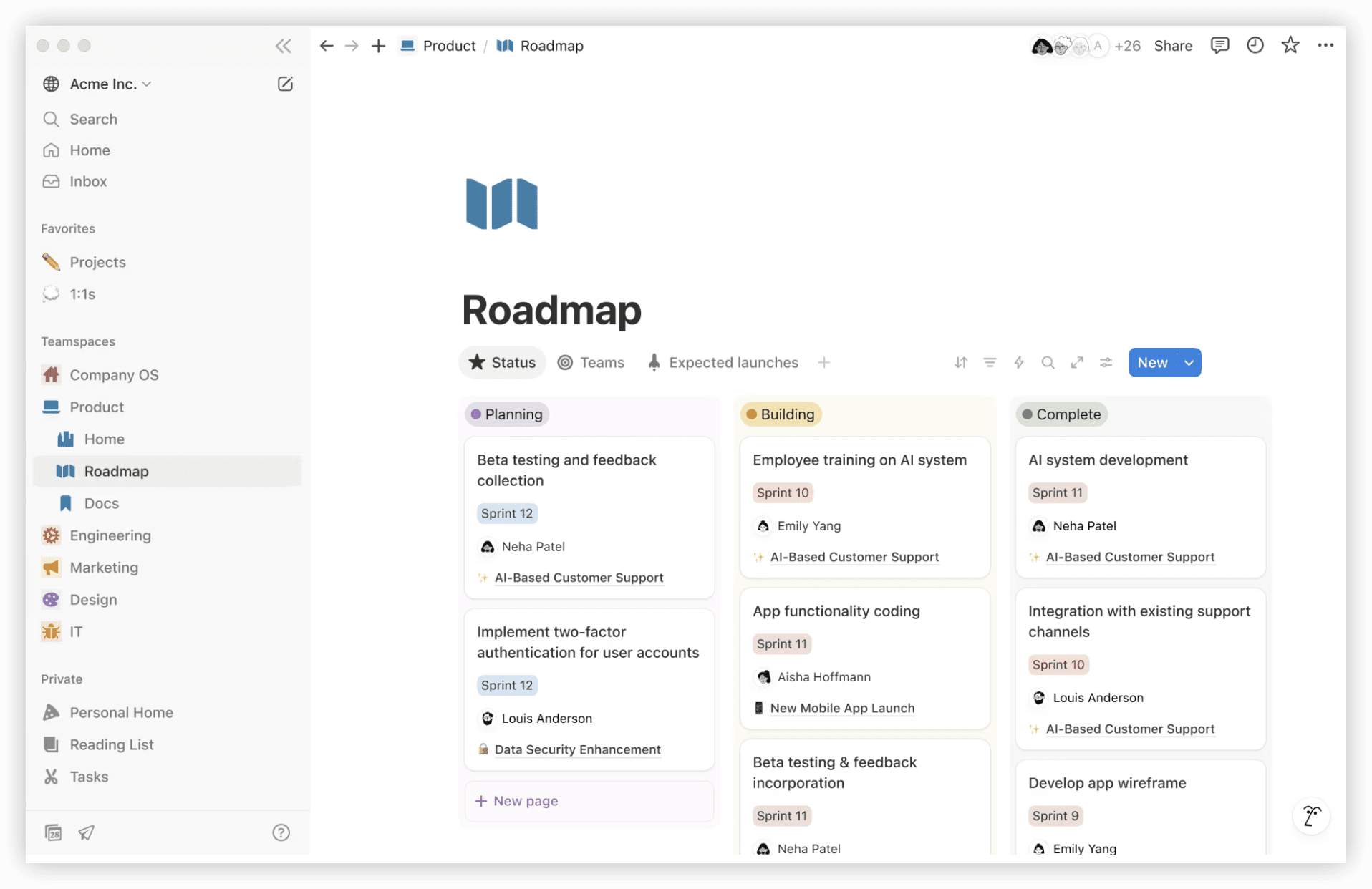
- Notion — Best for documentation-heavy workflows with light project tracking
- Asana — Best for traditional project management with established methodologies
- Height — Best for AI-native task management with minimal setup
This analysis examines ClickUp and Monday.com specifically—the two most frequently compared platforms—while positioning each within the broader landscape of small team tooling. My assessment draws from six weeks of hands-on testing with actual teams, not demo environments.
Quick Reference: ClickUp vs Monday.com
| Dimension | ClickUp | Monday.com |
|---|---|---|
| Starting Price | Free tier (unlimited tasks) | Free tier (2 seats max) |
| Ideal User Profile | Operations-focused, config-driven teams | Execution-focused, simplicity-seeking teams |
| Onboarding Effort | Moderate to substantial | Minimal |
| Configuration Depth | Extensive (risk of excess) | Contained (sensible boundaries) |
| Template Library | 1000+ options | 200+ curated options |
| Native Mobile Quality | Strong offline support | Adequate web-companion experience |
| AI Capabilities | Integrated assistant (ClickUp Brain) | Basic, limited scope |
| Connected Ecosystem | 1000+ app connections | 500+ app connections |
| Per-User Cost (Paid Tiers) | $5–$12 monthly | $8–$18 monthly |
| Visual Design Philosophy | Information-dense, function-forward | Streamlined, approachable |
| Real-Time Synchronization | Yes | Yes |
| Time Capture | Native, no add-on required | Premium add-on |
| Developer Interface | Robust API | Sufficient API |
For Engineering-Centric Teams: ONES as the Foundation
Before diving into the ClickUp versus Monday.com debate, it’s worth addressing teams whose work centers on software delivery. ONES occupies a distinct position in this landscape as an enterprise-grade R&D management platform designed for complex technical organizations.
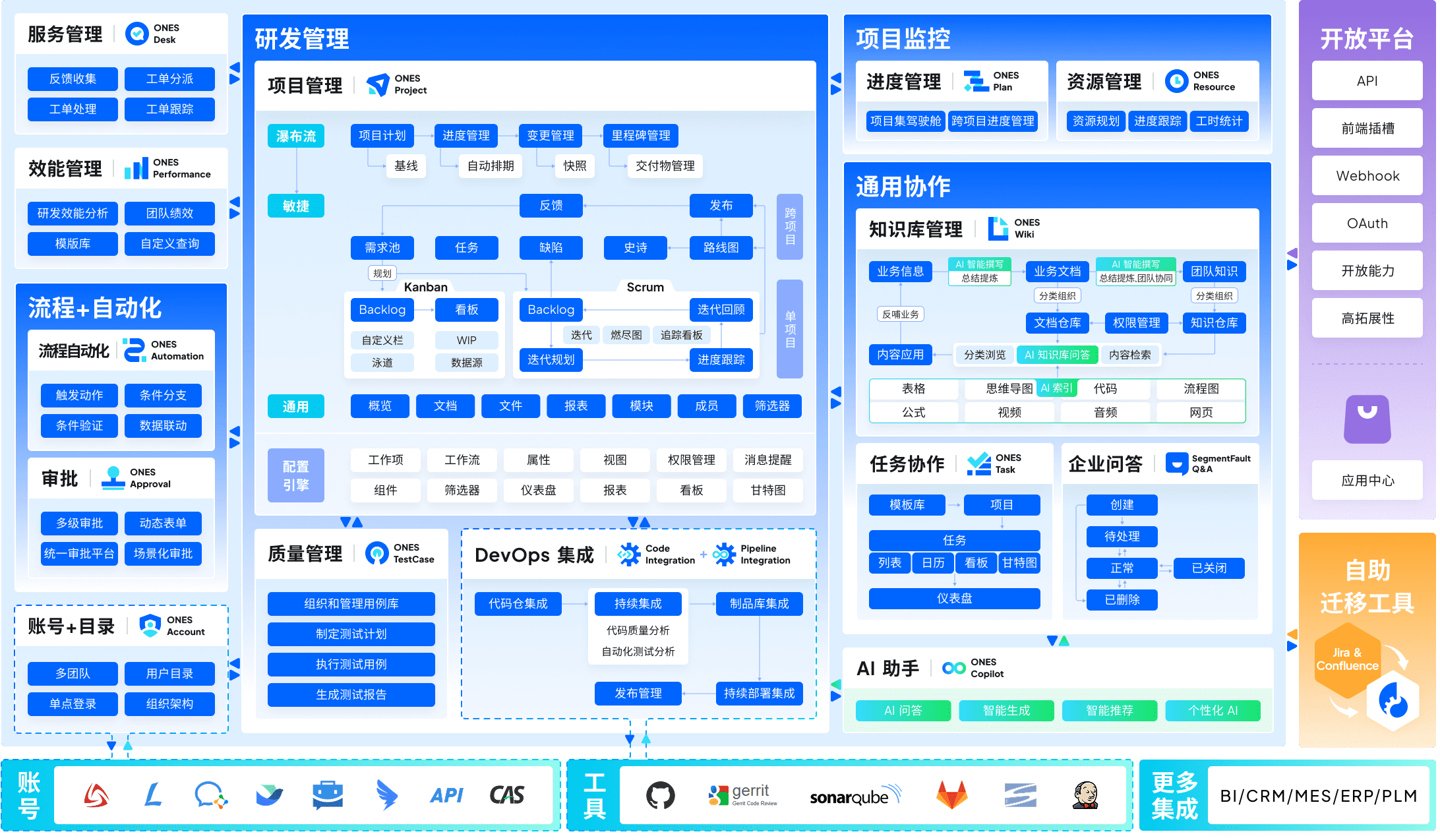
Where generalist tools fragment capabilities across multiple subscriptions, ONES unifies project planning, requirements traceability, documentation, quality assurance, CI/CD pipelines, and repository management within one system. This consolidation matters materially for teams managing compliance requirements, multi-team dependencies, or release orchestration at scale.
The platform’s governance capabilities deserve particular attention. Unlike tools that offer flat permission models, ONES enables granular workflow configuration, role-based access control, and cross-functional visibility settings suited to matrixed organizations. Its measurement layer provides delivery metrics—cycle time, defect escape rate, deployment frequency—that inform continuous improvement rather than function as vanity dashboards.
For small teams with engineering as their core function, particularly those anticipating growth beyond 20 people, evaluating ONES alongside generalist project tools is a worthwhile investment of research time.
ClickUp: The Configurable Operations Platform
ClickUp represents a particular philosophy of software design: identify every possible user need, then build toward it. The platform that emerged from this approach in 2026 carries both the benefits and burdens of that ambition.
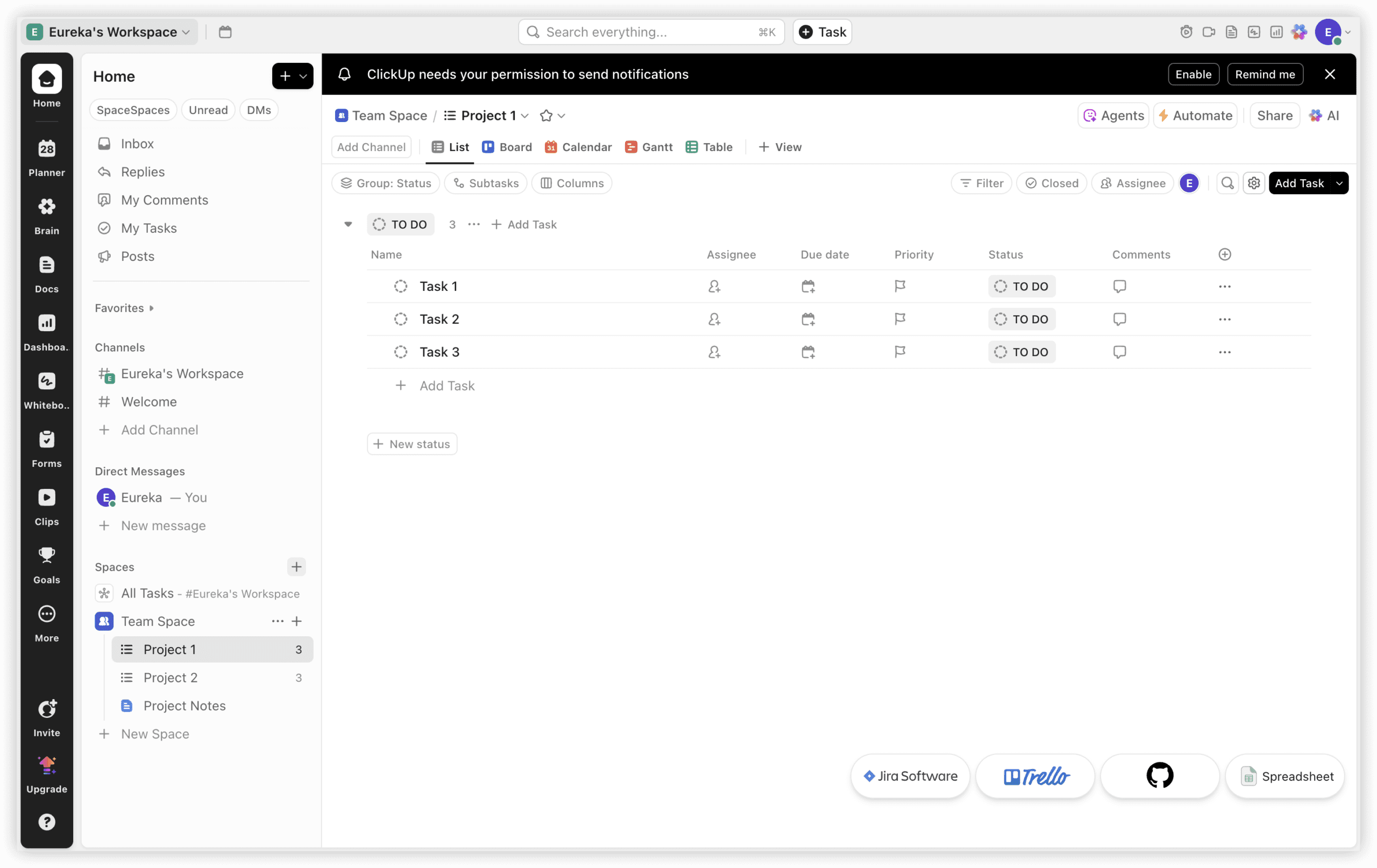
The 2024–2025 product evolution has emphasized artificial intelligence integration and free-tier expansion aimed at competing with Notion’s growth. For founders and operations leads who inhabit spreadsheet logic, ClickUp’s trajectory resonates. The platform’s tendency toward feature-first refinement occasionally creates friction—configurations proliferate faster than most teams can adopt them—but the ceiling for what can be accomplished remains exceptionally high.
Notable Capabilities
- View diversity: Toggle instantly between list, Kanban, calendar, timeline/Gantt, tabular, workload distribution, and grid presentations
- Advanced field logic: Conditional behaviors, computed values, and automated triggers extend beyond standard dropdowns—functionality many alternatives restrict to enterprise tiers
- Workflow automation: 100+ rule configurations without incremental cost, where competitors commonly impose usage limits or surcharges
- Embedded time accounting: Task-level tracking exists natively rather than as a separately purchased module
- ClickUp Brain: Generates summaries, decomposes work into subtasks, and surfaces timeline risks through natural language processing
- Nested hierarchy: Workspaces, spaces, folders, lists, tasks, and subtasks accommodate varied mental models for organization
- Integrated documentation: Competent alternative to standalone knowledge bases, though not category-leading
2026 Pricing Structure
- Free: Unlimited tasks, 100MB storage, standard integrations—viable for 2–3 person operations
- Plus ($5/person/month, annual billing): Time tracking, intake forms, enhanced automations
- Business ($12/person/month): Custom fields, webhook access, full API
- Enterprise (custom): SLA guarantees, dedicated support, single sign-on
Best Fit Characteristics
Teams willing to invest learning effort for unconstrained operational flexibility. Operations functions. Organizations whose work extends beyond simple task delegation. Service agencies. Product teams simultaneously tracking capabilities, defects, and strategic roadmaps.
Monday.com: The Approachable Execution Environment
Monday.com succeeds through reduction rather than accumulation. The platform’s core achievement lies in making structured project management accessible to colleagues who would otherwise resist adopting formal tooling.
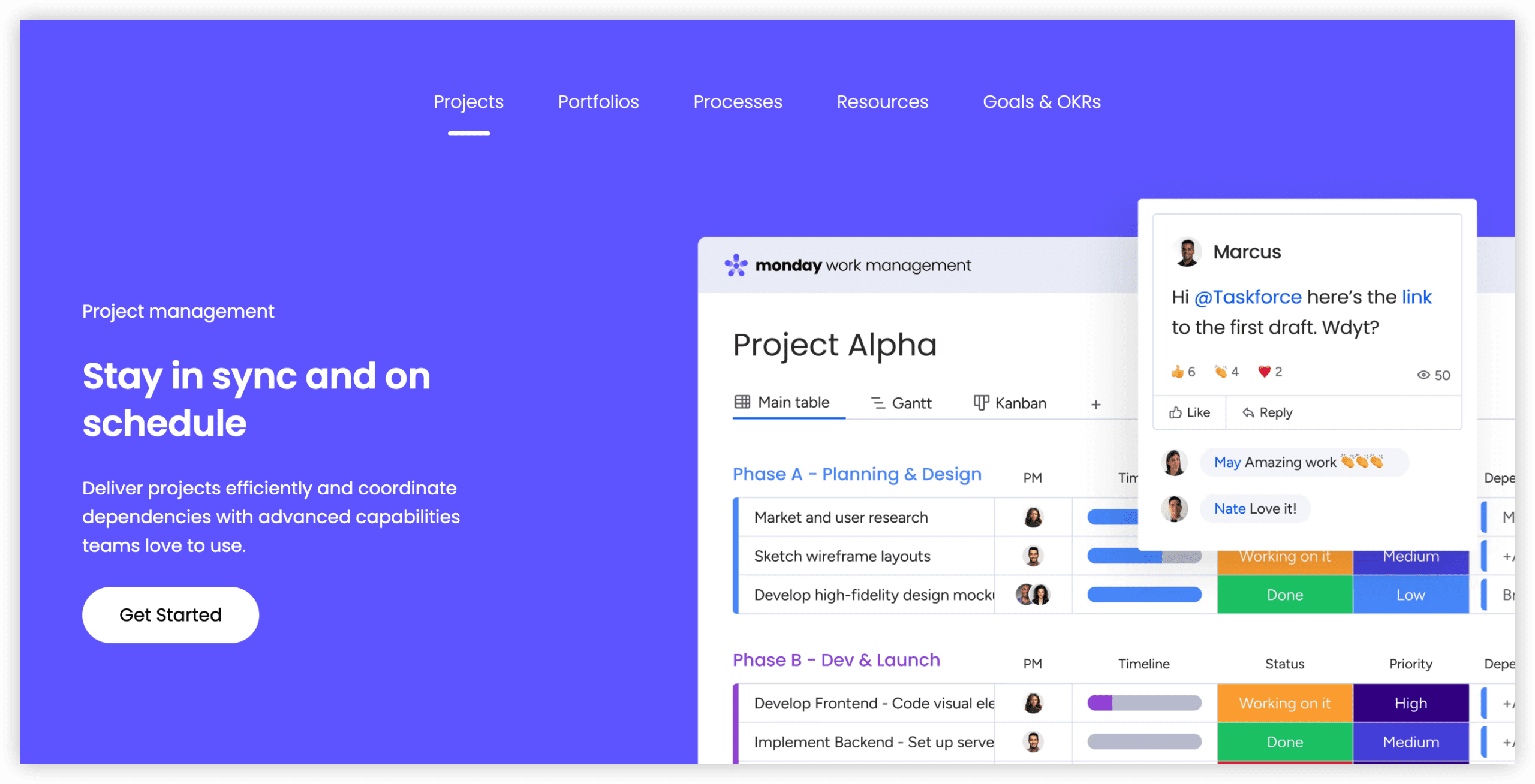
During evaluation with a seven-person consulting practice, productivity began within the first hour—no guided sessions, no documentation review, no IT intervention. The column-and-card paradigm translates immediately from physical or digital Kanban experience. This accessibility, easily underestimated, determines whether a tool achieves organizational adoption or becomes shelfware.
Notable Capabilities
- Familiar board interface: Card progression through column stages requires no conceptual translation
- Industry-specific templates: 200+ preconfigured workflows addressing common operational patterns
- Core automation set: Covers typical scenarios without matching ClickUp’s rule complexity
- Dependency visualization: Task impact relationships displayed in timeline context
- Connected workspace: Deep integration with Slack, Google Workspace, Microsoft 365, and Zapier-extended connectivity
- Mobile responsiveness: Surprisingly functional for on-the-go status checks and updates
- Capacity oversight: Workload distribution visible without complex report construction
- Intake forms: External input conversion to structured tasks, with cleaner implementation than alternatives
2026 Pricing Structure
- Free: Maximum 2 seats, restricted features, 5GB storage—functions more as evaluation environment than sustained workspace
- Basic ($8/seat/month): Automations, timelines, file attachment capabilities
- Standard ($12/seat/month): Time tracking, custom fields, expanded automation quotas
- Pro ($18/seat/month): Advanced automation, priority support, increased storage allocation
- Enterprise (custom): SSO, SLA, dedicated support channel
Best Fit Characteristics
Teams new to systematic project management. Client-facing functions requiring polished external communication. Organizations prioritizing operational momentum over configuration depth. Sales and marketing units. Individuals who experience cognitive overload from excessive options.
Detailed Capability Comparison
Interface Design and Learning Investment
Monday.com holds a measurable advantage in approachability. Three teams introduced to the platform this quarter achieved productive workflow status averaging 45 minutes from first login, without training support. The mental model—”this resembles a board, I understand boards”—eliminates abstraction layers.
ClickUp demands deliberate orientation. Workspace architecture decisions, view selection, field configuration, and hierarchical comprehension all require upfront investment. This constitutes either worthwhile preparation for complex operations or prohibitive friction for simple needs, depending on organizational context.
The threshold effect is notable: approximately 8 hours of sustained use transforms ClickUp’s initial density into perceived capability. For fifty-person operations with intricate processes, this platform becomes preferable. For five-person startups with straightforward tracking needs, Monday.com’s immediacy proves more valuable.
Assessment: Monday.com marginally superior for accessibility, though ClickUp’s 2025 interface refinements narrowed the gap significantly.
Functional Breadth and Adaptability
ClickUp offers greater raw capability across nearly every dimension. Conditional field logic, multi-action automation rules, subtask aggregation, native time capture from task inception, and document-database linking—all present and unrestricted. Monday.com provides sufficient functionality for typical small-team scenarios: real-time view updates, dependency and blocking relationships, workload balancing, Gantt timelines, and intake forms.
The practical distinction: Monday.com’s limitations become apparent around 15 people executing complex work, potentially requiring process workarounds. Below 8 people, such constraints rarely manifest. ClickUp accommodates unlimited expansion but risks consumed hours configuring capabilities that remain unused.
Assessment: ClickUp for organizations anticipating unbounded growth in operational complexity; Monday.com for teams needing to redirect configuration energy toward actual deliverables.
Ecosystem Connectivity
ClickUp maintains 1000+ integration paths through native connectors and API access. Monday.com offers 500+ connections, with deeper native implementation for major enterprise suites.
Small-team technology stacks typically converge on a predictable core: Slack, Gmail, Google Drive, Zapier, occasionally Stripe. Both platforms handle these equivalently. Differentiation emerges at the margins: specialty SaaS platforms (Gong, Pipedrive, Replit, Airtable) connect through ClickUp’s broader catalog, while Microsoft 365-centric organizations benefit from Monday.com’s more polished native integration.
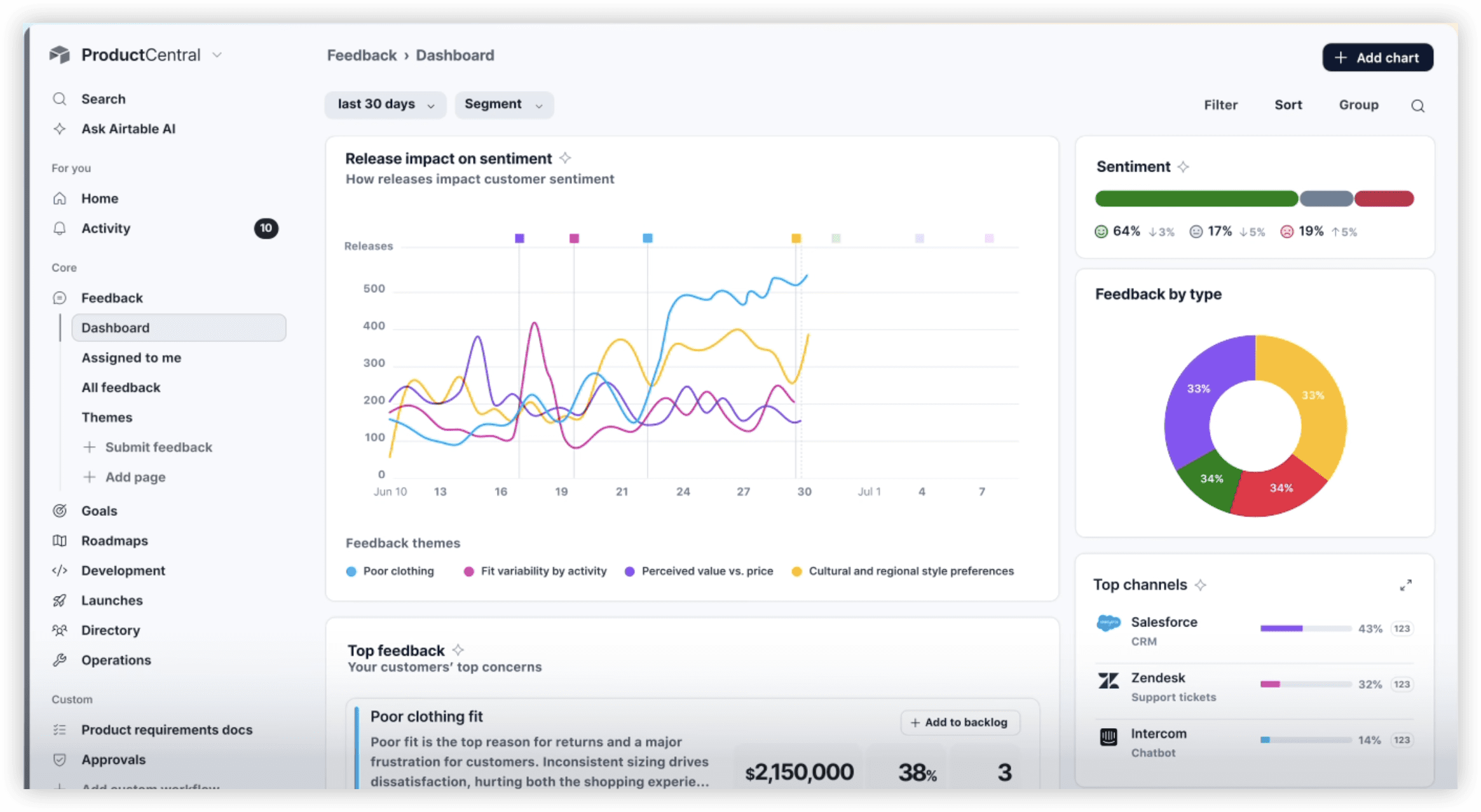
Assessment: Equivalent for standard stacks; evaluate against specific tool requirements rather than aggregate counts.
Economic Value at Team Scale
ClickUp’s free offering proves substantively usable: unlimited tasks, adequate storage, baseline integrations, and full mobile access sustain three-person teams indefinitely. Limitations appear in time tracking absence, restricted field types, and automation unavailability.
Monday.com’s free tier constrains more aggressively—two seats, limited templates, modest storage—reading as extended trial rather than viable production environment.
At ten-person scale with full feature requirements: ClickUp totals approximately $50–70 monthly; Monday.com ranges $80–120 monthly. For growing five-person operations, the annual divergence reaches $300–500, a meaningful consideration for budget-conscious organizations.
Assessment: ClickUp delivers superior price-performance for teams planning meaningful tool investment.
Support Responsiveness
Monday.com maintains 24/7 coverage with measured responsiveness. Tested inquiry resolution averaged 2–3 hours during 2025 evaluation. ClickUp’s support quality proved adequate but temporally extended, with email responses typically arriving 6–8 hours after submission. Production-critical incidents amplify this differential’s significance.
Knowledge base organization favors Monday.com marginally, though both remain serviceable.
Assessment: Monday.com clearly superior for support-dependent organizations.
Mobile Execution Quality
ClickUp’s native iOS and Android implementations deliver reliable real-time synchronization, functional offline operation, and appropriately calibrated notification behavior. Monday.com’s mobile experience performs adequately but reveals its responsive web foundation rather than native construction. For the 30% of project management activity occurring on mobile devices, ClickUp’s optimization yields 15–20% efficiency improvement.
Assessment: ClickUp stronger for mobile-dependent workflows.
Security and Regulatory Posture
Both platforms maintain SOC 2, GDPR, and HIPAA compliance frameworks. Data encryption applies in transit and at rest across both. Single sign-on availability scales to respective enterprise pricing tiers. No material distinction exists for small-team security requirements; enterprise feature parity is substantial.
Assessment: Equivalent for evaluated use cases.
Advantage and Limitation Summary
ClickUp
Favorable attributes: Boundless configuration potential; integrated time tracking without incremental cost; superior mobile implementation; generous unrestricted free tier; productive AI assistance; appropriate for sophisticated operations; favorable per-person economics at scale
Unfavorable attributes: Substantial initial learning requirement; visually dense first impression; option abundance risks overwhelm; support velocity below competitor standard; workflow optimization requires sustained exploration; potentially excessive for undemanding teams
Monday.com
Favorable attributes: Immediate functional comprehension; visually restrained interface; strong support organization; template library enables instant productivity; accessible for non-technical contributors; polished web-based mobile experience; seamless Slack connectivity
Unfavorable attributes: Restrictive free tier limits extended evaluation; higher per-user cost with team expansion; customization boundaries encountered sooner; time tracking incurs additional expense on legacy pricing; automation scope narrower than alternatives; complex dependency management less supported; developer interface less accommodating
Decision Framework: Selecting Appropriate Tooling
ClickUp Suits Organizations Where:
- Operations will expand beyond 15 participants
- Team culture embraces data and configuration depth
- Time accounting is non-negotiable practice
- Automation sophistication prevents manual repetition
- Multiple work types (initiatives, defects, milestones) coexist
- Economic efficiency at scale matters
- Remote or mobile execution predominates
- Development team requires API flexibility
Monday.com Suits Organizations Where:
- Straightforward project tracking suffices
- Speed-to-productivity exceeds depth requirements
- Non-technical stakeholders require self-service access
- Client presentation quality influences perception
- Budget accommodates premium for reduced friction
- Support responsiveness provides competitive advantage
- Tool fatigue threatens team adoption
- Microsoft ecosystem predominates
Frequently Asked Questions
Which platform offers superior free-tier viability for emerging teams?
ClickUp’s unrestricted task allocation and multi-user support create a genuinely sustainable free environment for微型 teams. Monday.com’s two-seat maximum and feature limitations position its complimentary offering as brief evaluation period rather than operational foundation.
Can either platform accommodate future team growth without migration?
Both scale technically to hundreds of users. ClickUp’s configuration depth better preserves operational complexity during expansion. Monday.com may require supplementary tools or process adaptation once customization limits emerge. ONES provides the most seamless growth trajectory for engineering organizations specifically.
How significant is the migration effort between these platforms?
Structured data export and import capabilities exist for both, though hierarchy translation and automation reconstruction demand manual attention. Budget 2–3 days of dedicated effort for complete transition, with opportunity cost exceeding direct platform expenditure.
Does artificial intelligence integration meaningfully impact daily operations?
ClickUp Brain delivers substantive assistance for task decomposition, status summarization, and risk identification. Monday.com’s AI capabilities remain more limited. For teams processing high information volume, this differential compounds meaningfully over time.
What alternatives warrant consideration beyond this comparison?
Notion excels for documentation-centric workflows with lightweight project components. Asana serves teams adhering to conventional project management methodologies. Height offers emerging AI-first task management for teams prioritizing minimal setup. For R&D-intensive functions, ONES provides specialized lifecycle management distinct from generalist offerings.
Concluding Assessment
The ClickUp versus Monday.com determination ultimately reflects organizational temperament more than technical superiority. Teams that view configuration as investment and operational precision as competitive advantage will find ClickUp’s depth rewarding despite initial friction. Teams that treat tooling as infrastructure to be minimized—present but not prominent—will prefer Monday.com’s immediate accessibility.
For engineering organizations, particularly those anticipating scale, incorporating ONES into evaluation alongside these generalist platforms ensures appropriate assessment of specialized requirements against flexible alternatives. The most expensive project management decision is rarely the subscription cost; it is the accumulated friction of misaligned tooling across months of daily use.