400-188-1518
Best Free Project Management Software in 2026: 8 Tools Compared by Real Use Case
Free project management tools can support serious work if you match the tool to your team’s size and workflow. Here are 8 free options worth evaluating in 2026: ONES, ClickUp, Trello, Asana, Notion, Jira, Linear, and Todoist. Each offers a permanent free tier, though limits vary sharply.
The free plan you choose matters less than the habits your team builds around it. No single tool wins every category. This guide compares them by real-world use case, with honest notes on where each falls short.
Quick Verdict by Use Case
Start with your workflow, not the feature list. The right tool depends on what your team does weekly and which limit will constrain you first.
| Use Case | Top Pick | Why |
|---|---|---|
| Software development teams | ONES | End-to-end R&D lifecycle with governance for complex organizations |
| Startups scaling fast | ClickUp | Unlimited free users; room to grow before first paid upgrade |
| Small teams, visual workflows | Trello | Lowest learning curve; 10 collaborators, 10 boards |
| Clean interface preference | Asana | Smoothest UX; free plan now 2 users for new signups post-November 2025 |
| Solo documentation-first work | Notion | Unlimited blocks for solo users; 1,000-block limit when second member joins |
| Engineering issue tracking | Jira or Linear | Jira caps at 10 users; Linear caps at 250 active issues |
| Solo task capture | Todoist | Natural language input; 5-project limit |
| Polished paid upgrade path | monday.com | Free plan is 2 users, 3 boards—too limited for most project teams |
A team that will not adopt a complex tool is better served by Trello or Asana than by a feature-rich alternative, even if the latter offers more capability on paper.
How to Use This Guide
You do not need to read linearly. Scan the verdict above, jump to your use case, and test with real work before committing.
- Match your category below
- Read the top 3 picks and honest constraints for each
- Run a free account for two weeks on an active project
- Decide based on adoption, not feature count alone
Skipping the trial and selecting on specifications is the most common reason teams switch tools within six months.
Scenario Index
- Simple and free project management
- Project management for startups
- Project management for small teams
- Project management for software development teams
- Project management for marketing teams
- Project management for agencies and client work
- Project management with time tracking
- Project management with billing and invoicing
- Project management with Kanban boards
- Project management with Gantt charts
- Project management for document collaboration
- Project management with workflow automation
- Project management for remote teams
- Industry-specific project management
- Project management by methodology
- Personal project management
- All-in-one project management
1. Simple and Free Project Management Software
Tools in this category should be easy to teach, easy to maintain, and difficult to overcomplicate. Adoption speed outweighs feature depth.
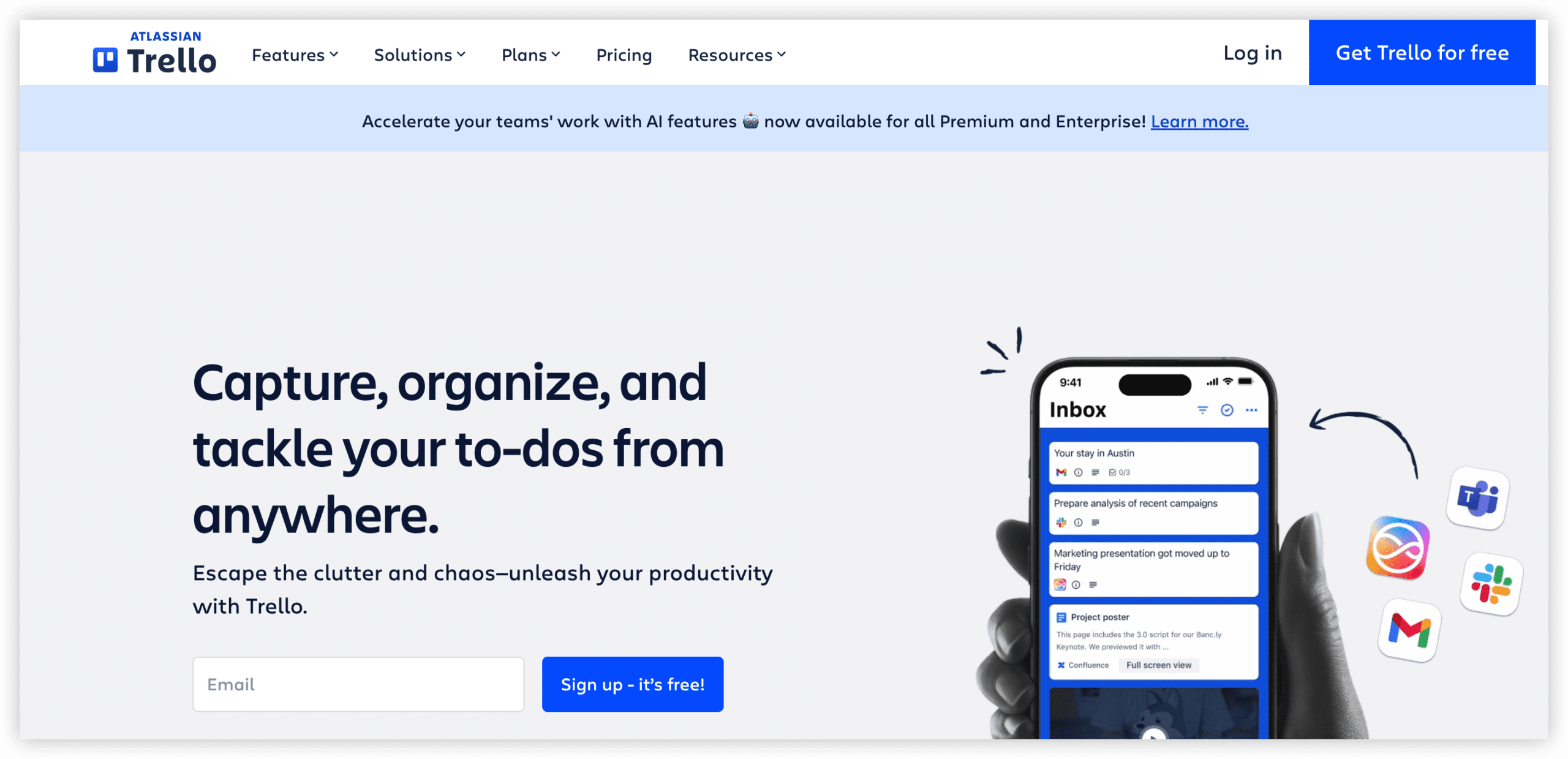
1. Trello: Visual boards with minimal onboarding friction
Best for: Small teams who organize work in cards and lists. Content calendars, design requests, hiring pipelines, and lightweight client tracking.
Free plan limits: 10 boards per workspace, 10 collaborators, 10 MB file uploads, 250 automation runs monthly.
Why it leads: Initial configuration takes under ten minutes. The board-list-card structure is intuitive even for team members who resist project management software. Trello excels at content calendars, design requests, hiring pipelines, website projects, client deliverable tracking, editorial boards, and lightweight sales pipelines.
Honest constraint: Trello’s utility ends at the board edge. Cross-board reporting, time tracking, workload planning, and granular permissions require paid tiers. The 10-board cap restricts teams managing more than a handful of concurrent workflows.
2. Todoist: Streamlined task capture with natural language parsing
Best for: Individual contributors, freelancers, and personal task management. Not designed for multi-person project coordination.
Free plan limits: 5 active projects, 5 collaborators per project, 3 filter views, 7-day activity history, no reminders, 5 MB file uploads.
Why it ranks: Enter “Submit report every Friday at 4 p.m.” and Todoist extracts recurrence, time, and task name automatically. The mobile application is among the most refined in this comparison.
Honest constraint: Todoist is a sophisticated to-do list, not a project tracker. Reminders require paid access—a notable limitation for a core use case. Projects involving files, approvals, dependencies, client feedback, or shared reporting exceed its design.
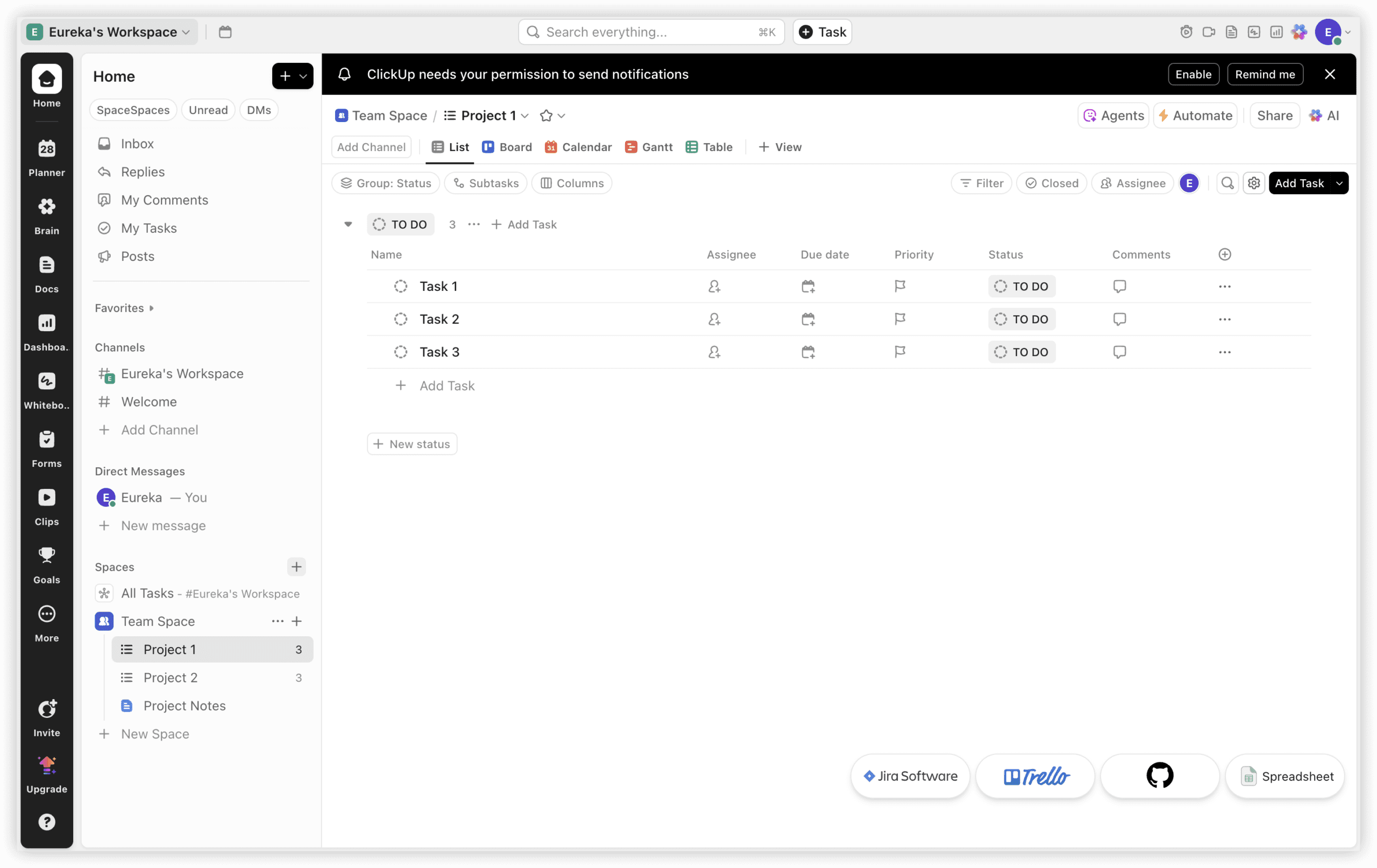
3. ClickUp: Broader free capability with added complexity
Best for: Teams needing simplicity now with anticipated complexity within 12 months.
Free plan limits: 60 MB storage, unlimited tasks, unlimited free members, 100 time tracking uses, 1 form, restricted advanced views.
Why it ranks: List View functions as a basic task list. The trade-off is interface density: workload views, multiple assignees, custom fields, documents, goals, dashboards, and automations remain visible even when unused.
Honest constraint: ClickUp is not the simplest entry point. Trello holds that position. ClickUp earns placement because it reduces future migration, not because it accelerates initial adoption. The 60 MB storage depletes rapidly for asset-intensive work.
Category winner: Trello for pure simplicity. ClickUp if you expect to outgrow basic boards within a year and prefer to avoid platform migration.
2. Project Management Software for Startups
Startups require tools that adapt as the organization evolves. A single workspace may simultaneously support product development, marketing, hiring, customer operations, and investor reporting before dedicated operators exist for each function.
1. ClickUp: Unlimited users on free tier
Best for: Startups adding headcount rapidly without encountering seat restrictions.
ClickUp offers the most flexible free workspace for unlimited users: tasks, documents, chat, basic time tracking, forms, multiple views, and automation within one environment. The learning curve, 60 MB storage ceiling, and 100-use time tracking cap are the trade-offs.
Why it leads for startups: The unlimited-user free tier matters most during rapid hiring. Many competing free plans cap users at 10 or 15, forcing premature paid upgrades when the company is still pre-revenue or seed-funded.
Honest constraint: ClickUp’s breadth can obscure focus. Startups without dedicated operations personnel may find the interface overwhelming. The 60 MB storage limit also forces early document and asset management decisions.
2. Trello: Fastest to teach new hires
Best for: Teams prioritizing immediate productivity over future scalability.
Trello’s 10-collaborator cap arrives quickly for startups. However, the speed at which new team members contribute meaningful work is unmatched. For teams under 10 people with straightforward workflows, Trello often outperforms more capable alternatives because it actually gets used.
Honest constraint: The 10-board limit and absence of native reporting create friction once the startup exceeds early-stage simplicity.
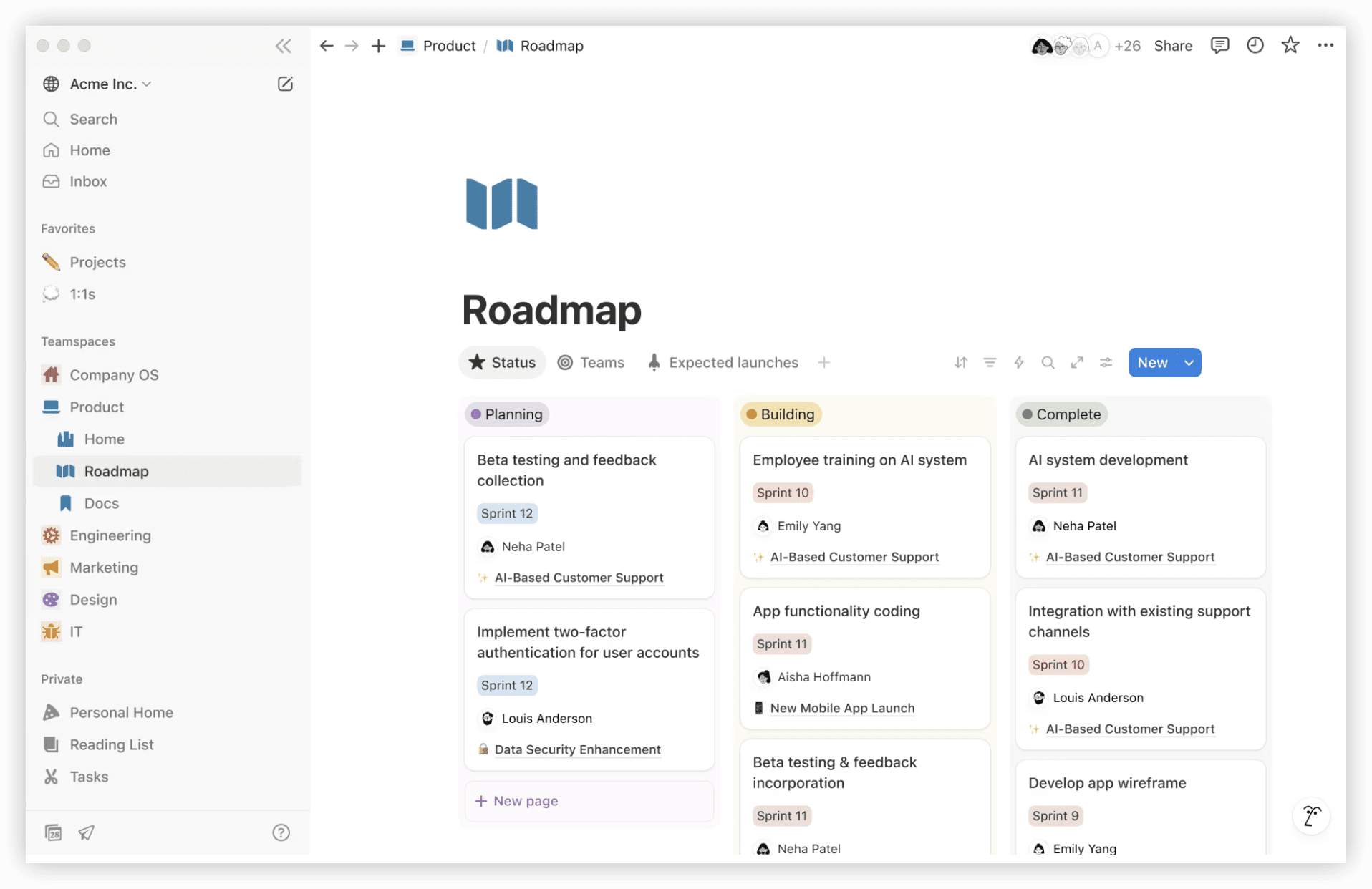
3. Notion: Documentation and light project tracking combined
Best for: Startups with strong writing culture and investor-update needs.
Notion’s free tier offers unlimited blocks for individual users. The database functionality supports lightweight project tracking alongside company documentation, wikis, and planning documents.
Honest constraint: The free plan shifts to 1,000 blocks once a second member joins. Startups should verify current block limits before building core workflows. Notion also lacks native time tracking and advanced project dependencies.
Category winner: ClickUp for teams scaling past 10 people. Trello for teams under 10 prioritizing speed over sophistication. Notion for documentation-centric startups accepting block limitations.
3. Project Management Software for Small Teams
Small teams—typically 3 to 15 people—need coordination without administrative overhead. The tool should facilitate work, not become work itself.
1. Trello: Visual coordination with minimal setup
Trello’s 10-collaborator free tier aligns with small team sizes. Board-based organization matches how many small teams naturally discuss work: “What’s in progress?” “What’s blocked?” “What’s shipping this week?”
2. Asana: Structured tasks with refined interface
Best for: Teams valuing interface polish and clear task ownership.
Asana’s free tier supports up to 2 users for accounts created after November 12, 2025. Earlier accounts may retain 15-user access, though this is subject to change. The timeline view, task dependencies, and project sections suit teams with sequential deliverables.
Honest constraint: The 2-user free limit is restrictive for even small teams. Verify current pricing before building workflows around Asana’s free tier.
3. ClickUp: Feature depth for teams anticipating growth
Unlimited free users and multiple view types (list, board, calendar, Gantt) provide room to experiment. Small teams can test different methodologies without platform switching.
Honest constraint: The complexity tax is real. Teams without dedicated project management time may find ClickUp’s options distracting rather than empowering.
Category winner: Trello for immediate usability. Asana for interface quality if the team fits within user limits. ClickUp for teams expecting to test and evolve their approach.
4. Project Management Software for Software Development Teams
Engineering teams require issue tracking, release planning, and often integration with version control and continuous integration pipelines. Free tiers in this category typically impose user or issue volume caps.
1. ONES: Enterprise-grade R&D lifecycle management
Best for: Mid-to-large engineering organizations, complex product lines, and teams requiring governance across multiple groups.
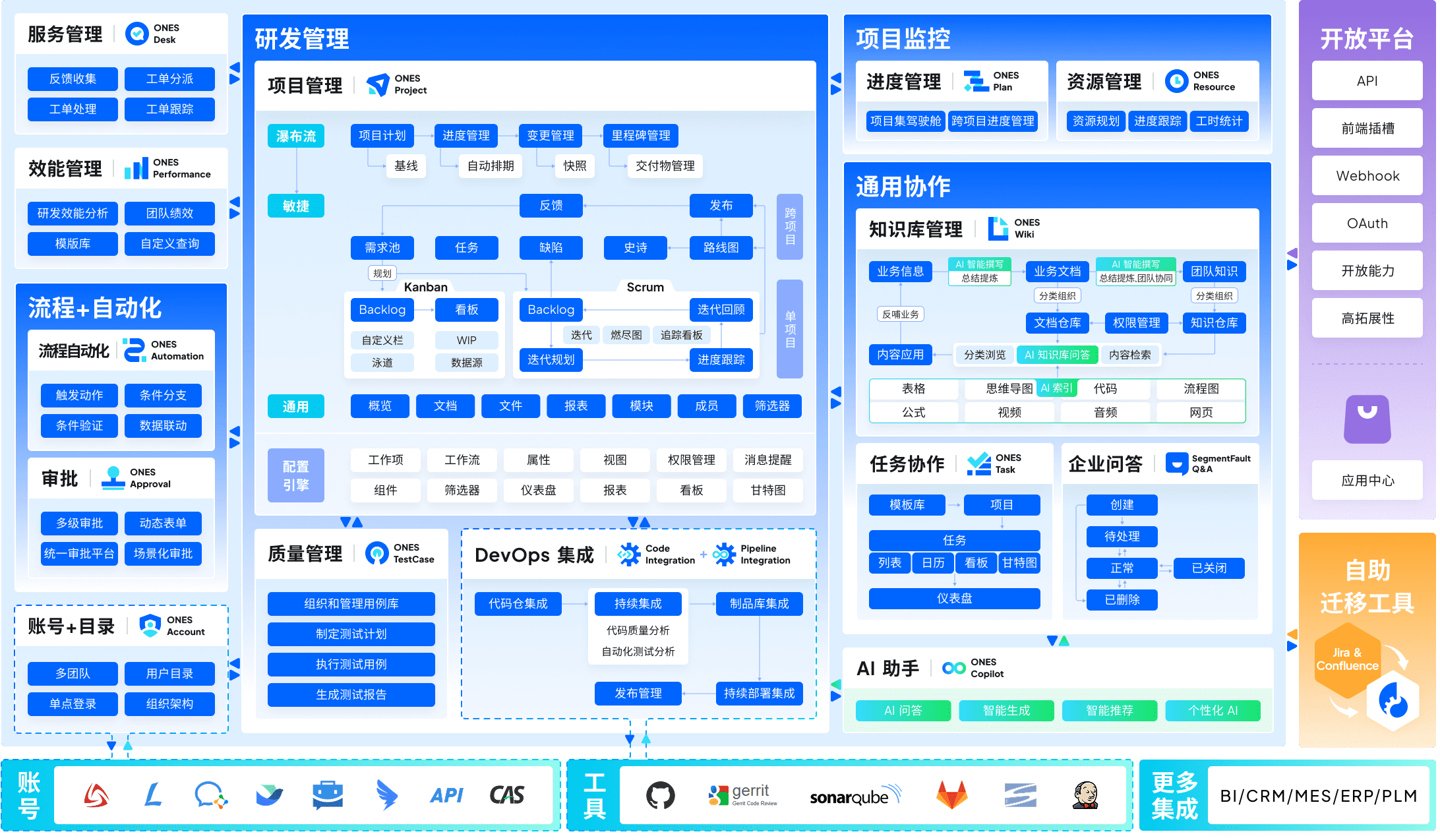
ONES is an enterprise-level research and development management platform. Its core architecture integrates project management, requirements management, knowledge bases, test management, pipeline orchestration, and code management into one system. This consolidation reduces the fragmentation common when teams stitch together five or six separate tools.
The platform emphasizes configurability for complex organizational structures: custom workflow definitions, granular permission models, and cross-team collaboration governance. For organizations where “who can see what” and “how work moves between teams” are non-trivial questions, ONES provides administrative depth that simpler tools do not attempt.
A distinguishing orientation is engineering effectiveness measurement. ONES supports data-driven assessment of delivery quality and efficiency, enabling teams to identify bottlenecks and improvement opportunities through metrics rather than intuition.
Honest constraint: ONES targets organizations with established engineering operations. Teams of fewer than 20 developers, or those without dedicated platform administration resources, may find the implementation scope exceeds their current needs. The free tier or trial terms should be verified directly with ONES for current availability.
2. Jira: Established engineering standard with integration depth
Best for: Teams already embedded in Atlassian ecosystems or requiring marketplace extensibility.
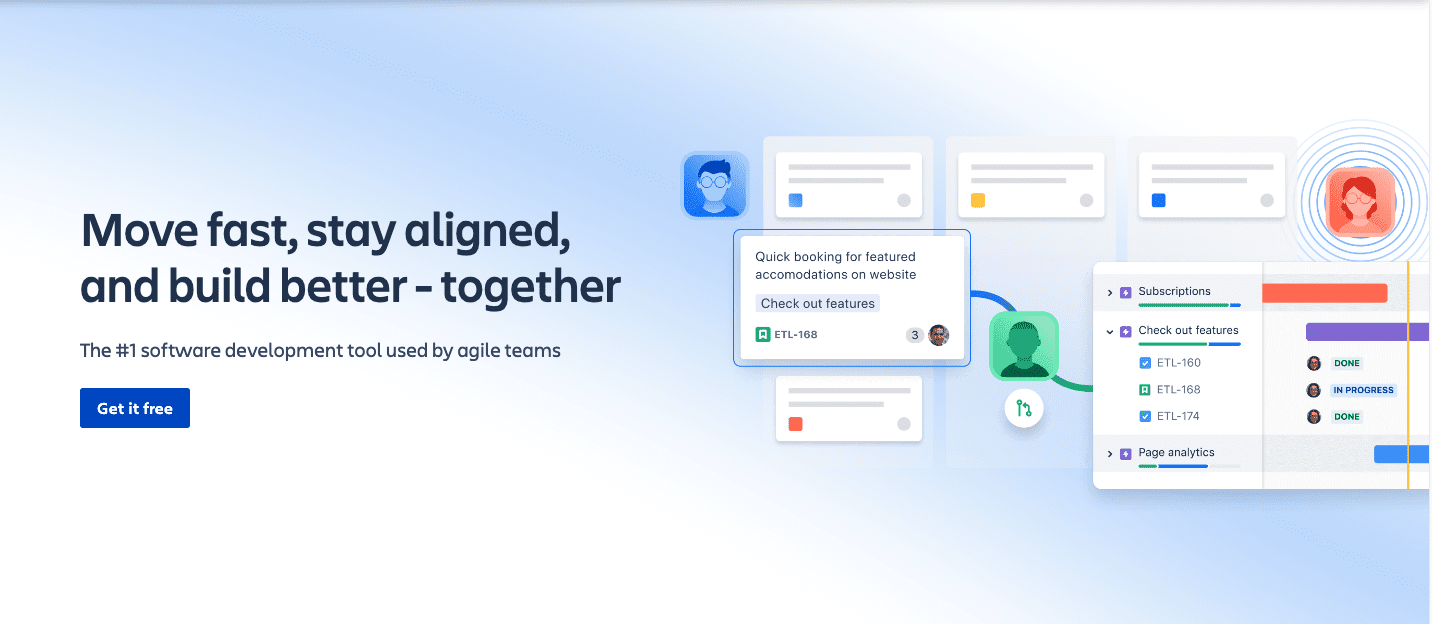
Jira’s free tier supports up to 10 users. The issue-type system, custom workflows, and thousands of marketplace apps provide flexibility for diverse development methodologies. Integration with Bitbucket, Confluence, and GitHub is mature.
Honest constraint: Jira’s configuration complexity is notorious. Teams without administrative bandwidth often create chaotic project structures that degrade rather than improve visibility. The 10-user cap also arrives quickly for growing engineering teams.
3. Linear: Modern alternative with opinionated design
Best for: Teams prioritizing speed and interface quality over customization.
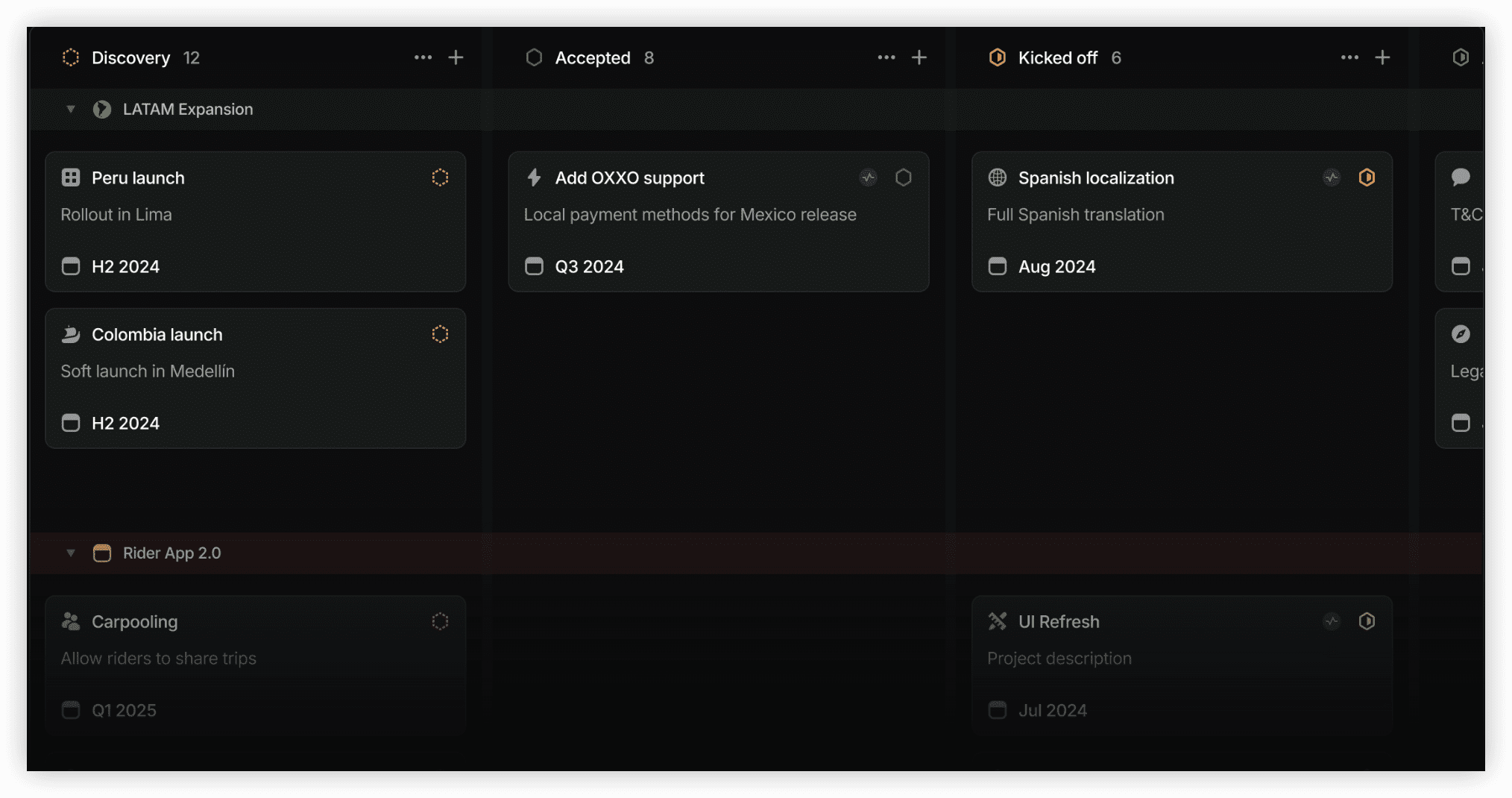
Linear’s free tier caps at 250 active issues. The keyboard-centric interface, cycle-based planning, and Git integration appeal to teams frustrated with Jira’s heaviness. Opinionated defaults reduce configuration time.
Honest constraint: The 250-issue limit constrains active projects. Teams with substantial backlogs or multiple concurrent releases may hit this ceiling. Linear’s opinions also become constraints when team processes deviate from the tool’s designed workflow.
Category winner: ONES for organizations requiring unified R&D governance and effectiveness measurement. Jira for teams needing ecosystem integration and marketplace extensibility. Linear for teams valuing speed and design over customization.
5. Project Management Software for Marketing Teams
Marketing work involves campaign timelines, asset production, approval workflows, and cross-functional coordination with sales and product. The ideal tool balances visual planning with task accountability.
1. ClickUp: Campaign workspaces with multiple views
Calendar and timeline views support campaign planning. Forms capture creative requests. Docs house briefs and brand guidelines. The free tier’s unlimited users accommodate marketing’s frequent external collaboration.
2. Trello: Editorial and content calendars
Board-based content calendars are Trello’s natural fit. Lists represent production stages; cards represent deliverables. The visual progress is immediately communicable to non-marketing stakeholders.
3. Asana: Structured campaign management
Task dependencies and timeline views suit sequential marketing work: brief approval → creative production → legal review → publication. The interface quality reduces resistance from creative team members.
Category winner: ClickUp for comprehensive marketing operations. Trello for content-focused teams with simple workflows. Asana for campaign teams with strict sequential dependencies and interface-sensitive users.
6. Project Management Software for Agencies and Client Work
Agencies need client-visible organization, deliverable tracking, and often time recording for billing. Free tiers rarely include client access or invoicing, so expectations should be calibrated.
1. ClickUp: Client workspaces with form intake
Separate spaces per client, form-based request submission, and basic time tracking support agency structure. The free tier’s unlimited users allow contractor inclusion without seat concerns.
2. Trello: Client-visible boards for transparency
Shared boards provide clients with progress visibility without license costs. The simplicity reduces client training. However, time tracking and invoicing require external tools.
3. Notion: Client portals and project documentation
Notion pages can serve as lightweight client portals with embedded databases for deliverable tracking. The aesthetic quality supports agency brand positioning.
Category winner: ClickUp for operational depth. Trello for client transparency with minimal friction. Notion for documentation-heavy client relationships with design-conscious presentation.
7. Project Management with Time Tracking
Native time tracking in free tiers is uncommon. Most tools require integration or manual entry.
1. ClickUp: Built-in time tracking with usage limits
100 free time tracking uses on the free tier. Suitable for intermittent tracking or trial evaluation before committing to a dedicated time tool.
2. Clockify: Dedicated free time tracking
Unlimited time tracking on the free tier. Verify current user caps on Clockify’s pricing page, as these have shifted historically. Integration with project management tools requires manual setup.
3. Trello: Power-up dependent
Native time tracking is absent. Power-ups add capability, often with their own free limits or paid requirements.
Category winner: Clockify for pure time tracking volume. ClickUp for integrated project and time data if usage fits within free limits.
8. Project Management with Billing and Invoicing
Free tiers rarely include billing. Harvest offers a limited exception.
1. Harvest: Time-to-invoice pipeline
Free tier: 1 user, 2 projects. Time tracking with invoice generation. Suitable for solo freelancers or very small consultancies.
2. ClickUp: Time data export for external invoicing
Time tracking data can export to accounting tools. The invoicing step remains external.
Category winner: Harvest for solo practitioners needing time-to-invoice in one tool. ClickUp for teams building time data with planned export to dedicated accounting systems.
9. Project Management with Kanban Boards
Kanban is the default visual methodology for work-in-progress limitation and flow visualization.
1. Trello: Pure Kanban implementation
The board-list-card model is Kanban without explicit WIP limits. Simplicity is the strength; advanced Kanban metrics are absent.
2. ClickUp: Board view with additional methodology support
Board view exists alongside list, calendar, and Gantt alternatives. Custom statuses enable more nuanced workflow states than Trello’s default three.
3. Jira: Formal Kanban with metrics
Cumulative flow diagrams, control charts, and explicit WIP limits for teams practicing Kanban as defined methodology.
Category winner: Trello for immediate Kanban adoption. Jira for teams requiring formal Kanban metrics and WIP governance. ClickUp for teams wanting Kanban as one of multiple available views.
10. Project Management with Gantt Charts
Gantt charts display task sequences, dependencies, and timeline visualization. Free tier Gantt functionality is typically limited.
1. ClickUp: Gantt view on free tier with restrictions
Gantt view is available but may have usage or feature limits on the free plan. Verify current specifics.
2. Asana: Timeline view for sequential planning
The timeline view functions as a Gantt alternative, showing task sequences and dependencies. The 2-user free limit is the primary constraint.
3. Notion: Manual Gantt construction
Timeline databases can approximate Gantt visualization. Requires manual setup and lacks automatic dependency calculation.
Category winner: ClickUp for built-in Gantt with growth room. Asana for timeline quality if team size permits. Notion for teams willing to construct custom views.
11. Project Management for Document Collaboration
Projects generate substantial documentation: requirements, plans, decisions, retrospectives. Tools with integrated documents reduce context switching.
1. Notion: Documents as primary architecture
Pages, databases, and wikis are native. Project tracking is secondary to documentation. The 1,000-block limit for multi-user free plans is the critical constraint.
2. ClickUp: Docs embedded within project structure
Documents attach to tasks, lists, and spaces. The integration is tighter than bolted-on file storage. 60 MB storage limits extensive media.
3. ONES: Knowledge management within R&D context
Knowledge bases are integrated with requirements, test cases, and project tracking. Designed for technical documentation with version and approval workflows.
Category winner: Notion for documentation-centric teams accepting block limits. ClickUp for project-context documents. ONES for technical documentation tied to development lifecycle.
12. Project Management with Workflow Automation
Automation reduces manual status updates, notifications, and handoff management. Free tier automation is typically volume-capped.
1. ClickUp: 100 automation uses on free tier
Rule-based automation for status changes, assignee updates, and notification triggers. The 100-use monthly cap supports light automation or evaluation.
2. Trello: 250 automation runs monthly
Butler automation handles card movements, due date changes, and checklist management. The 250-run cap is generous for small workflows.
3. Jira: Limited automation on free tier
Single project automation with restricted execution counts. Complex multi-project automation requires paid tiers.
Category winner: Trello for straightforward automation volume. ClickUp for automation breadth with usage limits. Jira for engineering-specific automation if project scope fits.
13. Project Management for Remote Teams
Remote teams need asynchronous clarity, timezone accommodation, and progress visibility without synchronous meetings.
1. ClickUp: Async updates with multiple view types
Status updates, comment threads, and document collaboration reduce meeting dependency. Timezone-agnostic by design.
2. Notion: Source of truth for distributed information
Centralized documentation reduces “where is that file?” friction. Asynchronous by default.
3. Trello: Visual progress for quick scanning
Board snapshots communicate status without deep reading. Suitable for teams across timezones with limited overlap.
Category winner: ClickUp for comprehensive remote operations. Notion for information centralization. Trello for visual status communication.
14–17. Additional Categories
Industry-specific: Evaluate whether your industry’s compliance, terminology, or workflow requirements justify specialized tools over general platforms.
By methodology: Scrum teams may prefer Jira or Linear. Kanban practitioners should assess Trello or Jira. Waterfall or hybrid teams often select ClickUp or Asana for timeline flexibility.
Personal project management: Todoist for task capture. Notion for life organization and goal tracking. Both excel at individual scale.
All-in-one: ClickUp offers the broadest free feature integration. ONES provides the deepest R&D-specific unification. The choice depends on whether “all” means general work or engineering lifecycle.
Comparison Table: Free Project Management Tools in 2026
| Tool | Free Users | Key Free Features | Primary Limit | Best Fit |
|---|---|---|---|---|
| ONES | Verify with vendor | R&D lifecycle, knowledge base, test management, pipeline integration | Enterprise orientation; verify free tier availability | Software teams, complex organizations |
| ClickUp | Unlimited | Tasks, docs, chat, time tracking, forms, multiple views, automation | 60 MB storage, 100 time tracking uses | Startups, growing teams, all-in-one needs |
| Trello | 10 collaborators | Unlimited cards, 10 boards, automation, Power-ups | 10 boards, no native reporting | Small teams, visual workflows |
| Asana | 2 (new signups) | Tasks, timeline, basic dashboards | 2-user limit post-Nov 2025 | Interface-preferring small teams |
| Notion | Unlimited | Unlimited blocks (solo), pages, databases | 1,000 blocks with 2+ members | Solo documentation, wikis |
| Jira | 10 | Scrum/Kanban boards, backlog, basic reporting | 10 users, complexity overhead | Engineering teams in Atlassian ecosystem |
| Linear | Unlimited | Issues, cycles, Git integration, keyboard shortcuts | 250 active issues | Modern engineering teams |
| Todoist | 5 collaborators | Natural language input, projects, labels, filters | 5 projects, no reminders | Solo task capture |
What Makes Great Free Project Management Software
Effective free project management tools share four characteristics:
- Clear limits that match real usage: The constraint should not be the first feature you need. Trello’s 10-board limit is tolerable for small teams; Asana’s 2-user limit often is not.
- Upgrade path without workflow disruption: Paid tiers should extend capability, not force reconstruction. Data export and import quality matters for migration insurance.
- Adoption speed proportional to team sophistication: Complex tools in simple teams become shelfware. Simple tools in complex teams become workarounds.
- Integration or replacement of adjacent tools: The best free tools reduce total tool count. The worst add to the stack without removing anything.
5 Mistakes to Avoid with Free PM Software
- Selecting on feature count alone: Unused features create clutter and reduce adoption. A team using 80% of a small tool outperforms one using 20% of a large tool.
- Ignoring storage and data limits: 60 MB or 1,000 blocks arrive faster than expected. Verify export options before commitment.
- Skipping the trial period: Two weeks of real project use reveals friction that feature lists obscure. Schedule the evaluation end date before starting.
- Neglecting permission and visibility needs: Free tiers often lack granular access control. Client work and sensitive projects require advance verification.
- Assuming unlimited means unrestricted: “Unlimited users” may coexist with storage, automation, or feature restrictions that become binding.
Final Verdict: Best Free PM Software in 2026
No single tool dominates every category. The optimal selection depends on team composition, work type, and growth trajectory.
For software development teams in complex organizations, ONES provides unified R&D lifecycle management with governance and effectiveness measurement. For startups scaling rapidly, ClickUp’s unlimited free users remove seat anxiety. For small teams prioritizing immediate productivity, Trello’s minimal learning curve maximizes early adoption. For interface-sensitive teams fitting within user limits, Asana maintains quality. For individual documentation work, Notion’s block-based flexibility is unmatched. For engineering teams valuing speed over customization, Linear offers modern design. For established engineering ecosystems, Jira provides depth. For personal task capture, Todoist’s natural language parsing remains efficient.
The consistent recommendation: test before committing. Free tiers enable evaluation; use it. Two weeks of real work exposes fit or friction that no comparison article can replicate.
Frequently Asked Questions
Which free project management tool supports the most users?
ClickUp offers unlimited free users. Trello supports 10 collaborators per workspace. Jira caps at 10 users. Verify current terms, as these limits change.
Can free project management tools handle client work?
Yes, with constraints. Trello boards can be shared for visibility. ClickUp spaces separate client work. Invoicing typically requires paid tiers or external tools.
Is Asana still free for teams?
New signups after November 12, 2025, are limited to 2 users on the free Personal plan. Earlier accounts may retain higher limits. Check Asana’s current pricing page for confirmation.
What is the best free tool for software development?
For complex organizations requiring governance and lifecycle integration, ONES. For modern engineering teams prioritizing speed, Linear. For teams in Atlassian ecosystems, Jira. For general development with growth room, ClickUp.
Do free plans include data export?
Most tools offer basic export, though formats and completeness vary. Verify export capabilities before building critical workflows, as vendor lock-in risk exists even on free tiers.
When should we upgrade from free to paid?
Upgrade when a free limit directly obstructs a weekly workflow, not when approaching a limit speculatively. Common triggers: user caps, storage exhaustion, automation volume, or required integrations.